152 Adding and Replacing Parts
FILE LOCATION: C:\Projects\Spears\SpearsHTML\parts.fm
DELL CONFIDENTIAL – PRELIMINARY 7/18/07 - FOR PROOF ONLY
Flash Cache Module
The Flash Cache Module or FCM, is an internal memory card that helps
improve the performance of your computer. The FCM card is also known as
Intel Turbo Memory and the Intel Flash Cache Logic Chip Mini-card.
NOTE: This card is only compatible with the Microsoft Windows Vista™ operating
system and Intel platform.
If you ordered an FCM with your computer, it is already installed.
Removing the FCM
1
Follow the procedures in "Before You Begin" on page 135.
2
Turn the computer over and remove the cover on the Mini Card
compartment.
3
Ground yourself by touching one of the metal connectors on the back of
the computer.
NOTE: If you leave the area, ground yourself again when you return to the computer.
4
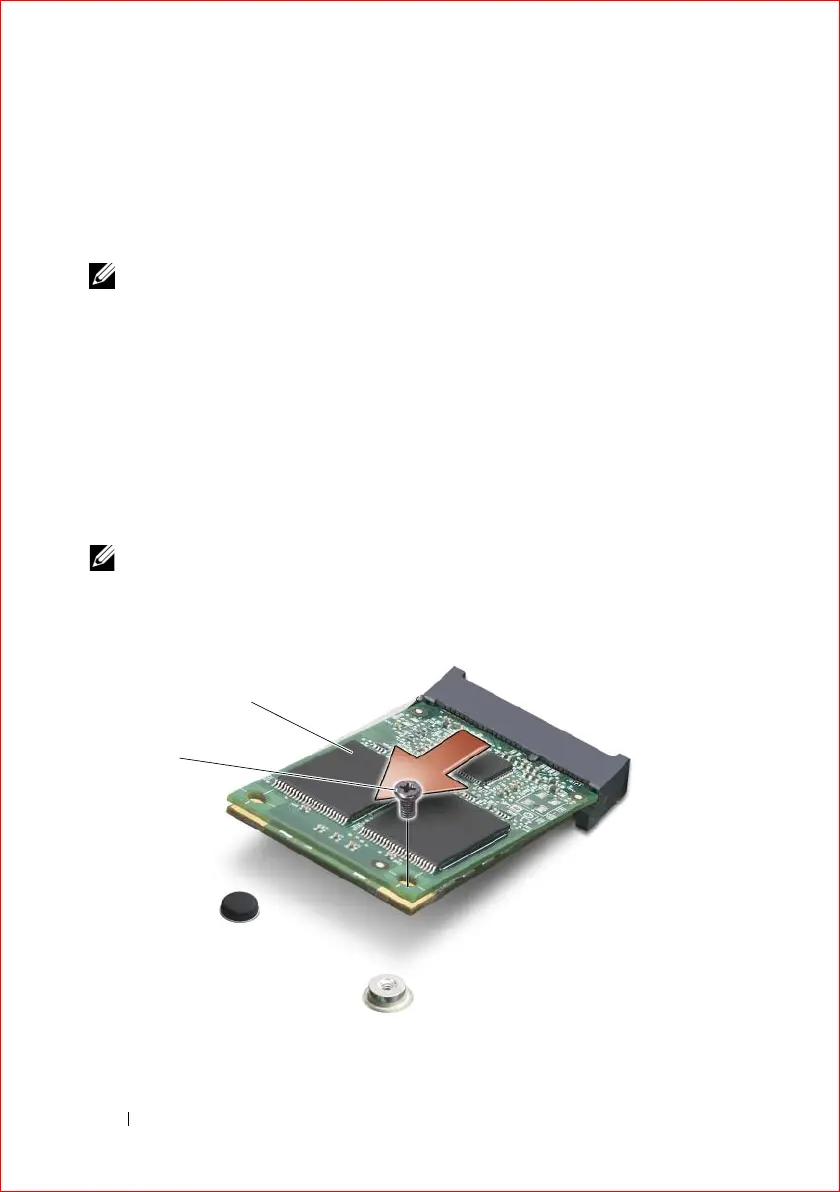
Remove the M2 x 3-mm securing screw.
5
Remove the FCM.
2
1













 To Next Page