About Your Computer 27
This port may be covered with a blank if your computer does not have a
modem installed.
HDMI CONNECTOR — HDMI (High-Definition Multimedia Interface)
connector carries an uncompressed all digital signal to produce hi-definition
video and audio.
IEEE 1394 CONNECTOR — Connects devices supporting IEEE 1394a high-
speed transfer rates, such as some digital video cameras.
HARD DRIVE — Stores software and data.
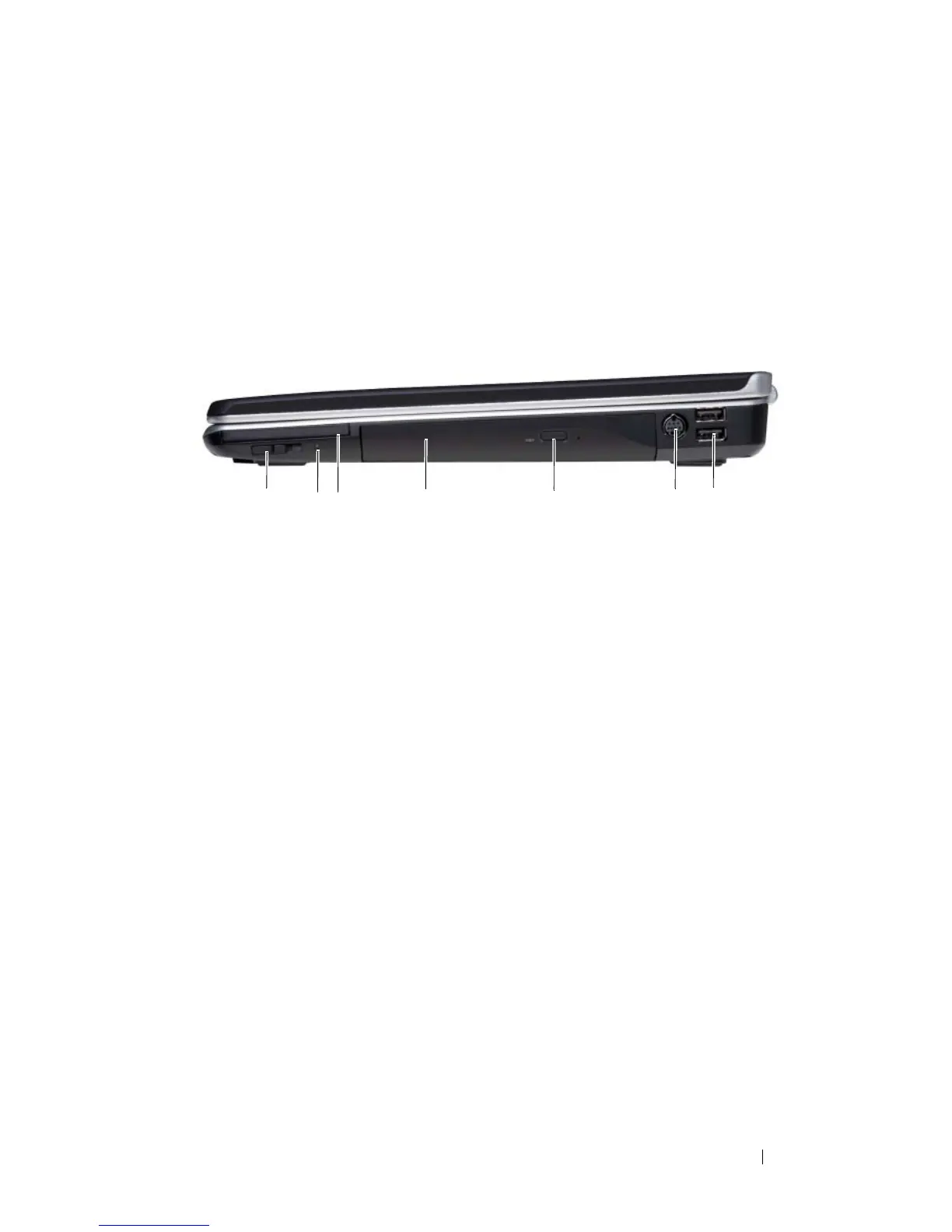
Right Side View
WIRELESS SWITCH — When enabled through Dell QuickSet, this switch can scan for
a wireless local area network (WLAN) in your vicinity. You can also use it to rapidly
turn off or on any wireless devices such as WLAN cards and internal cards with
Bluetooth wireless technology (see "Dell Wi-Fi Catcher™ Network Locator" on
page 95).
1 wireless switch (optional) 2 Wi-Fi Catcher light (optional)
3 ExpressCard slot 4 optical drive
5 eject button 6 S-video TV-out connector
(optional)
7 USB connectors (2)
NOTE: One of the two USB
connectors is optional.
1 5 6743
2













 To Next Page