26 About Your Computer
CAUTION: The AC adapter works with electrical outlets worldwide. However,
power connectors and power strips vary among countries. Using an incompatible
cable or improperly connecting the cable to the power strip or electrical outlet
may cause fire or equipment damage.
NOTICE: When you disconnect the AC adapter cable from the computer, grasp the
connector, not the cable itself, and pull firmly, but gently to help prevent damage to
the cable.
NOTE: Plug the power cord and the adapter firmly in, and ensure that the green
LED is on.
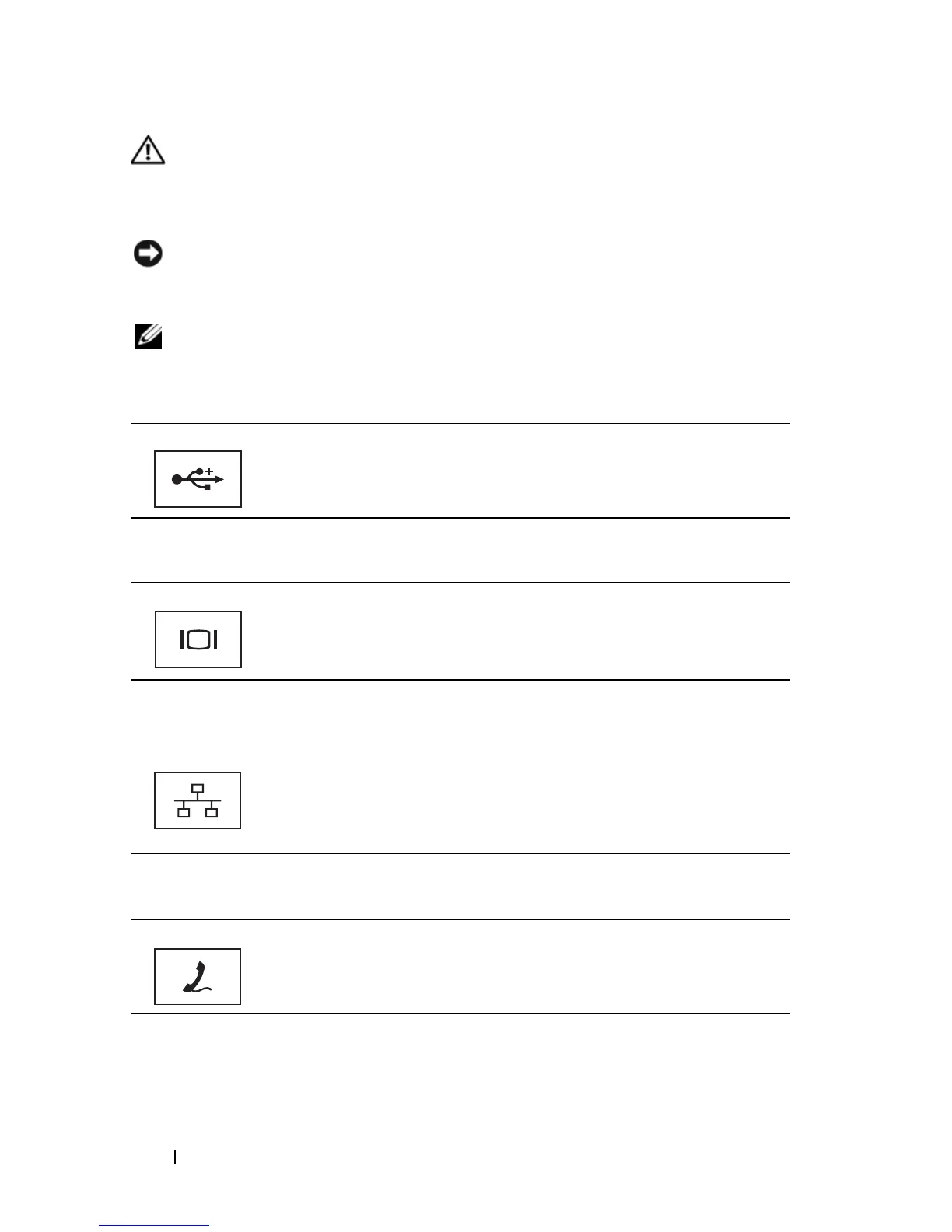
USB
CONNECTORS
VIDEO CONNECTOR
NETWORK
CONNECTOR (RJ-45)
MODEM CONNECTOR (RJ-11)
NOTE: Your computer may not ship with a modem unless you have ordered one.
Connect USB devices, such as a mouse, keyboard, or printer.
Connects video devices, such as a monitor.
Connects the computer to a network. The two lights next to the
connector indicate status and activity for wired network connections.
For information on using the network adapter, see the device user’s
guide supplied with your computer.
Connect the telephone line to the modem connector.
For information on using the modem, see the online modem
documentation supplied with your computer.













 To Next Page