About Your Computer 25
Left Side View
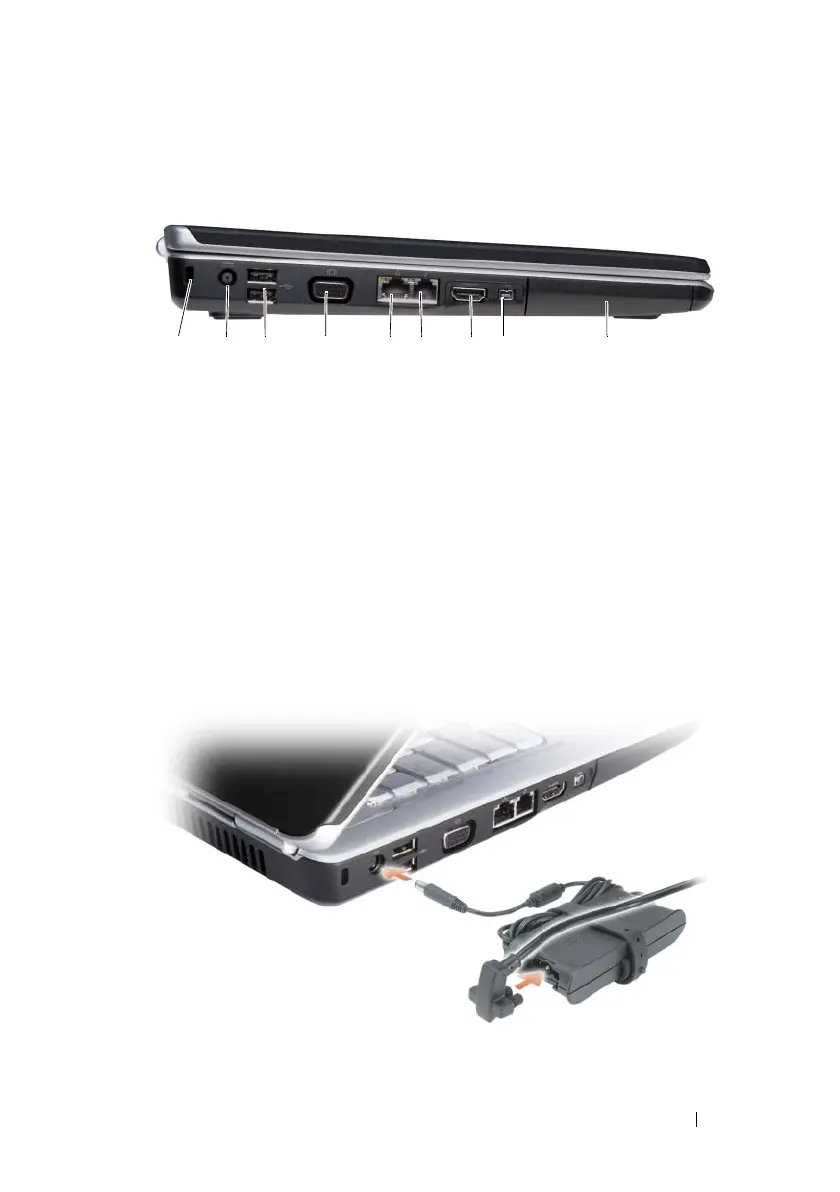
SECURITY CABLE SLOT — Lets you attach a commercially available antitheft device
to the computer (see "Security Cable Lock" on page 97).
AC
ADAPTER CONNECTOR — Attaches an AC adapter to the computer. The AC
adapter converts AC power to the DC power required by the computer. You can
connect the AC adapter with your computer turned on or off.
1 security cable slot 2 AC power adapter
3 USB connectors (2) 4 video connector (VGA)
5 network connector (RJ-45) 6 modem connector (RJ-11) (optional)
7 HDMI connector (optional) 8 IEEE 1394a connector (optional)
9 hard drive
1 27934 5 6 8













 To Next Page