154 Adding and Replacing Parts
FILE LOCATION: C:\Projects\Spears\SpearsHTML\parts.fm
DELL CONFIDENTIAL – PRELIMINARY 7/18/07 - FOR PROOF ONLY
Removing the Card
1
Follow the procedures in "Before You Begin" on page 135.
2
Remove the hinge cover (see "Hinge Cover" on page 141).
3
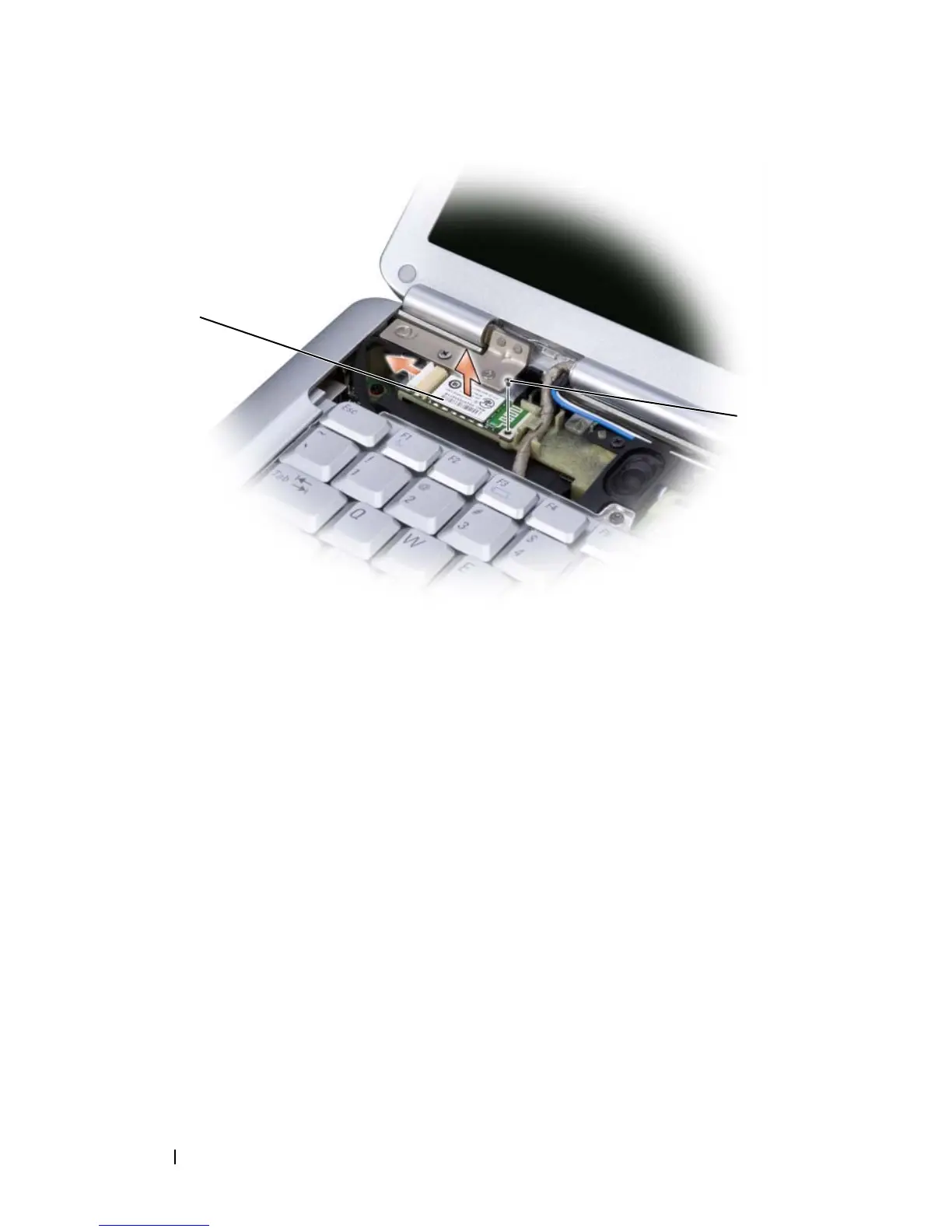
Remove the screw securing the card.
4
Grasp the connector end of the card and slide it out from under the
securing tabs.
5
Disconnect the cable from the card.
Replacing the Card
1
Replace the screw securing the card and insert the card at an angle to slide
it in the card compartment.
2
Connect the cable to the card.
1 securing screw 2 card
1
2













 To Next Page