22 About Your Computer
CONSUMER IR — Infrared sensor for using the Dell travel remote control.
TOUCH PAD BUTTONS — Use these buttons much like the buttons on a mouse when
you use the touch pad to move the cursor on the display (see "Touch Pad" on page 43).
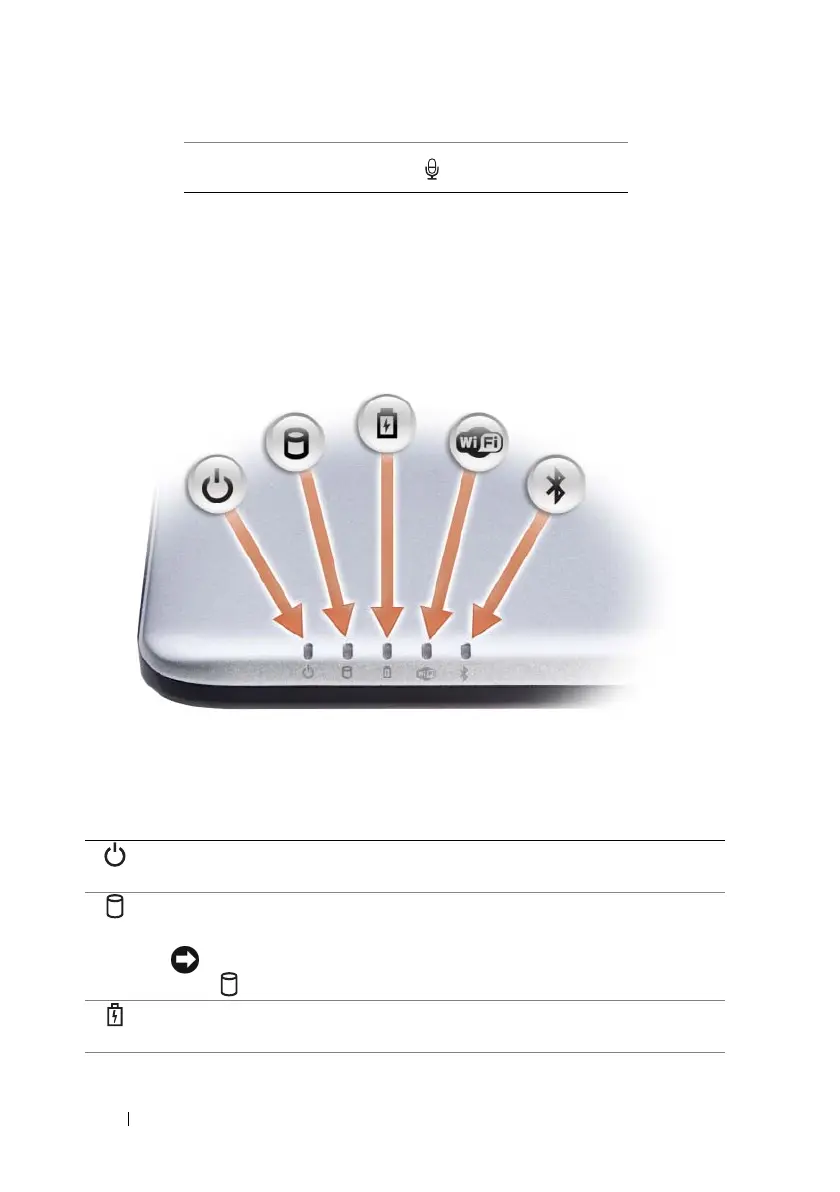
DEVICE STATUS LIGHTS
The lights located on the palm rest towards the front of the computer
indicate the following:
Attach a microphone to the connector
Power light – Turns on when you turn on the computer, and blinks when
the computer is in a power management mode.
Hard drive activity light – Turns on when the computer reads or writes
data.
NOTICE: To avoid loss of data, never turn off the computer while the
light is flashing.
Battery status light – Turns on steadily or blinks to indicate battery charge
status.













 To Next Page