60 Using Multimedia
If you want to connect your computer to a TV or audio device, it is
recommended that you connect video and audio cables to your computer in
one of the following combinations:
• S-video and standard audio
• Composite video and standard audio
• Component-out video and standard audio
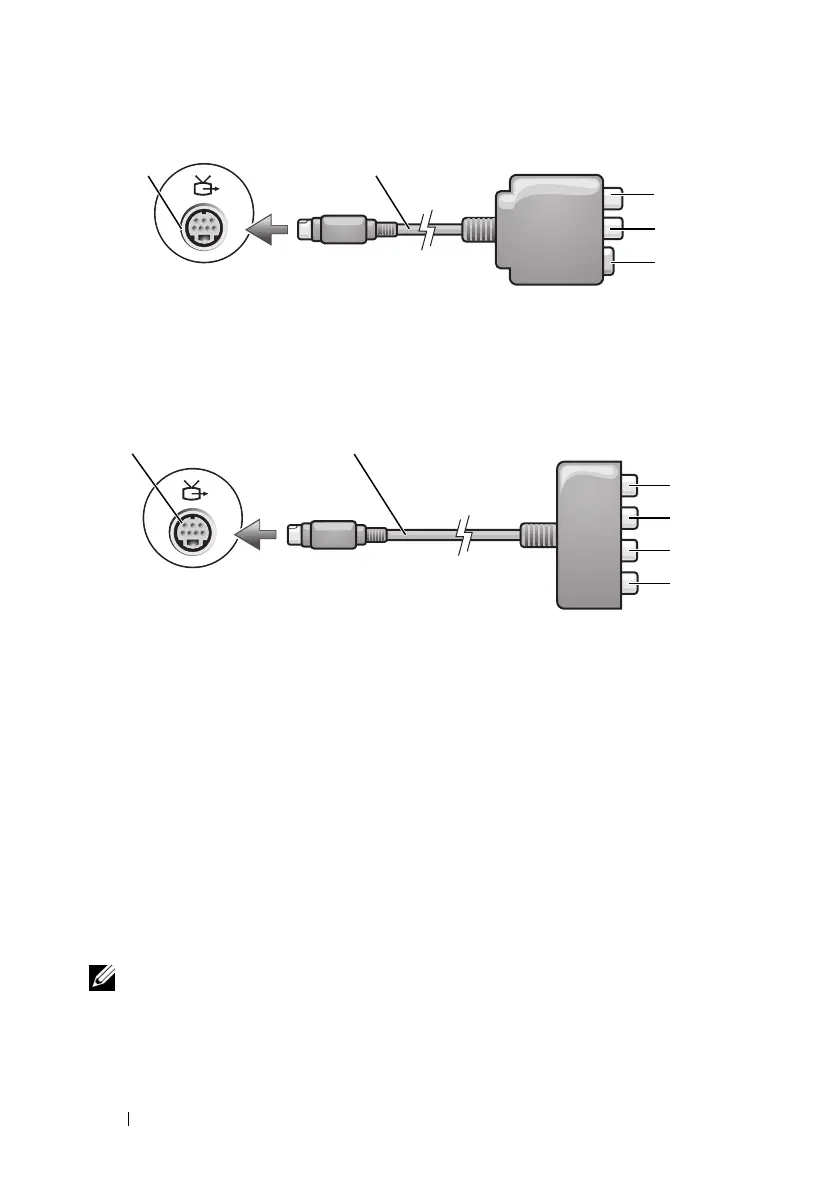
NOTE: See the diagrams at the beginning of each subsection to help you determine
which method of connection you should use.
1 S-video TV-out connector 2 composite video adapter
3 S/PDIF digital audio connector 4 composite video-output connector
5 S-video connector
1 S-video TV-out connector 2 component video adapter
3 S/PDIF digital audio connector 4 Pr (red) component video-output
connector
5 Pb (blue) component video-output
connector
6 Y (green) component video-output
connector
5
4
3
2
1
5
4
3
12
6













 To Next Page