30
Setting up the monitor
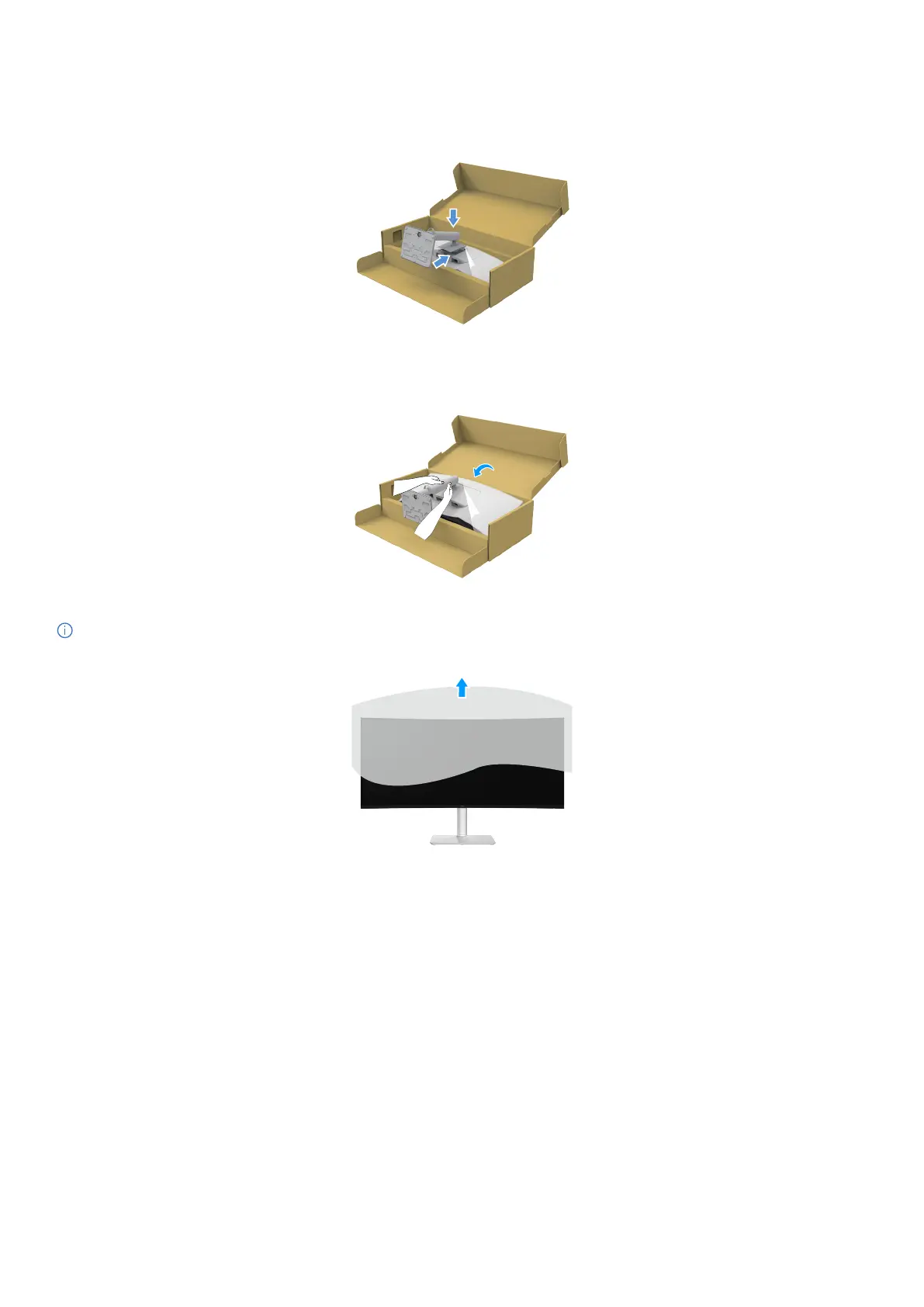
6. Attach the stand assembly to the display.
• Fit the two tabs on the upper part of the stand to the groove on the back of the display.
• Press the stand down till it snaps into place.
Figure 14. Attach the stand assembly to the display
7.
Hold the stand riser and lift the monitor carefully, then place it on a flat surface.
Figure 15. Hold the stand riser and lift the monitor
NOTE: Lift the monitor carefully to prevent it from slipping or falling.
8.
Remove the cover from the monitor.
Figure 16. Remove the cover from the monitor



 To Next Page