Chapter 7 Optional AccessoriesC2000
7-123
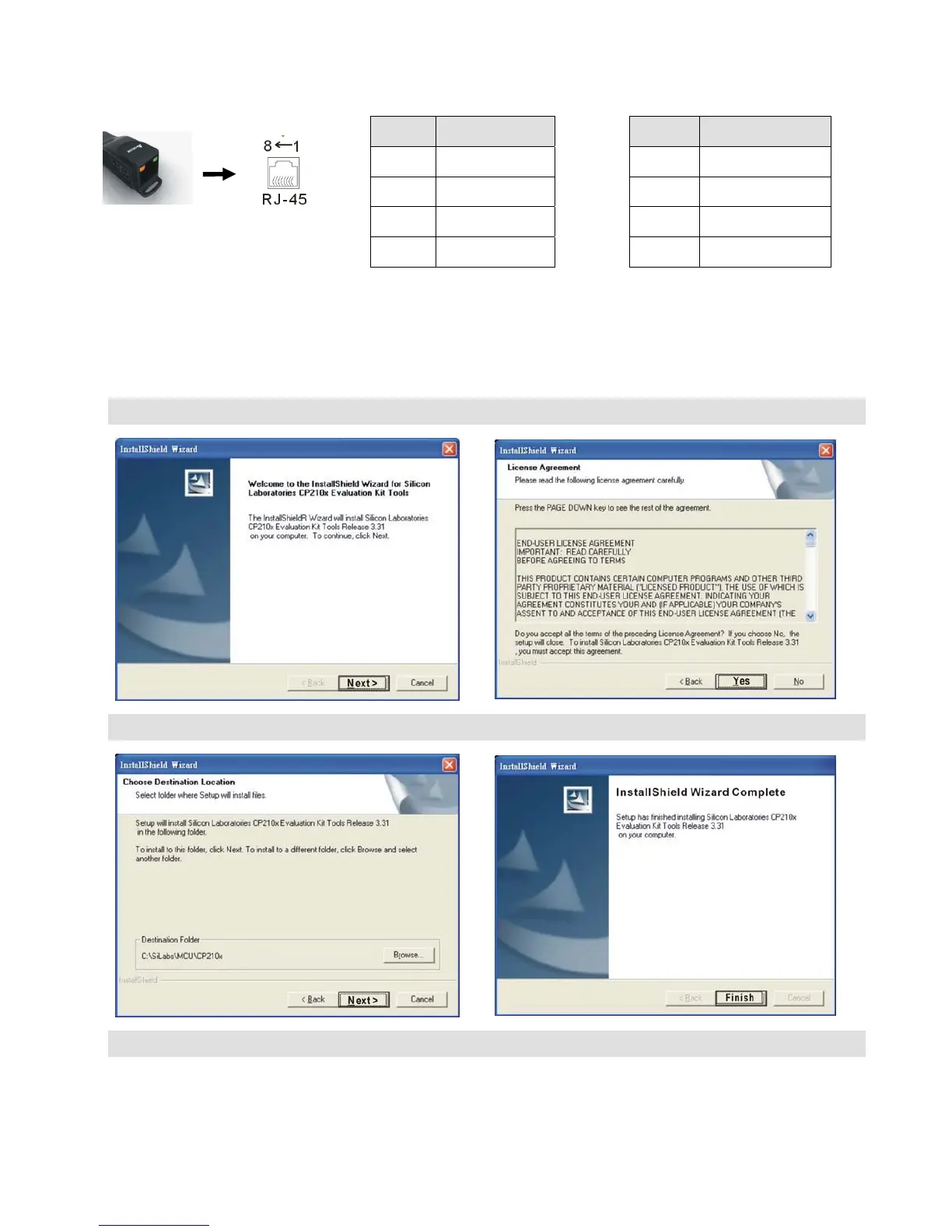
RJ-45
PIN Description PIN Description
1 Reserved 5 SG+
2 Reserved 6 GND
3 GND 7 Reserved
4 SG- 8 +9V
3. Preparations before Driver Installation
Please extract the driver file (IFD6530_Drivers.exe) by following steps.
You could find driver file (IFD6530_Drivers.exe) in the CD supplied with IFD6530.
Note: DO NOT connect IFD6530 to PC before extracting the driver file.
STEP 1 STEP 2
STEP 3 STEP 4
STEP 5
You should have a folder marked SiLabs under drive C. c:\ SiLabs










 To Next Page