Chapter 10 Digital KeypadC2000
10-5
10-2 Function of Digital Keypad KPC-CC01
NOTE
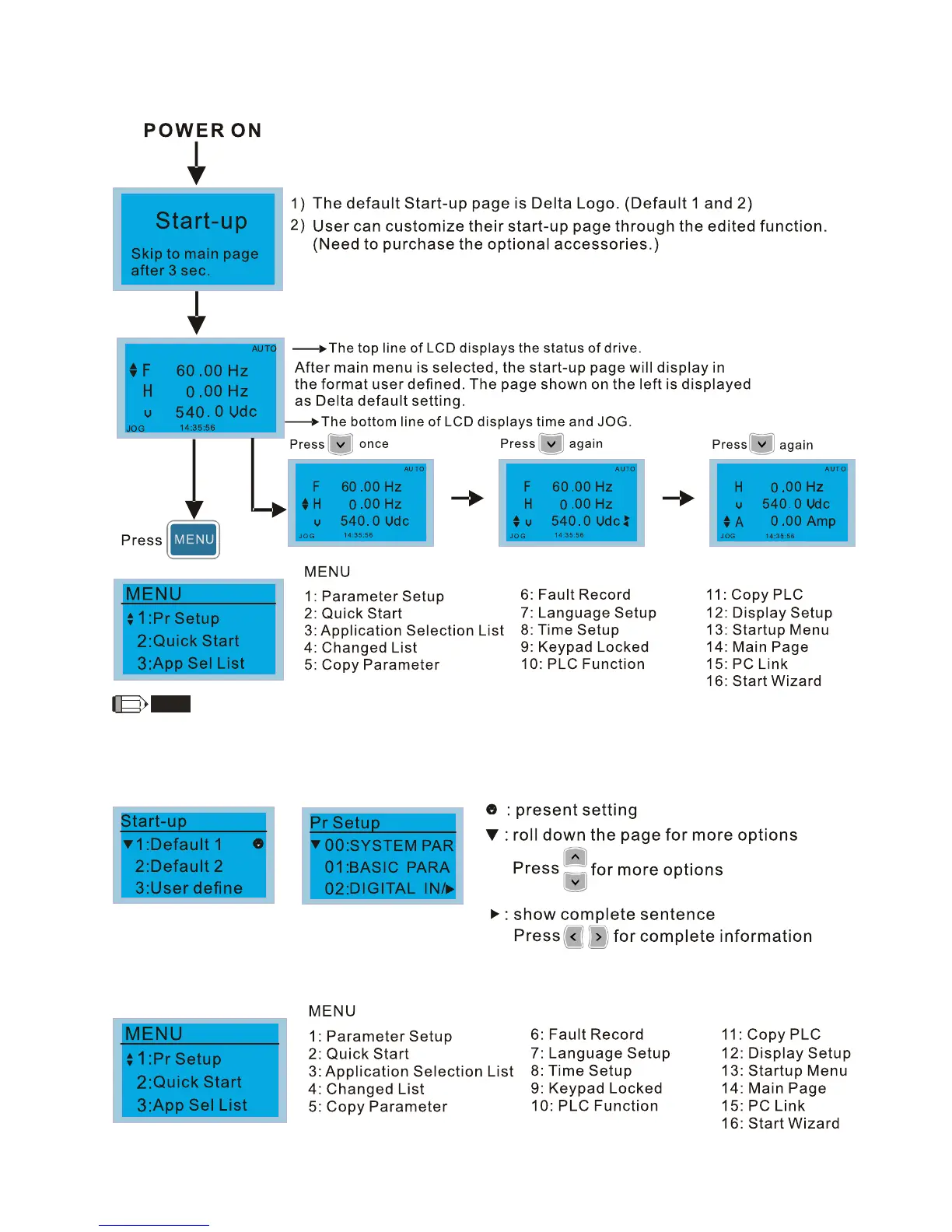
1. Startup page can only display pictures, no flash.
2. When Power ON, it will display startup page then the main page. The main page displays Delta’s default setting F/H/A/U,
the display order can be set by Pr.00.03 (Startup display). When the selected item is U page, use left key and right key to
switch between the items, the display order of U page is set by Pr.00.04 (User display).
Display Icon
Display item










 To Next Page