Chapter 3 UnpackingC2000
3-10
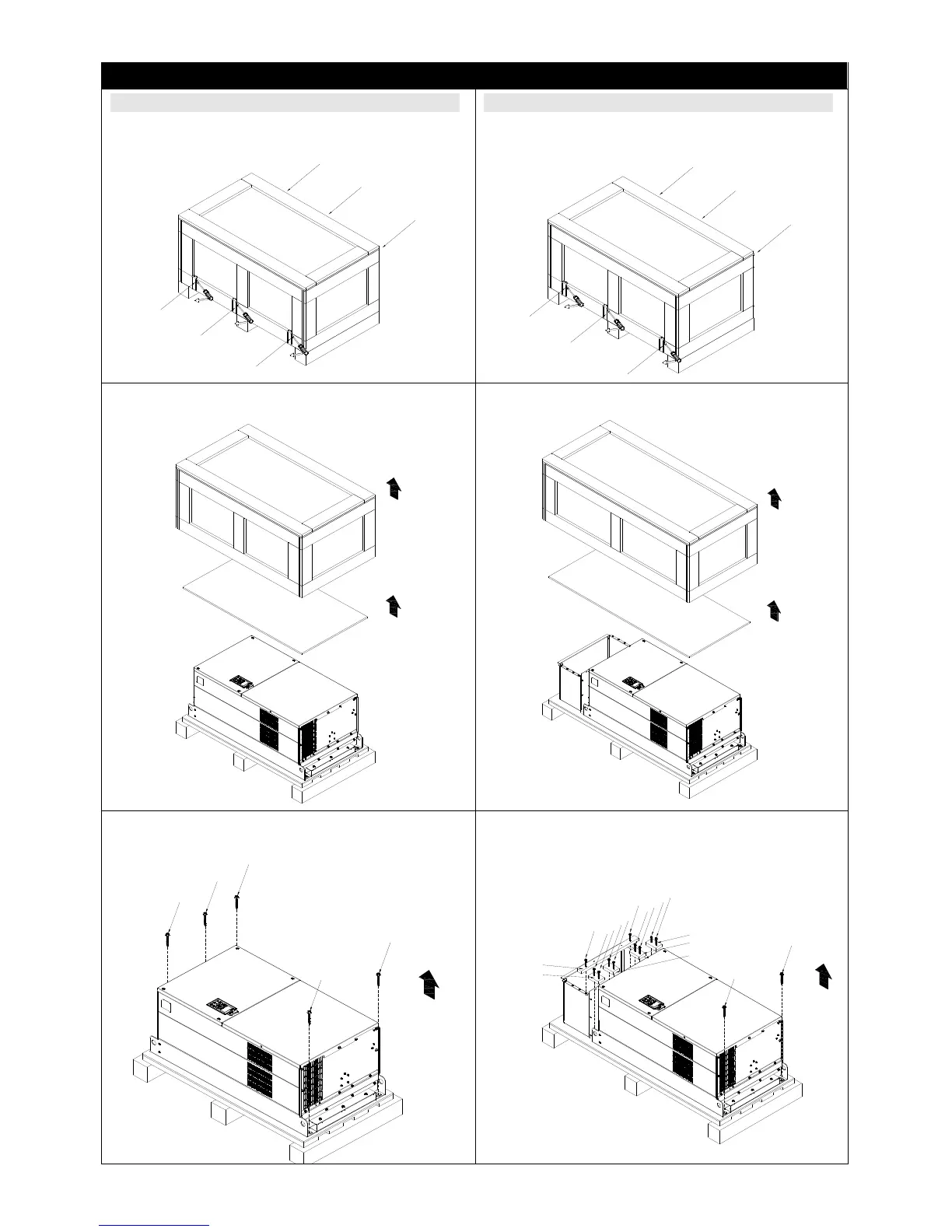
Frame G
Unpacking 1 (VFDXXXCXXA, VFDXXXC63B-00) Unpacking 2 (VFDXXXCXXE, VFDXXXC63B-21)
Remove the six buckles fixed on the crate with a
flat-head screwdriver, see the figure below.
1
2
3
4
5
6
Remove the six buckles fixed on the crate with a
flat-head screwdriver, see the figure below.
1
2
3
4
5
6
Remove the top cover, take out the EPEs and the
manual.
Remove the top cover, take out the EPEs, rubber
and the manual.
Loosen the five screws fasten the drive on the
pallet, see the figure below.
1
2
3
4
5
Loosen the 12 screws fasten the drive on the
pallet, and then remove the wood plates.
wood plate5
wood plate1
3
2
4
5
11
7
9
6
8
10
12
wood plate2
wood plate3
1
wood plate4
Figure 3-31
Figure 3-35
Figure 3-32 Figure 3-36
Figure 3-33 Figure 3-37










 To Next Page