119
Configuration Guide E-mail Access
E-mail Access
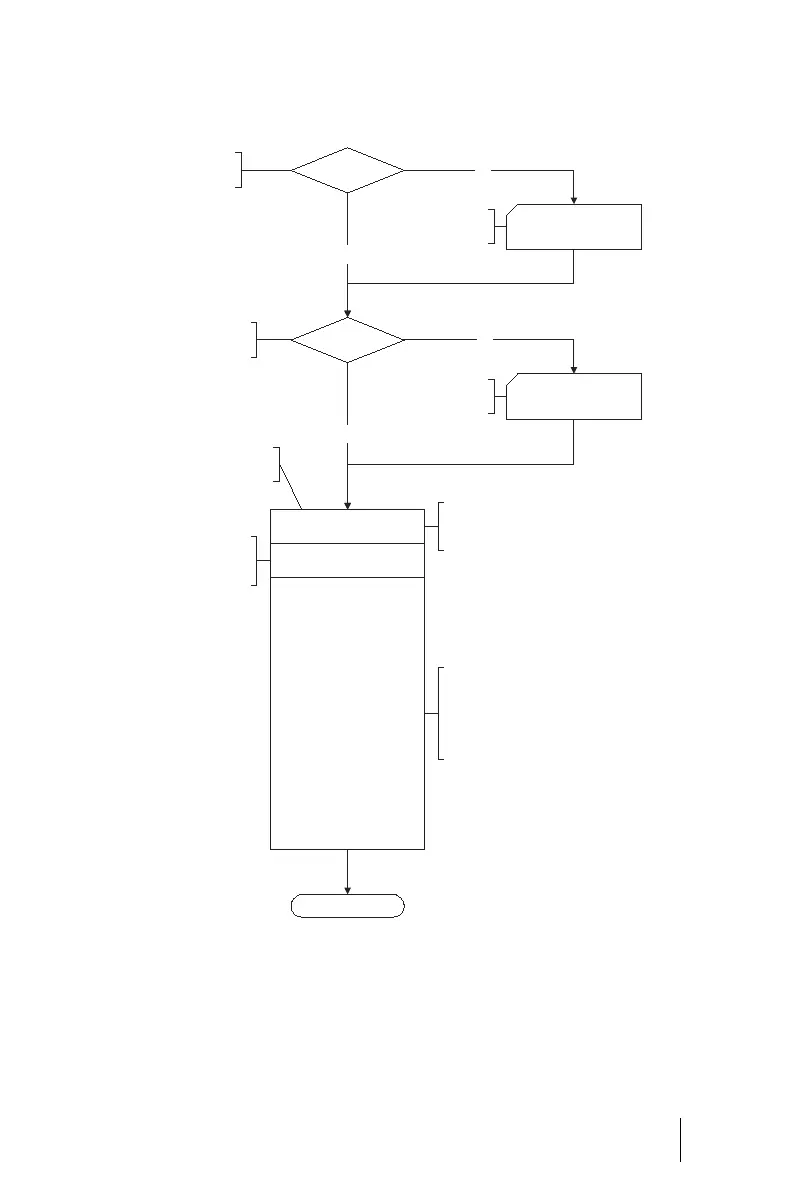
Flowchart: Configuring E-mail Access
Configuration of e-mail
access settings
Mail server
User accounts
Finished
Maximum number of e-mails
per user account
Enquiry interval
Start and end times:
Monday to Friday 1st starting time
Monday to Friday 1st ending time
Monday to Friday 2nd starting time
Monday to Friday 2nd ending time
Saturday 1st starting time
Saturday 1st ending time
Saturday 2nd starting time
Saturday 2nd ending time
Sunday 1st starting time
Sunday 1st ending time
Sunday 2nd starting time
Sunday 2nd ending time
NET Configuration: Easy Access
or Configure ISP
User Manager: User Accounts
No
No
Ye s
Ye s
Do you have access to a mail server
in your network or in the Internet?
Do you have created mail account polls
in the “User Manager: User accounts”?
Specify the time intervals in which
the OpenCom 100 is to poll all mail
accounts from the standard POP server.
Define the time windows in which the
OpenCom 100 should check the mail accounts
for new messages in the time intervals that
have been set. You can define two time
windows for each working day (Monday to
Friday), and two each for Saturday and Sunday.
Configure your network/
Internet access.
Set up user accounts in
the User Manager.
Specify the maximum no. of e-mails per
user account that should be temporarily
stored by the OpenCom 100.



 To Next Page