23
Installation Port Assignment, Termination, Cable Lengths
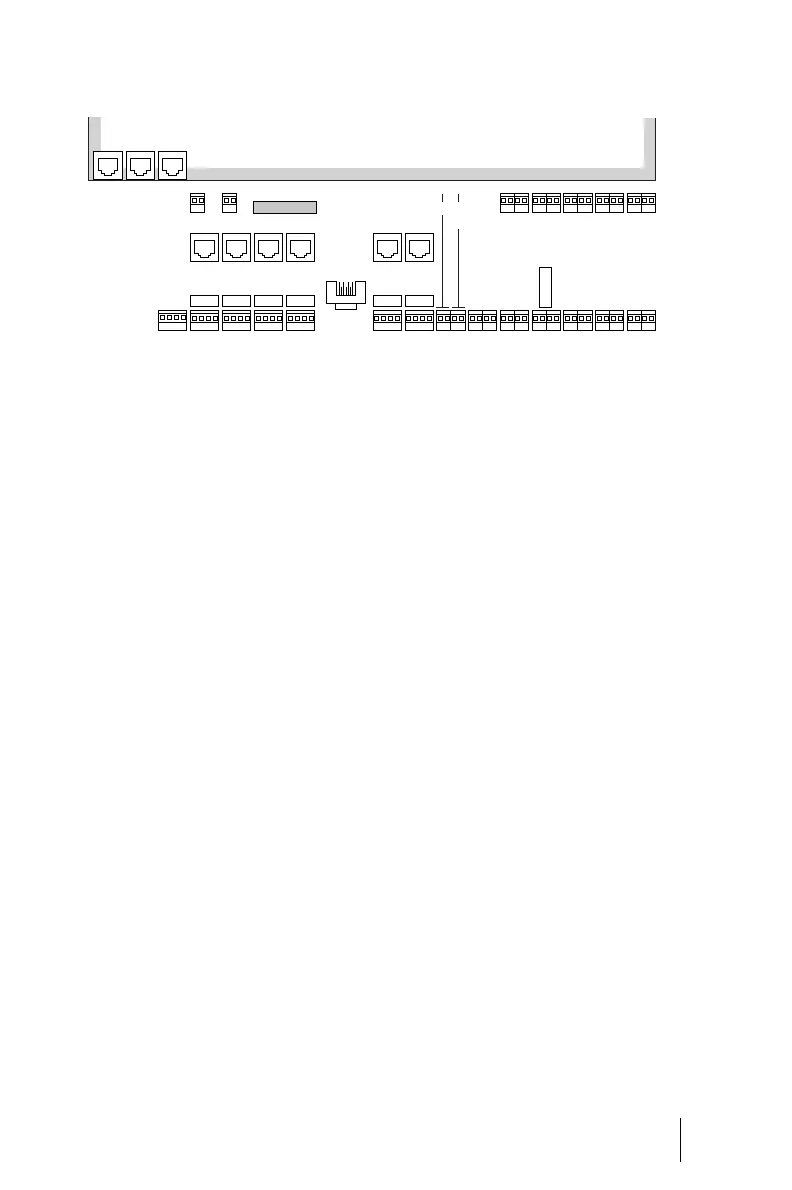
Position of ports on the OpenCom 120
Port Assignment, Termination,
Cable Lengths
S
0
Ports
Whether you use the switchable
S
0
ports for internal or external com-
munication depends on your com-
munications requirements and the
existing basic accesses.
Note that the S
0
bus requires a ter-
minating resistor of 100 ohms at
each end. Resistors in the
OpenCom 110 and OpenCom 120 are
marked with an “R” in the diagrams
Positions of the Ports on page 22 and
are implemented as switch hooks.
Open the switch if you do not wish
to terminate the bus with the
OpenCom 100.
In the case of the OpenCom 107/
105, the S
0
buses are terminated by
software. You make this setting in
the S
0
port configuration in the Con-
figurator on the Web console.
You can connect up to eight termi-
nals on every internal S
0
bus; up to
three of the terminals can operate
without an external power supply.
The length of the four-wire cable of
an internal S
0
bus must not exceed
150 m. The power consumption of
each internal S
0
bus is approx. 3 W.
LAN 1PCM
R R
R R
R R
LAN 2
U
pn
9/10
U
pn
11/12
U
pn
13/14
U
pn
15/16
U
pn
17/18
U
pn
1/2
U
pn
3/4
U
pn
5/6
U
pn
7/8
a/b
1/2
a/b
3/4
S
0
5
int
S
0
6
int
S
0
1
int
S
0
2
int
S
0
3
int
S
0
4
int
S
2M
COM
S
0
5
ext
S
0
6
ext
S
0
1
ext
S
0
2
ext
S
0
3
ext
S
0
4
ext
Sync Sensor Default setting
Intercom/Door opener
Intercom/
Relay
E
Actuator
1 + 2



 To Next Page