User Manual DEV 1953
114 Copyright DEV Systemtechnik GmbH 2015-2017
5.9.3 The Switch MIB Tree
The MIB is stored on the CPU module of the device and can be downloaded via the
SNMP setup of the Web Interface (please refer to chapter 5.5.7.2.2) or directly with
a web browser via the link:
http://<IP-of-the-device>/dev-switch.mib
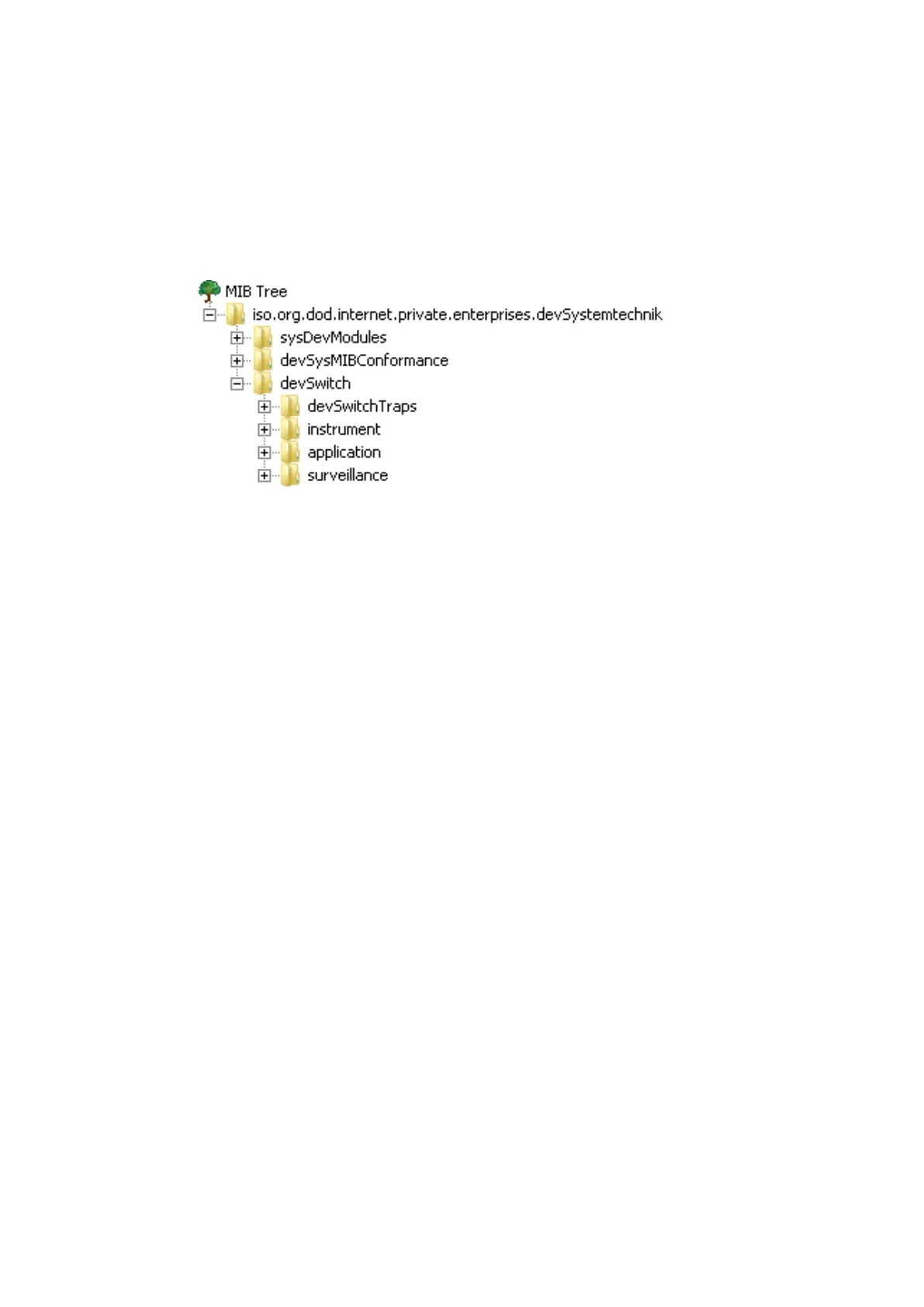
As shown above, the section .devSwitch is divided in four branches:
• .devSwitchTraps (chapter 5.9.4.1),
• .instrument (chapter 5.9.4.2),
• .application (chapter 5.9.4.3), and
• .surveillance (chapter 5.9.4.4).
In the corresponding sub-chapter, the content of each branch is shown expanded
and each object within a branch is described.
5.9.4 MIB Objects
In the following, the objects of the section .devSwitch in the MIB tree are
described.
The complete name of an MIB object results out of the concatenation of the MIB-
String (please refer to chapter 5.9.2):
iso.org.dod.internet.private.enterprises.devSystemtechnik.devSwitch
and of the corresponding object.
E.g., complete textual OID of the object .instrument.controllerMac is
("⌡" and "⌠" are symbolizing that the two consecutive lines are actually one line):
iso.org.dod.internet.private.enterprise.devSystemtechnik⌡
⌠.devSwitch.instrument.controllerMac
Note:
• Some of the objects are set to a factory default chapter 4.3.4
• The following objects can be modified in Remote Mode only:
• .application.simultaneousMode chapter 5.9.4.3.3
• .switchUnitTable.switchUnitEntry.swPosition chapter 5.9.4.3.7.4
• .portTable.portEntry.poEnable chapter 5.9.4.3.9.2
• .portTable.portEntry.poRfLimit chapter 5.9.4.3.9.6
• And some objects can be modified in all modes of operation:
• .application.controlMode chapter 5.9.4.3.1
• .surveillance.trapEnableMask chapter 5.9.4.4.1
• .surveillance.errorEnableMask chapter 5.9.4.4.2



 To Next Page