User Manual DEV 1953
Copyright DEV Systemtechnik GmbH 2015-2017 59
5.5.4.3 Distribution Amplifier
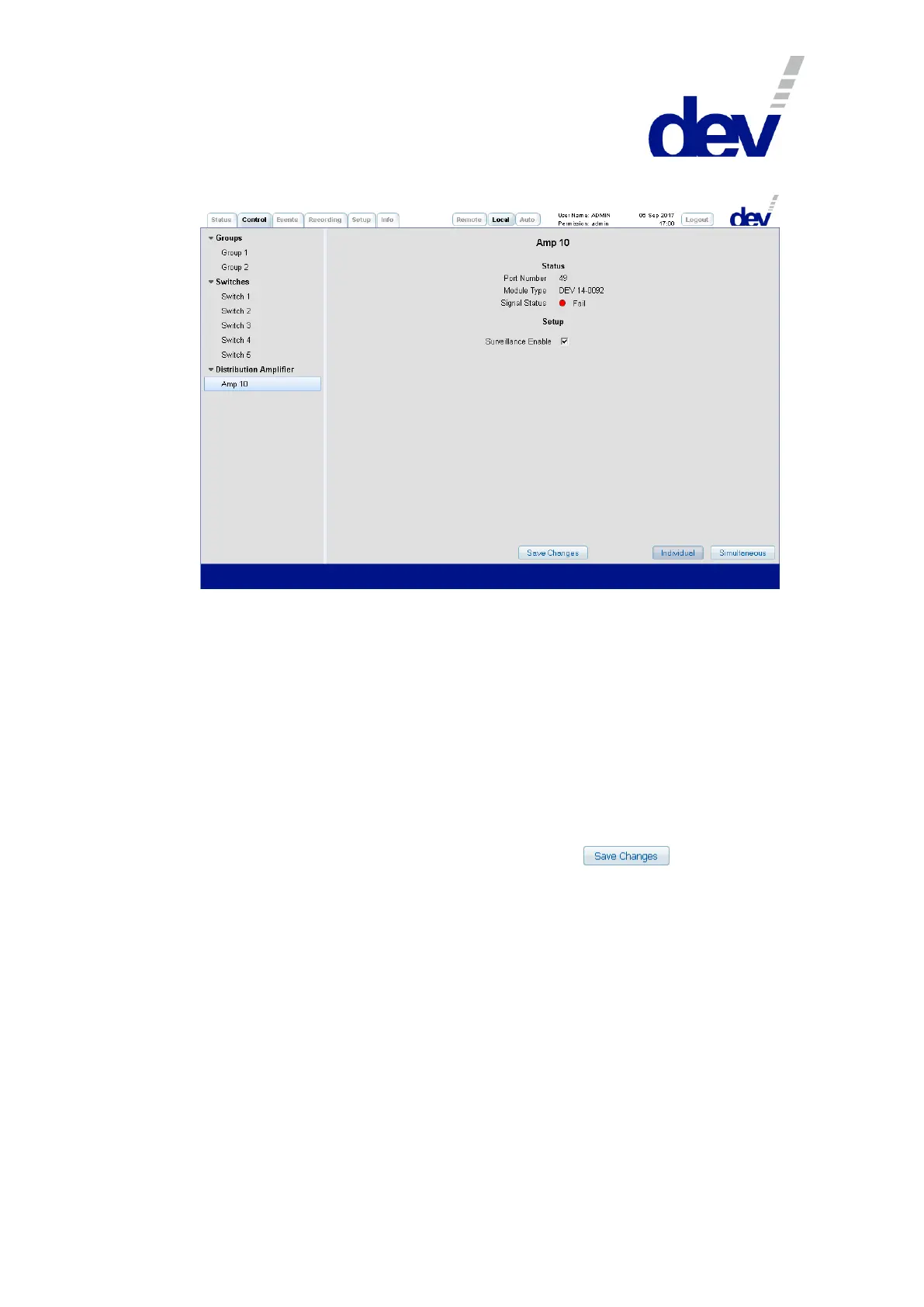
This kind of panel (within the appearing structuring entry "Distribution Amplifier") is
available only for devices with installed distribution amplifier modules for ASI/SDI
signals, i.e. for the screenshot above a distribution amplifier module was installed
temporarily in the tenth slot. The panel consists of two sections:
1) In the upper section below the descriptive designator (here: "Amp 10"), first the
"Port Number" of the module is shown as a reference to the index of the SNMP
.portTable (please refer to chapter 5.9.4.3.9) and if port specific events are to be
identified within the Events Tab (chapter 5.5.5). Then the "Module Type" is listed
(here: "DEV 14-0092"). Finally, the "Signal Status" is an assessment regarding the
detected signal quality that can be either "Fail" (red) or "OK" (green).
2) In the "Setup" section, the "Surveillance Enable" check box is used to enable (default)
or to disable events possibly caused by the related port. Note that after this
setting was altered in Local Mode (!), a click on the button is
required to apply the change.



 To Next Page