User Manual DEV 1953
Copyright DEV Systemtechnik GmbH 2015-2017 47
5.5.1 Start of the Web Interface
To start the Web Interface open a web browser -recommended is Mozilla Firefox
(version 3.5 or higher) but also Chrome, Opera, Safari, or Internet Explorer (starting
with version 8, recommended is version 9 or higher) are supported- and type in the
URL (IP address) of the device:
http://<IP-of-the-device>/
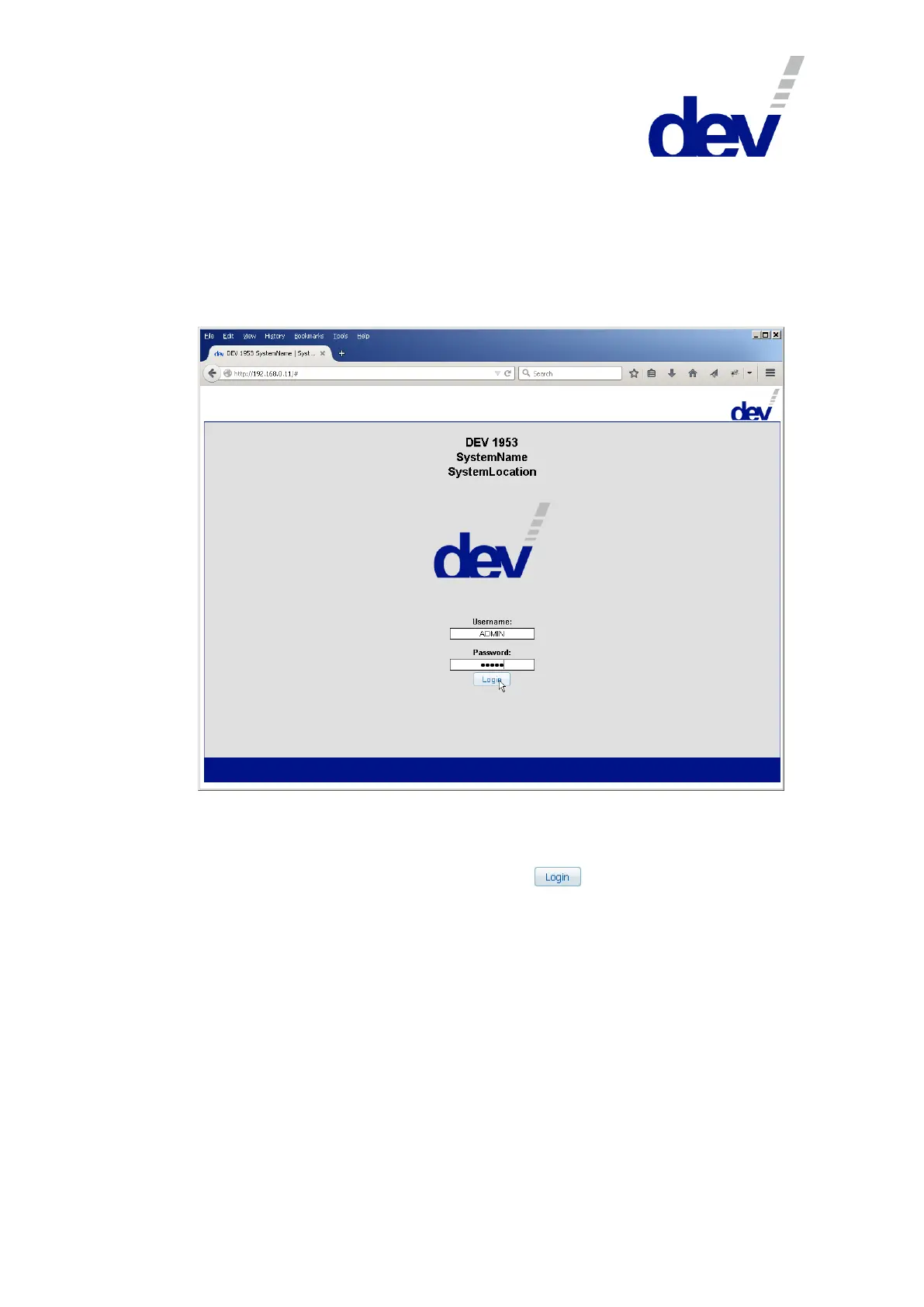
After a moment the Start Screen of the Web Interface appears (as shown below).
To log on the first time use the factory default account:
Username: ADMIN
Password: ADMIN
After entering username and password, click on .
Note:
Both, username and password are case sensitive!
Note the header in the Start Screen:
DEV 1953
SystemName
SystemLocation
The labels "SystemName" and "SystemLocation" are the SNMP variables
'System Name' and 'System Location'; both can be set within the SNMP setup
(please refer to chapter 5.5.7.2.2).
If the Start Screen is unavailable, make sure that the computer accessing the
device is in the same subnet of the common network (chapter 4.4.2.1).
If the network connection to the device gets lost during a session, an appropri-
ate notification will pop up. After confirmation, the web browser is redirected



 To Next Page