8
Error Messages
8-6 D 1650iD/D 2050iD
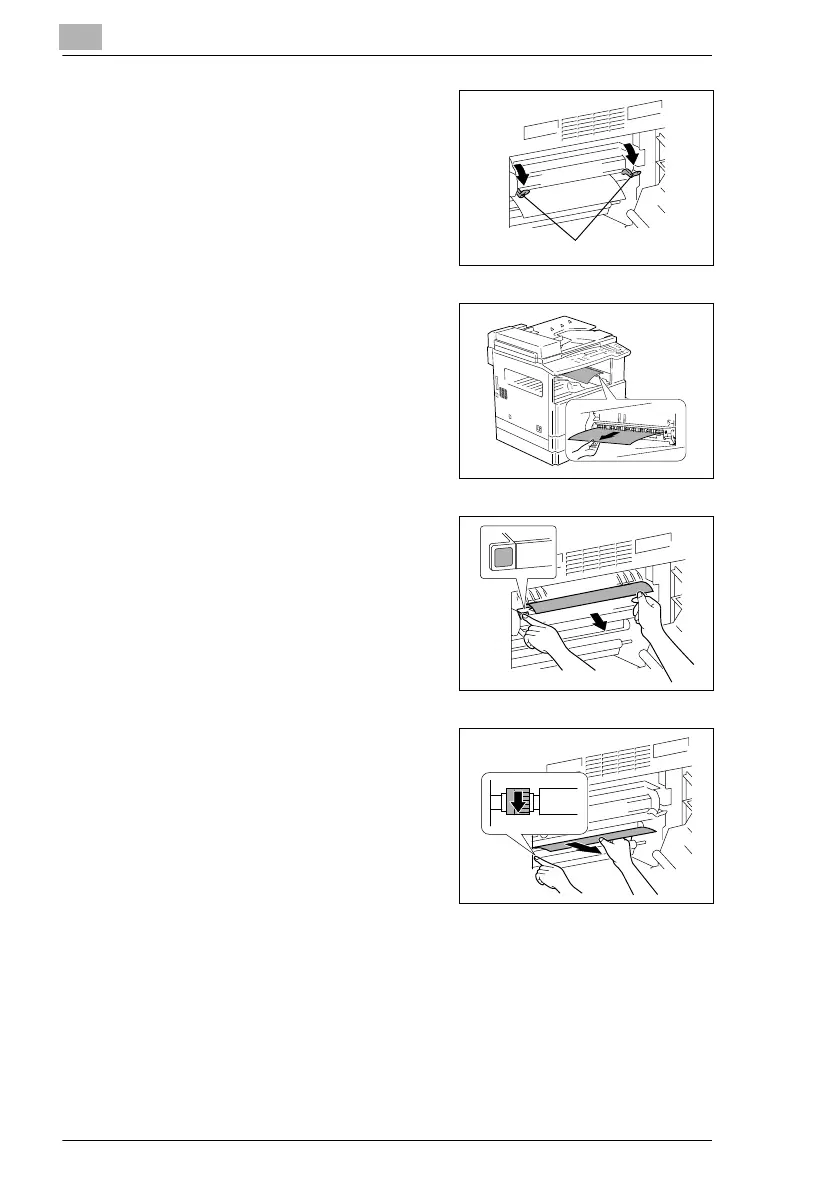
2 Pull down the Pressure Levers.
?
Have the necessary precautions
been observed when pulling
down the Pressure Levers?
§ Only hold the green part of the
Pressure Levers when pulling
them down.
3 Slowly pull out the paper.
4 While holding the Guide Plate
pressed down, slowly pull out the
paper.
5 While turning the knob on the roller,
slowly pull out the paper.
?
Have the necessary precautions
been observed when turning the
roller?
§ Only turn the green knob when
turning the roller.
§ Be careful not to touch the
surface of the PC drum.
Pressure Levers



 To Next Page