Error Messages
8
D 1650iD/D 2050iD 8-7
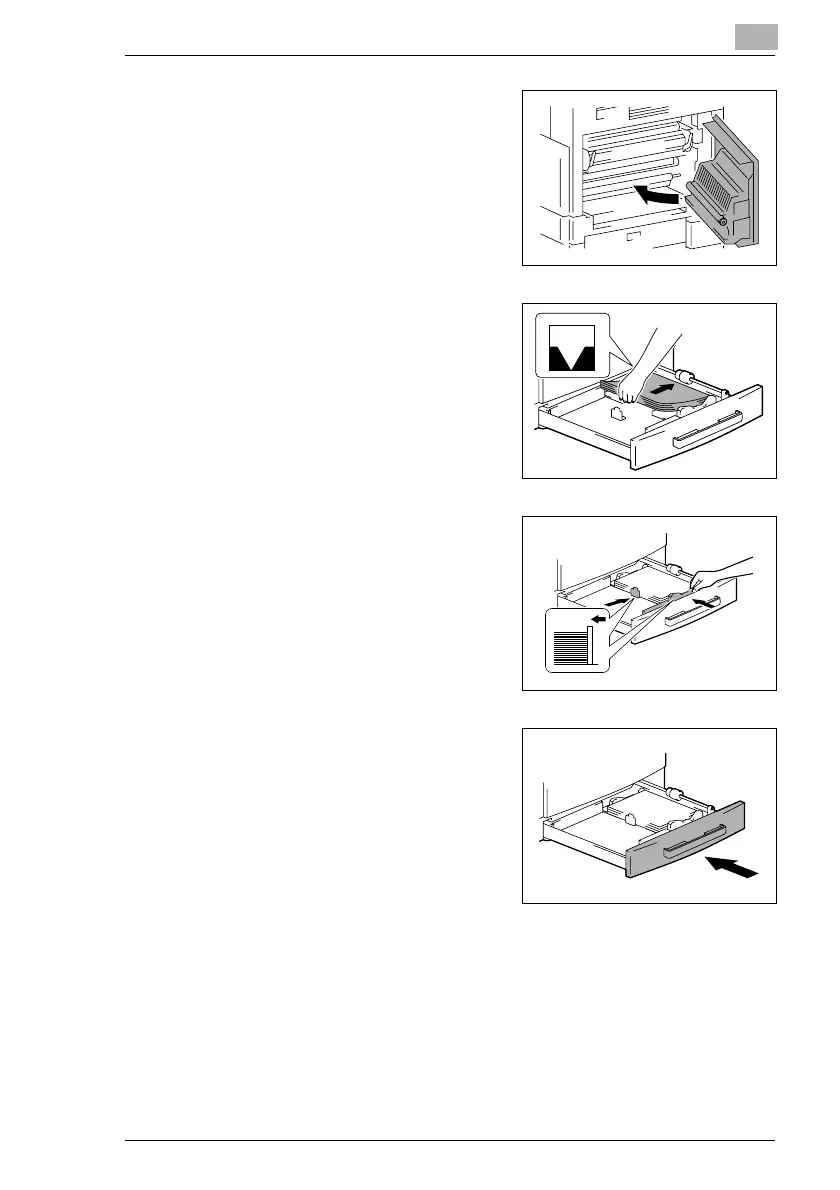
6 Close the Side Cover of the main
unit.
7 Pull out the 1st Tray.
8 Remove all paper from the tray, and
then place the paper into the tray
again.
9 Slide the paper guides against the
edges of the paper.
?
Is the paper guide positioned
correctly?
§ Make sure that the paper guides
are pushed up against the
edges of the paper.
10 Close the 1st Tray.



 To Next Page