8
Error Messages
8-16 D 1650iD/D 2050iD
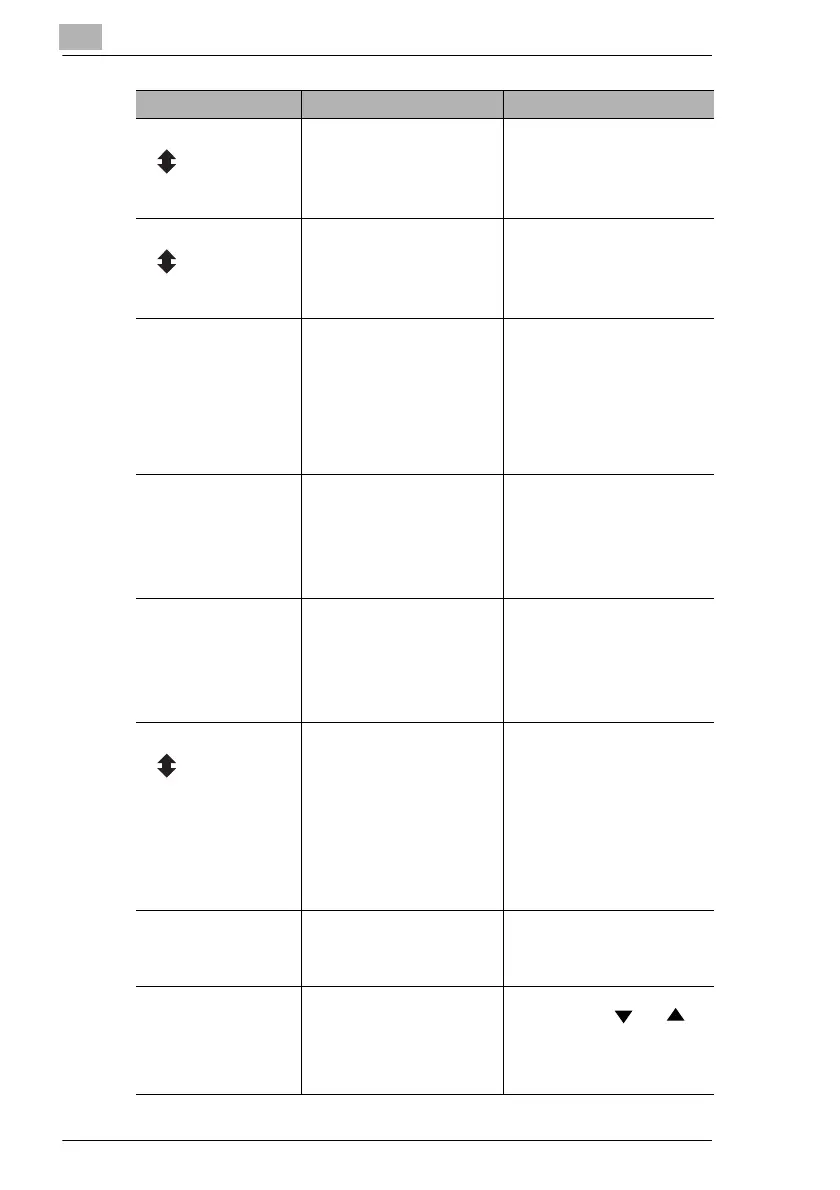
TONER EMPTY The toner is empty. Copying
and printing cannot be
performed.
Replace the toner bottle with a
new one. (“To replace the toner
bottle” on page 8-2)
(Flashing
alternately)
SUPPLY TONER
PAPER EMPTY The selected paper tray has
run out of paper.
“#” indicates the paper tray,
and “XXX” indicates the paper
size.
Load paper of the specified size
into the specified paper tray.
(Flashing
alternately)
LOAD PAPER (#XXX)
SET ORIGINAL TO
ADF
A document was not loaded
into the Document Feeder
before beginning a copy
function (such as, “2in1”
copying or “Mixed Orig.”
copying) that uses the
Document Feeder. Otherwise,
the Document Feeder is lifted
up.
Load a document into the
Document Feeder.
Securely close the Document
Feeder.
REMOVE PAPER When interrupting a copy job
to perform a different copy
operation other than the “Book
Separation” function, the
document for the interrupted
copy job was left in the
Document Feeder.
Remove the document from the
Document Feeder.
TEXT/P ×1.00
ä[A]ü#XXX:EMPTY
(While specifying Copy
settings)
The selected paper tray has
run out of paper.
“#” indicates the paper tray,
and “XXX” indicates the paper
size.
Either load paper of the
specified size into the specified
paper tray, or press the [Paper]
key and select a different paper
size.
NO SUITABLE PAPER • While copying, the size of
the paper in the selected
paper tray has changed.
• While copying documents
with mixed sizes using the
Auto Paper function, paper
of a suitable size could not
be found.
“#” indicates the paper tray,
and “XXX” indicates the
paper size.
Either load paper of the
specified size, or press the
[Paper] key and select a
different paper size.
(Flashing
alternately)
LOAD PAPER (#XXX)
APS SIZE ERROR While copying using the Auto
Paper function, paper of a
suitable size could not be
found.
Either load paper of a suitable
size, or press the [Paper] key
and select a different paper
size.
AMS SIZE ERROR While copying using the Auto
Size function, the combination
of the document and paper
sizes caused the zoom ratio to
exceed the range between
×0.5 and ×2.0.
Either load paper of a suitable
size, or use the and
keys to specify the zoom ratio.
Message Cause Remedy



 To Next Page