[ID Copy]7-12
1 In the home screen, press [Copy].
2 Place the document on the original glass or load it into the ADF.
" For details on positioning the document, refer to “Placing a document
on the original glass” on page 4-36 and “Loading a document into the
ADF” on page 4-37.
3 Press [Separate Scan].
4 Press [ON].
5 Press [OK].
6 Press the [Start (Color)] key or the [Start (B&W)] key.
Scanning of the document begins.
" To change the scanning settings, press [Change Settings].
7 Position the next document page or pages, and then press the [Start
(Color)] key or the [Start (B&W)] key.
Scanning of the document begins.
8 Repeat step 7 until all document pages have been scanned.
9 After all document pages have been scanned, press [Finish].
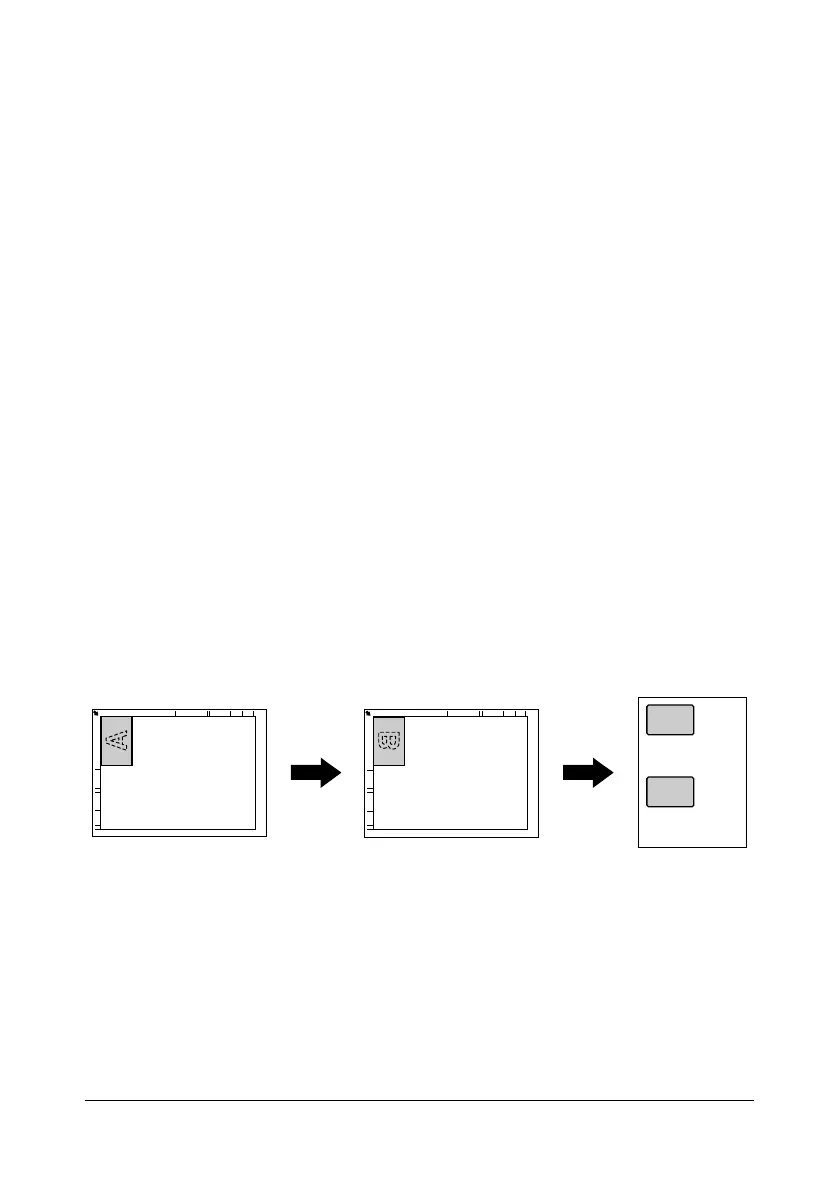
[ID Copy]
The back and front of a card, such as an insurance card, driver’s license or
business card, can be scanned separately and printed together on a single
page.
" With the ID Copy operation, the zoom ratio is set to 100%.
" The paper sizes that are available for copying are Letter, Legal and
A4.
A
B












 To Next Page