Touch panel screens2-10
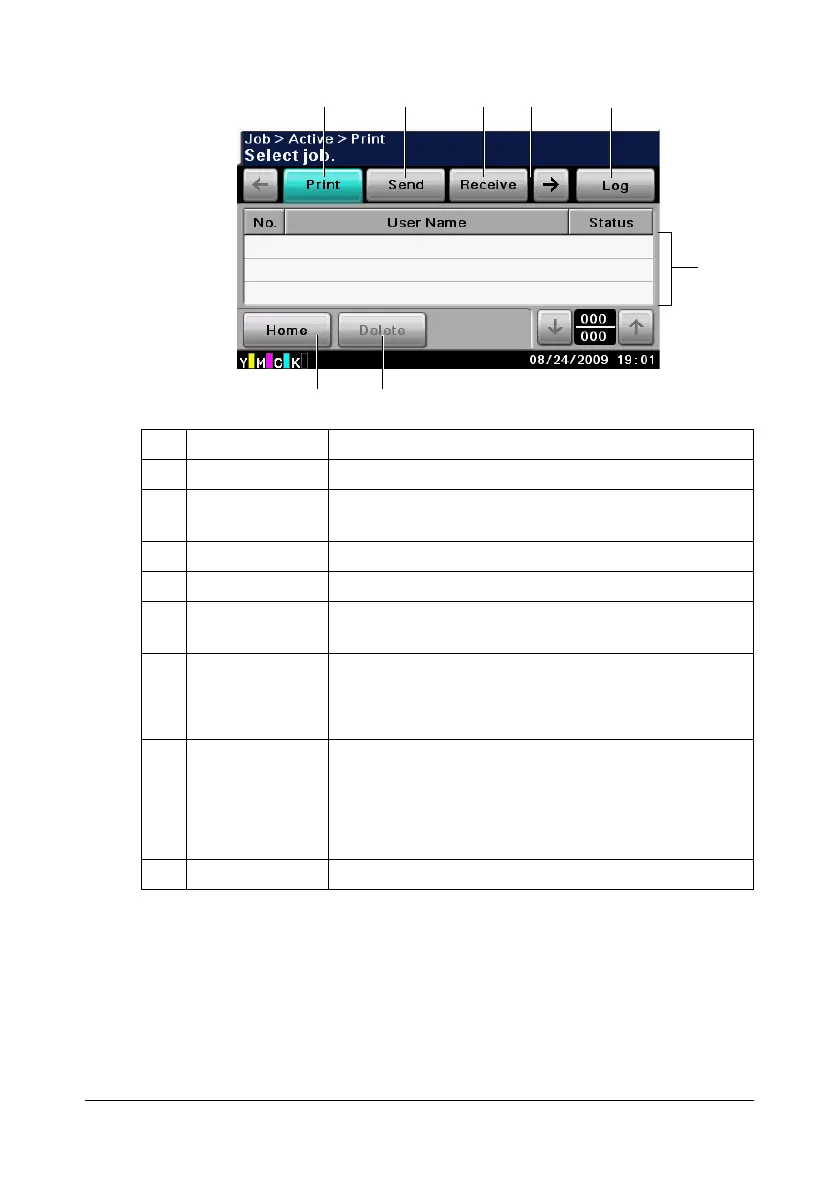
Job screen
No. Indication Description
1 [Print] Press to display a screen listing the print jobs.
2 [Send] Press to display a screen listing the transmission
jobs.
3 [Receive] Press to display a screen listing the reception jobs.
4 [Save] Press to display a screen listing the stored data jobs.
5 [Active]/[Log] Press to display screens listing the jobs currently
being performed or the job log.
6 Job list Displays the list of jobs.
The job number, user name and job status can be
checked.
7 [Delete] Press to delete the selected job. Next, press [Yes],
then [OK].
" When the job log is displayed, [Details]
appears. To view job details, press [Details].
8 [Home] Press to return to the home screen.
23154
78
6












 To Next Page