Replacing Consumables11-20
Replacing the Transfer Roller
When the time to replace the transfer roller is reached, the message [Replace
transfer roller unit.] appears. Printing can continue even after this message
appears; however, since the print quality is reduced, the transfer roller should
be replaced immediately.
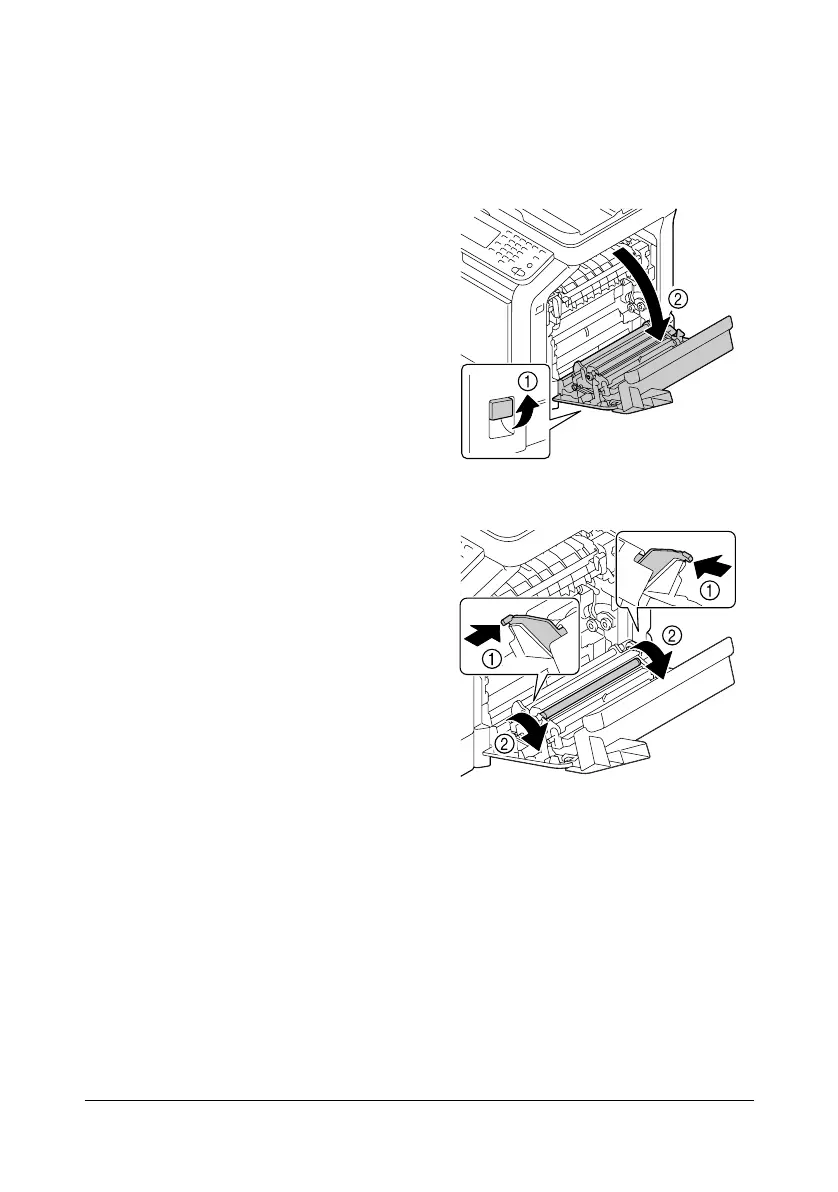
1 Pull the lever, and then open the
right door.
" Before opening the right
door, fold up Tray 1.
2 While pushing the levers to the
inside, move the roller presser
toward you.












 To Next Page