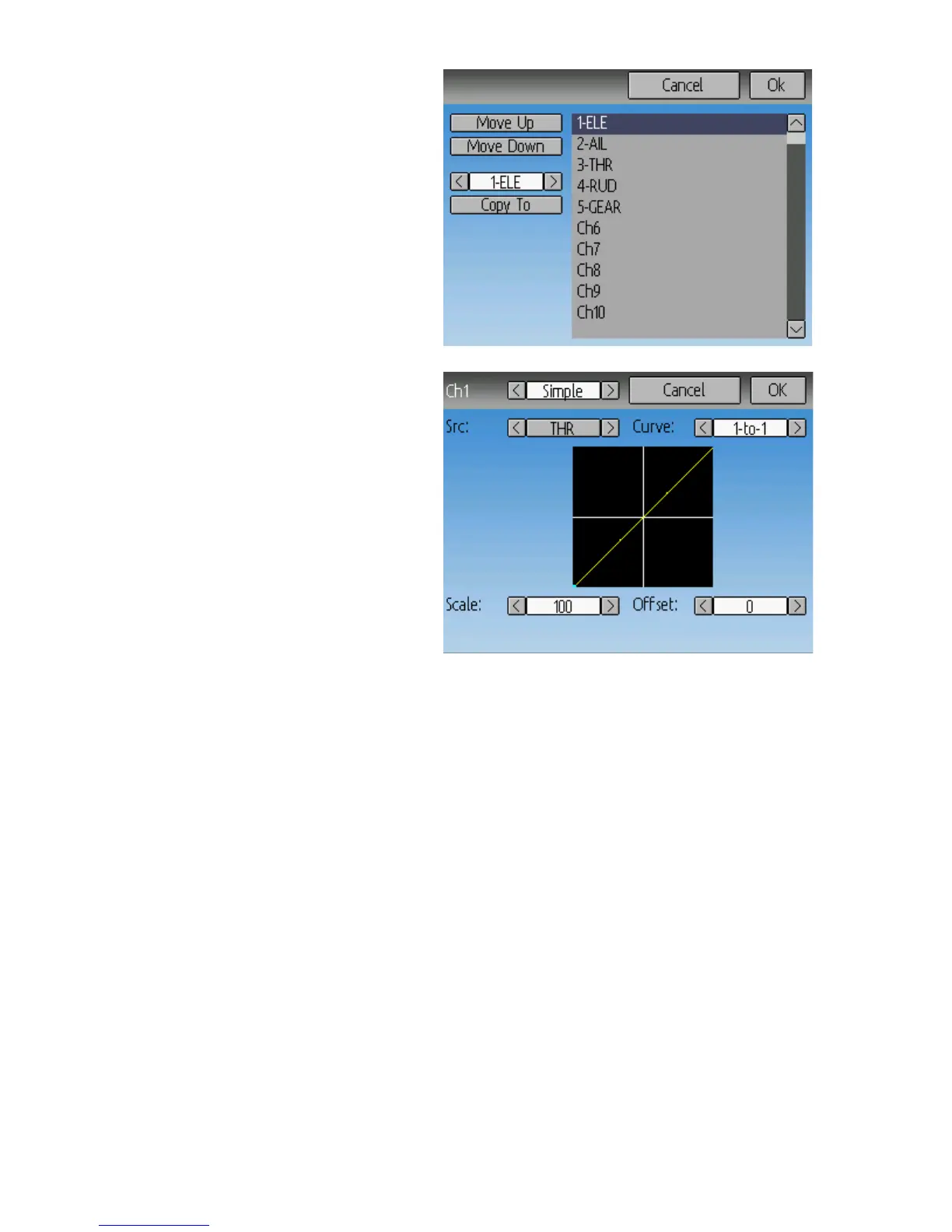
Channel Reorder
The Channel reorder page allows mov-
ing mixer definitions between channels
as well as duplicating channel configu-
rations. Note that the values displayed
are the initial channel assignments.
Whenever the page is loaded, the chan-
nels will be sequentially ordered repre-
senting the current state.
Simple Template
The simple template is the simplest
manner of defining a channel. It allows
defining a primary-input (stick, switch,
or other channel), and applying a curve
or function to that input. The result can
also be scaled or have an alternate zero-
offset
Src: The input source controlling this mixer
Curve: The function applied to the input to generate the output. See the Curve section
for more info. Selecting the ‘Curve’ spin-box (or clicking the graph) will allow
configuring the Curve in the case that a multi-point curve or Expo-rate are chosen.
Scale: A multiplicative scalar that is applied after the Curve to control the output range
Offset: an additive offset that is applied after the scaling.
Expo & Dual-Rate Template
The Expo/Dual-Rate template is a more sophisticated template designed to allow use of
toggle or 3-way switches to manipulate an input. The primary-input (stick, switch, or
other channel), can have a different curve/function and scaling for each toggle-switch
position
Page | 17



 To Next Page