Navigating
The transmitter menus can be navigated via touch-screen or with the physical buttons.
With the touch screen, simply touching any button on the screen will immediately
activate it.
The gray spin-boxes act both as spin-boxes (for selecting a value) and as buttons (which
can have various effects). White spin-boxes do not act as buttons, and are only for value
selection.
When using the physical buttons, it is necessary to 1
st
enter navigation mode before the
buttons can be accessed.
On the main page, a long-press of the ‘ENT’ key will enter navigation mode.
On all other pages, pressing ‘UP’ or ‘DN’ will enter navigation mode
Once in navigation mode, the current widget will be highlighted, and UP/DN will select
the next/previous widget.
The ‘R+’ and ‘L-’ buttons are used on spin-box widgets to increase or decrease the
selected value. In some cases holding down the button will use larger step values to
move more quickly to the desired value.
For Buttons and gray spin-boxes, pressing ENT’ will press the button
Pressing ‘EXT’ will exit navigation mode. If pressed when not in navigation mode, it
will move back to the main screen
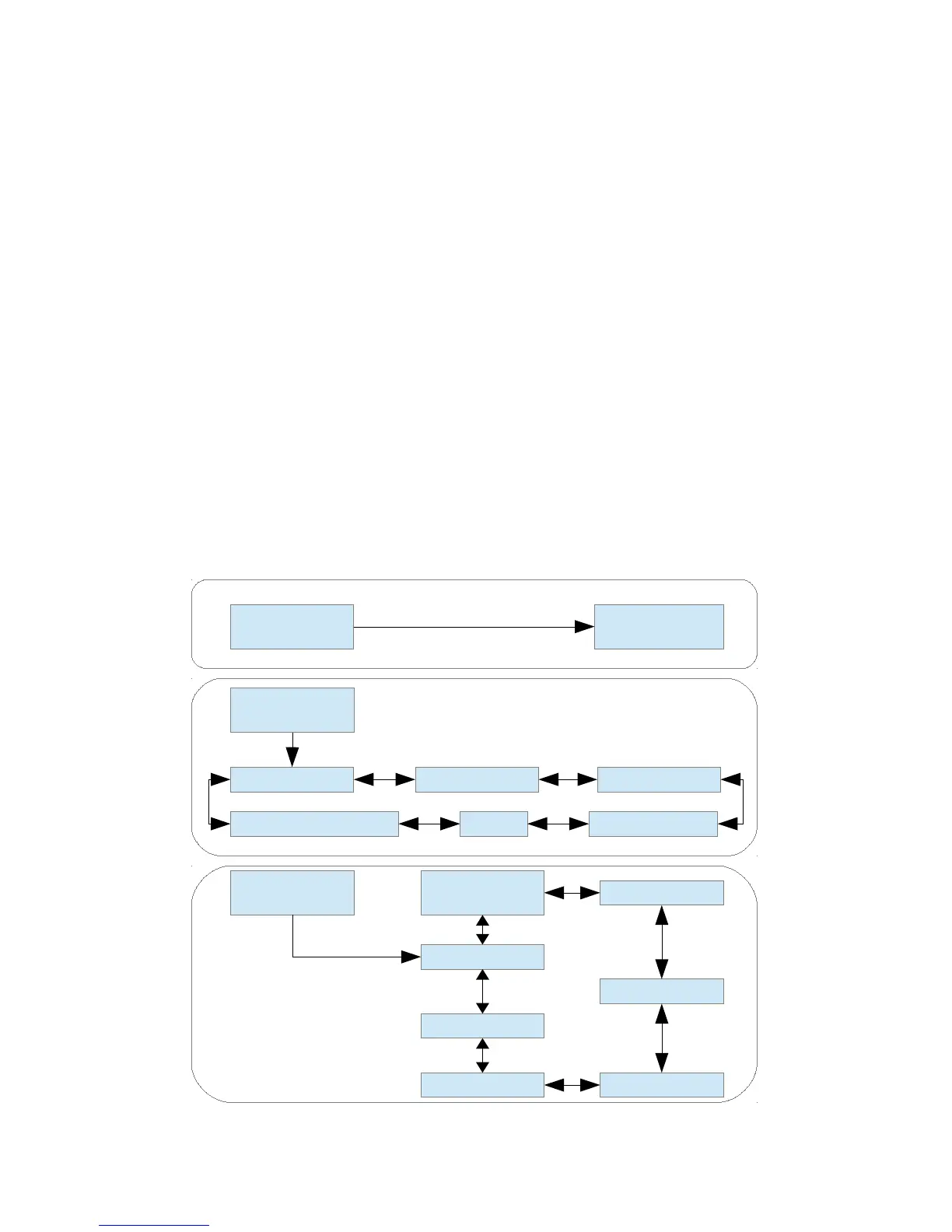
Menu Layout
Page | 9
Main Page Load Model
Current Model
Main Page
Telemetry
Timer
Model Configuration Pages
Main Page
Channels Inputs
Buttons
Tx Option Pages
USB/
Version
Scanner
Main Page Config
ModelMixer
Tx Config
Trim
Telemetry


 To Next Page