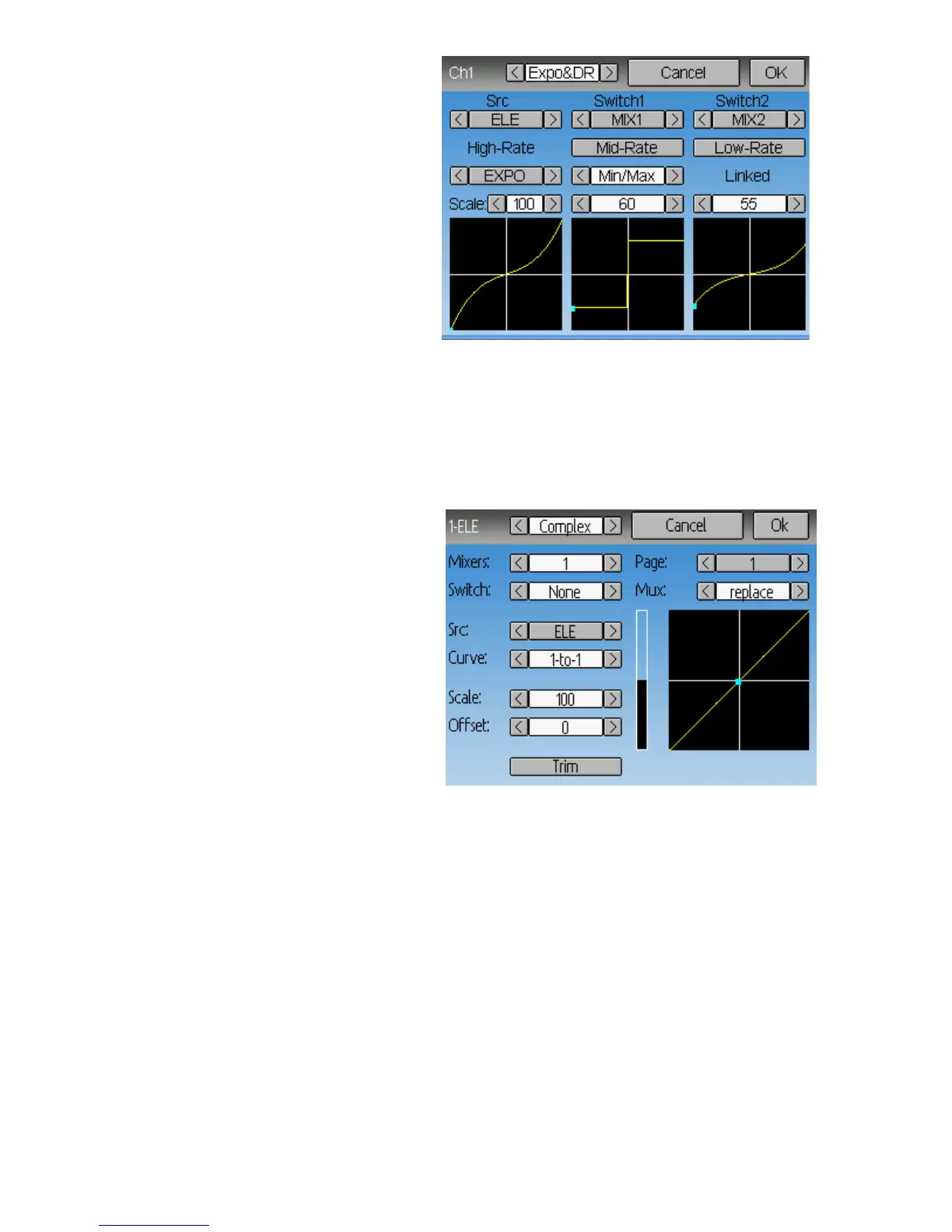
Selecting a value for Switch1 or
Switch2 will activate the
corresponding section. Each section
can either have a 'linked' curve (curve
is the same as the 'High-Rate' curve)
in which case only the scalar can be
modified, or alternatively can have an
independent curve definition.
Pressing the 'Mid-Rate' or 'Low-Rate'
button for a given switch will toggle
between linked and independent
curves.
Src: The input source controlling this mixer
Curve: The function applied to the input to generate the output. See the Curve section
for more info. Selecting the ‘Curve’ spin-box (or clicking the graph) will allow
configuring the Curve in the case that a multi-point curve or Expo-rate are chosen.
Switch: Specify a switch to enable Medium or Low rates.
Scale: A multiplicative scalar that is applied after the Curve to control the output range
Complex Template
The Complex template unlocks the full
power of the mixer system. For a
given channel, any number of mixers
can be applied to affect the final result.
Each mixer is applied based on
whether the specified switch is active,
and can either replace, add to, or
multiply to the previous mixers for this
channel. Using this system it should
be possible to define an output channel
as a combination of any number of
inputs.
The Complex Mixer page has the following options:
Mixers: Specify the number of mixers for this channel
Page: Specify the current mixer page being edited. Pressing the spin-box will allow
reordering the pages of the current channel.
Switch: Specify an optional switch which determines whether the current mixer is active.
Mux: Defines how the current mixer is applied to the previously defined mixers for this
channel. Options are:
• Replace: If this mixer is active, all previous mixers are ignored
• Add: Add the value of this mixer to the previous mixers
• Mult: Multiply the value of this mixer with the previous mixers
• Max: The output will be the greater of the current mixer vs the previous mixers
• Min: The output will be the lesser of the current mixer vs the previous mixers
Src: The input source controlling this mixer
Page | 18



 To Next Page