Step 2: Cyclic Setup
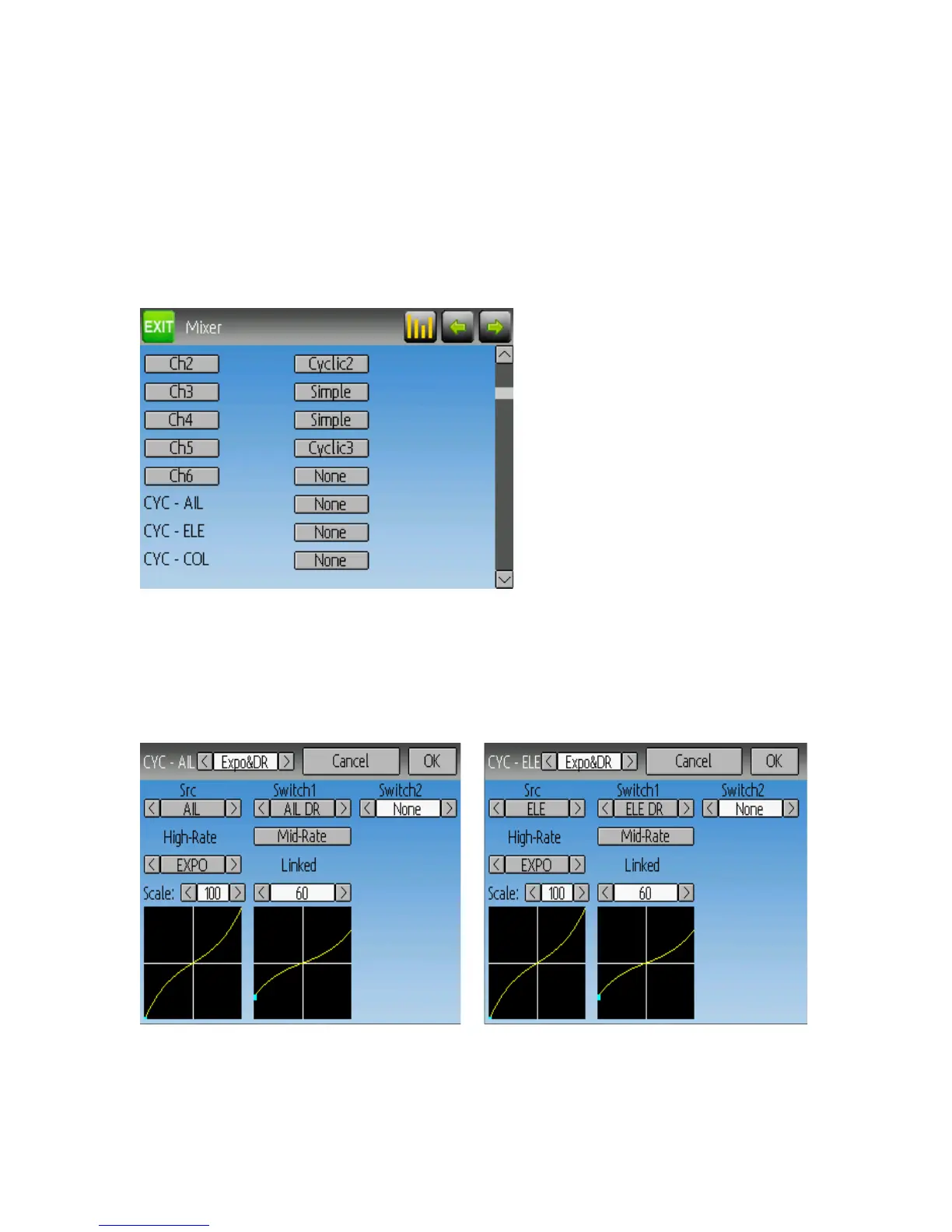
Next go to the Mixer page, and set the following channels to the corresponding template
(there are no configuration options for the Cyclic templates)
• Channel 1 (or ‘ELE’ channel) to ‘Cyclic1’
• Channel 2 (or ‘AIL’ channel) to ‘Cyclic2’
• Channel 5 to ‘Cyclic 3’
Step 3: Mixer Setup
Once any channel has been set to a Cyclic template, the mixer page will show new virtual
channels:
Step 4: Aileron, Elevator, and Rudder Mixing
The following documents the Dual-rate settings for Aileron, Elevator, and Rudder
The settings for all 3 are nearly identical (only the channel and switches are different).
The above images show the Aileron and Elevator settings (Rudder is not shown).
Page | 38


 To Next Page