Helicopter Setup
Deviation has several configuration options to make setting up a helicopter easier. These
settings are primarily for enabling 6-channel CCPM helicopters. 4-channel helicopters
do not need to follow these instructions.
The easiest way to configure a helicopter is to select ‘6 Ch Helicopter’ from the
‘Template’ section of the model page. This will provide a good starting point for
configuring a helicopter. However, the following documents step-by-step instructions for
configuring a helicopter from scratch to explain what the template is doing.
Step 1: Type and Swash
Select ‘Helicopter’ as the model-type on the Model Page.
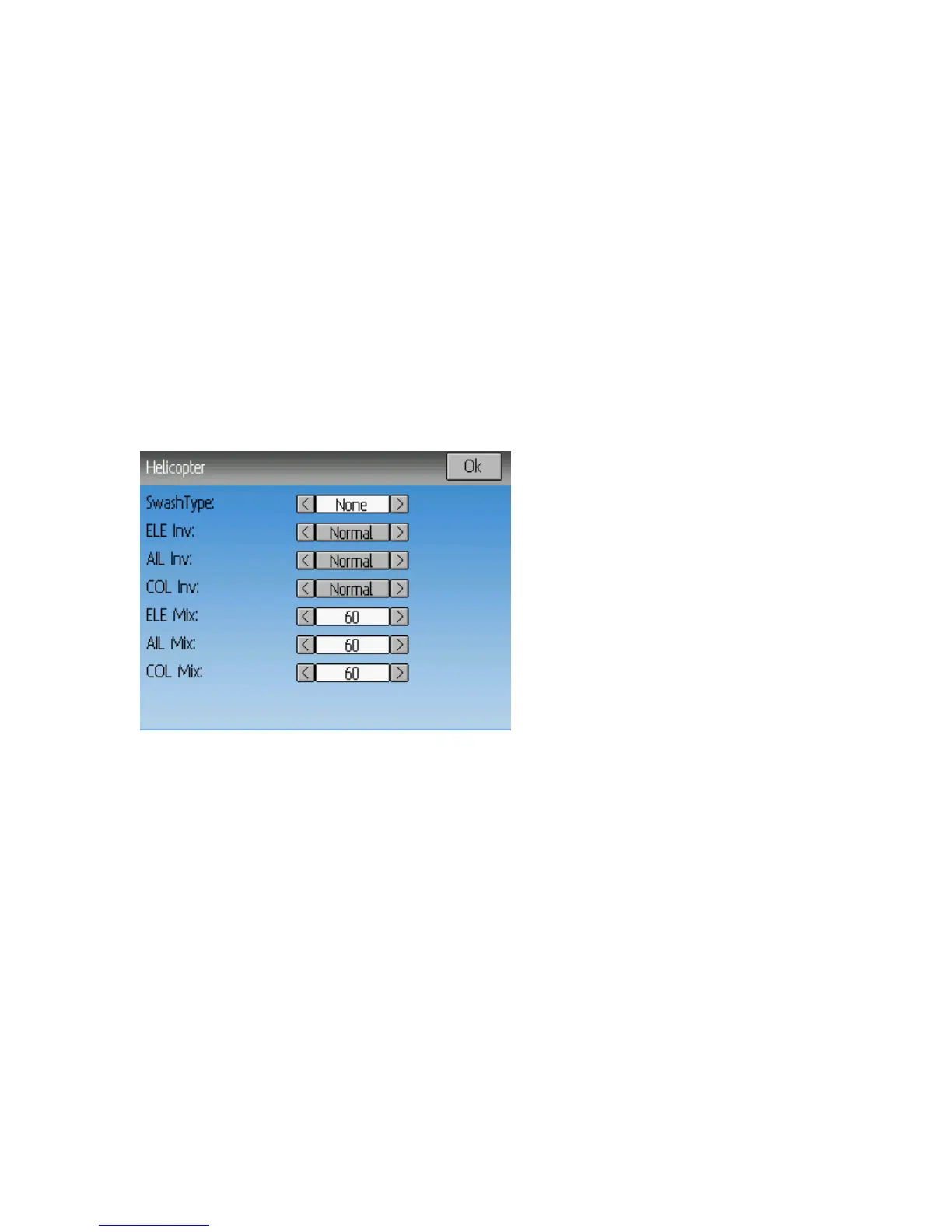
Next click on ‘Helicopter’ on the Model page to open the Helicopter Options page:
The Swash type can be one of:
• None: Use for most flybarless helicopters
• 120: The most common setup for flybar helicopters. 3 servos in 120 degree
configuration
• 120x: The same as 120 but with the ‘Aileron’ and ‘Elevator’ servos swapped
• 140: An alternative, less-used configuration
• 90: Servos at 90 degrees apart
The ELE Inv, AIL Inv, and COL Inv options let you invert the direction of each primary
input during the Cyclic mixing
The ELE Mix, AIL Mix, and COL Mix control the relative percentage of each primary
input during Cyclic mixing. Note that the values are normalized to a sum of 180. So
there is no difference between a setting of 60/60/60 and 100/100/100.
Make sure you have at least 6 channels selected on the Model page.
Page | 37


 To Next Page