Curve: The function applied to the input to generate the output. See the Curve section
for more info. Selecting the ‘Curve’ spin-box will allow configuring the Curve in the
case that a multi-point curve or Expo-rate are chosen.
Scale: A multiplicative scalar that is applied after the Curve to control the output range
Offset: an additive offset that is applied after the scaling.
Trim: Selects whether or not any trims for the selected Source are applied to this mixer
Note that while the scale value is limited to 100%, the mixer may provide a value larger
than 100% if an offset is set or if the trim value is non-zero.
A given mixer can be considered to have the general form:
M(x) = if(Switch) { Src * Curve * Scale + Offset} else {0} + Trim
The combination of mixers for a given output channel is defined by the Mux type:
For a ‘Replace’ mux:
Cx = if(Switch
n
) {M
n
} else if (Switch
n-1
) {M
n-1
} … else if (Switch
0
) {M
0
}
For a ‘Multiply’ mux:
Cx = if(Switch
n
) {M
n
} else {1} * if (Switch
n-1
) {M
n-1
} else {1} * … *
if (Switch
0
) { M
0
} else {1}
For an ‘Add’ mux:
Cx = if(Switch
n
) {M
n
} else {0} + if (Switch
n-1
) {M
n-1
} else {0} + … +
if (Switch
0
) { M
0
} else {0}
For a ‘Max’ mux:
Cx = MAX(if(Switch
n
) {M
n
} else {0}, if (Switch
n-1
) {M
n-1
} else {0}, …,
if (Switch
0
) { M
0
} else {0})
For a ‘Min’ mux:
Cx = MIN(if(Switch
n
) {M
n
} else {0}, if (Switch
n-1
) {M
n-1
} else {0}, …,
if (Switch
0
) { M
0
} else {0})
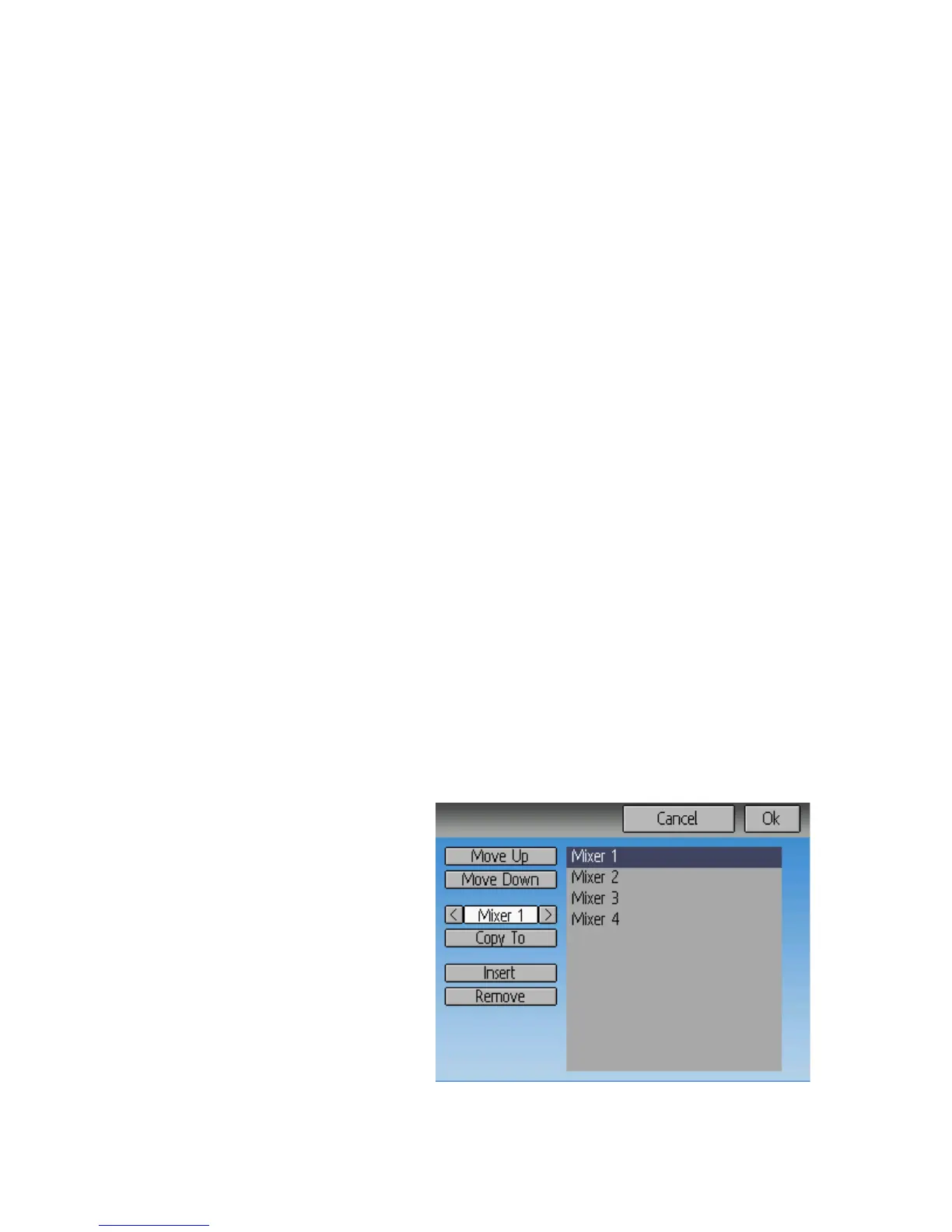
Reordering Mixers
Since the ordering of mixers is im-
portant to the output, it is possible to
reorder and/or copy mixers in order
to facilitate building complex rules.
This page is accessed by pressing the
‘Page’ spin-box on the complex
mixer page.
Page | 19


 To Next Page