LT-2320
13
CALIBRATION
CALIBRATION
Auto-Calibration
The DV6x CPAP device automatically saves the offset and high
calibration values every time the blower stops for 1 minute. During that
time, the unit adjusts the pressure and ow sensor offsets so that the
proper calibration span is maintained.
Manual Calibration Procedure (Field Service)
The DV63/64 pressure and ow sensors can be calibrated manually
using the following procedure. It is recommended that the PAP be
recalibrated using this procedure whenever the PC board or blower is
replaced or when testing or troubleshooting indicate calibration is
required.
Required Equipment:
• PC with a free serial port
• USB to USB micro-B cable (DV63D-615)
• Terminal Program (Microsoft Windows HyperTerminal or
equivalent)
• Calibrated pressure meter (0 to 30 cmH
2
O range)
• Calibrated mass airow meter (0 to 150 Std. L/min range)
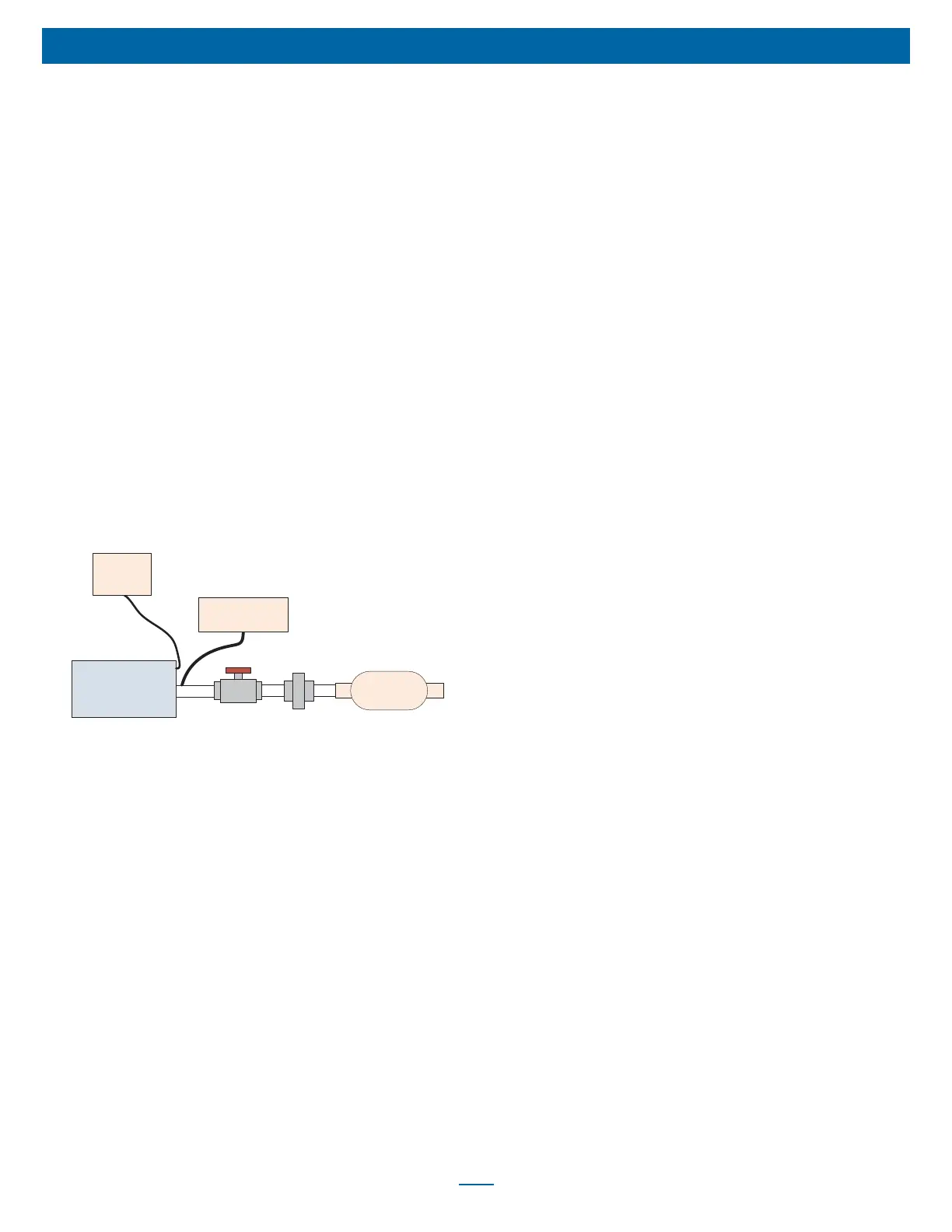
• Ball valve (or equivalent) to control the DV6x device ow
• Particulate Matter (PM) Filter (optional)
Figure 1 Calibration Setup
PC
USB to
USB Micro-B
Cable
DV65/66 Device
Pressure Meter
Ball
Valve
PM
Filter
Flow
Meter
Procedure:
1. Setup the DV63/64 device as shown in Figure 1 and connect the
DV6x device to the DC power supply. Do not attach the heated
humidier chamber to the DV6x device while performing
calibration. Initially the ball valve should be closed so that no air
can pass through.
2. Use a terminal program (such as Windows HyperTerminal) with
COM settings 9600 baud, no parity, 8 data bits, 1 stop bit, Flow
Control set to none. Open the terminal program and connect to
the DV6x device. When sending terminal commands, the DV6x
device will respond with “WF” if a command was not properly
received, and the command should then be resent.
3. Send the terminal command ‘Mo=3’ to put the device into
calibration mode.
4. Send the terminal command ‘FE=00’ to disable Auto-STOP.
5. In this step the low pressure value and low ow value will be
calibrated. These calibration points are for when the pressure and
ow values equal 0 cmH
2
O and 0 SLPM.
a. Send the terminal command ‘Rs=O’ to ensure the DV6x
device blower is off.
b. Wait forty seconds for the DV6x device internal ltering to
stabilize.
c. Send the terminal command ‘Tc=cpl’ to calibrate the DV6x
device low pressure value.
d. Send the terminal command ‘Tc=c’ to calibrate the DV6x
device low ow value.
6. In this step the high pressure value will be calibrated. This
calibration point is for when the DV6x device blower is on and the
pressure equals 20.0 cmH
2
O.
a. Send the terminal command ‘Tw=18000’ to set the motor
speed to 18,000 RPM. This motor speed value should
achieve a pressure that is close to 20 cmH
2
O.
b. Send the terminal command ‘Rs=R’ to turn the DV6x device
blower on. Check the ball valve to ensure that it is closed,
and that no air is owing through.
c. The external pressure meter should be reading a value that
is equal to 20.0 cmH
2
O. If the pressure does not equal 20.0
cmH
2
O, the terminal commands ‘Tw+’ and Tw-‘ can be used
to increase or decrease the motor speed in small
increments, thus increasing and decreasing the pressure.
Once a pressure that is equal to 20.0 cmH
2
O has been
achieved, wait forty seconds for the DV6x device internal
ltering to stabilize.
d. Send the terminal command ‘Tc=cph’ to calibrate the high
pressure value. NOTE: If the current pressure measurement
is not equal to exactly 20.0 cmH
2
O, the terminal command
‘Tc=cphNN.NN’ can be used to interpolate the pressure
calibration value. For example, the terminal command
‘Tc=cph19.97’ can be used to calibrate the high pressure
value with the interpolated pressure of 19.97 cmH
2
O.
7. In this step the high ow value will be calibrated. This calibration
point is for when the DV6x device blower is on and the ow
equals 110 SLPM.
a. The DV6x device blower should still be turned on at the
motor speed value used for the high pressure calibration in
Step 6, and the ball valve closed.
b. Open the ball valve and adjust the ball valve until the ow
meter measures 110 SLPM.
c. Wait forty seconds for the DV6x device internal ltering to
stabilize.
d. Send the terminal command ‘Tc=cfh’ to calibrate the high
ow value. NOTE: If the current ow measurement is not
equal to exactly 110 SLPM, the terminal command
‘Tc=cfhNNN.N’ can be used to interpolate the ow calibration
value. For example, the terminal command ‘Tc=cfh109.5’ can
be used to calibrate the high ow value with the interpolated
ow of 109.5 SLPM.
8. Testing will be performed to check the ow calibration settings.
Adjust the ball valve to change the ow rate. Send the terminal
command ‘Fl’ and verify that the DV6x device returned ow value
is within ± 4 SLPM of the ow measurement from the ow meter.
Repeat this step at various ow rates.
9. In this step, testing will be performed to check the pressure
calibration settings.













 To Next Page