LT-2320
6
GENERAL INFORMATION
Changing Settings
Use the following steps to enter Clinical menu and change therapy and comfort settings:
1. Apply power to the device.
2. Enter Clinical menu by simultaneously pressing the Blower START/STOP button, the Ramp button and the Rotary Knob.
3. Turn the rotary knob to desired setting item and press the rotary knob to select the setting item. See Provider Quick Setup Guide,
DV64D-125-XX for more details.
4. Return to Patient mode by pressing the knob and buttons used in Step 2.
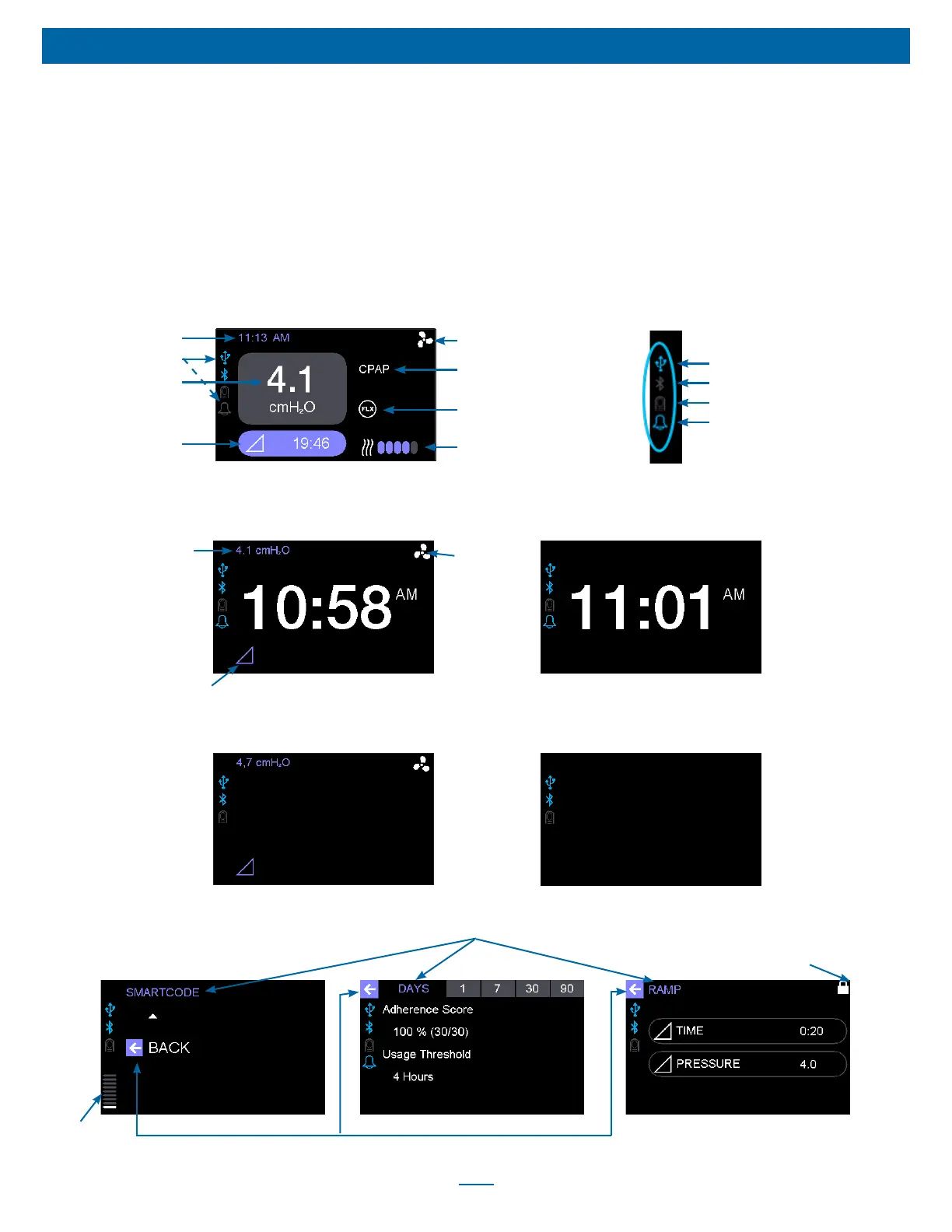
G. UNDERSTANDING THE DISPLAY SCREEN
Therapy Screen: Blower On
Clock (if active)
Status Icons (see inset
)
Current delivered
pressure
Ramp On and Time
Remaining Indicator
SmartFlex On Indicator
Mode Indicator
Blower On Indicator
Inset: Status Icons
Bluetooth Signal Indicator
Wake-Up Alarm Indicator
Oximeter Connected Indicator
USB Connected Indicator
Idle Screen: Blower OffIdle Screen: Blower On
Ramp Indicator
Therapy
Pressure
Blower
On
Indicator
Idle Screen: Blower On (Without
Clock)
Idle Screen: Blower Off (Without
Clock)
Humidifier On and Setting
Indicator (only illuminated if
optional humidifier is attached)
Submenu Title
Screen Overview
Back Indicator
Setting Locked Indicator
Page
Indicator













 To Next Page