52 Appendix A: Troubleshooting
Dexcom G6
®
System • Using Your G6
A.4 Calibrate Your G6
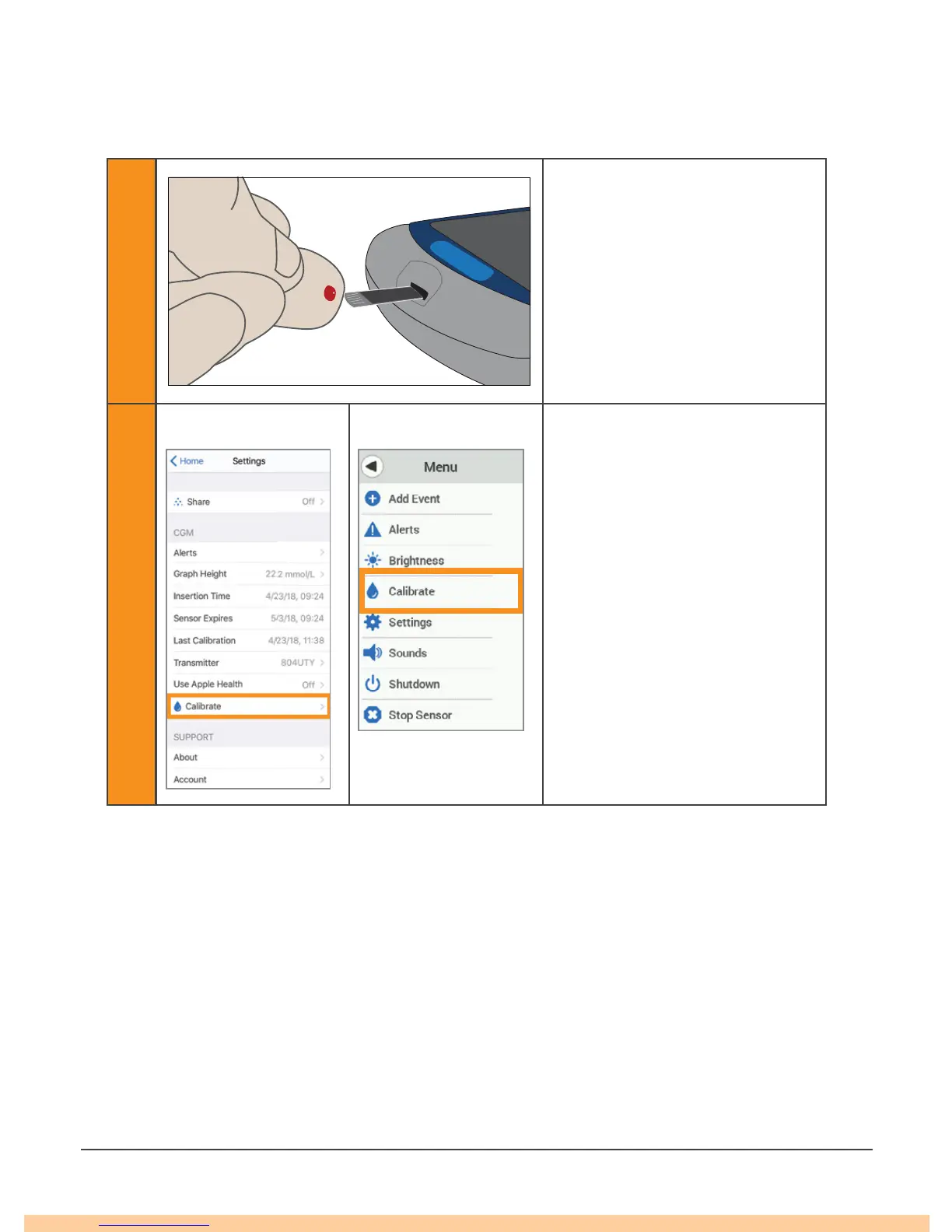
Follow these steps to calibrate your G6:
1
After thoroughly washing your
hands with soap and water, dry
them. Then use your meter to
get a meter value.
2
App Receiver
Tap Calibrate on your G6
menu.
Follow onscreen instructions to
enter, save, and confirm your
meter value.
Only calibrate in one display device, even if you use both the app and receiver. The
transmitter sends calibration information between each.
Only use your meter value for calibrations: never enter readings from your G6.
Do not calibrate when your glucose is changing rapidly – more than .2 mmol/L per
minute.
Only calibrate with meter values between 2.2 mmol/L and 22.2 mmol/L.



 To Next Page