57Appendix A: Troubleshooting 57
Dexcom G6
®
System • Using Your G6
Issue Solution
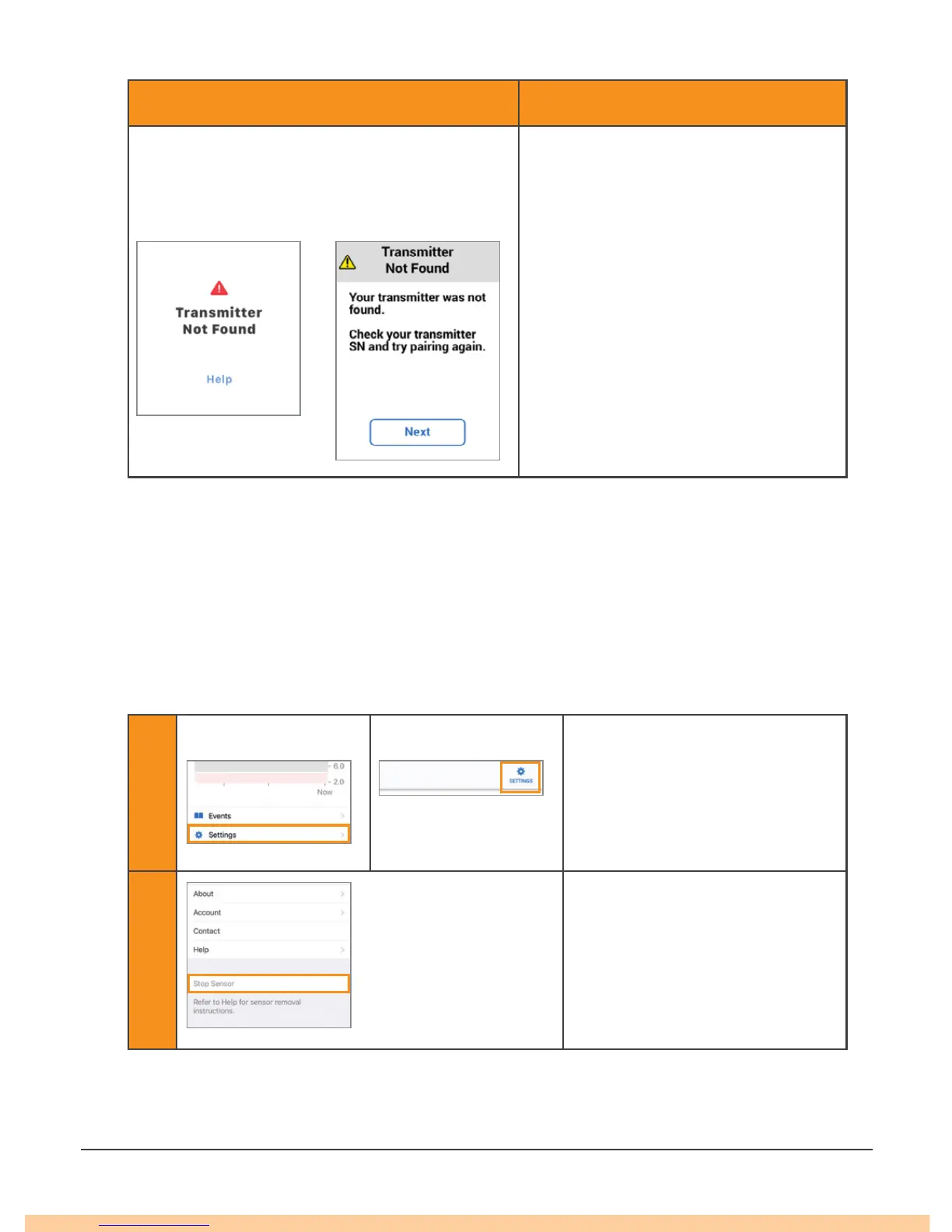
Transmitter Not Found Alert
G6 did not pair.
1. Make sure transmitter is
snapped into transmitter holder.
2. Verify transmitter serial number
(SN) entered is correct.
3. If not fixed, sensor may not
be inserted correctly. Insert a
new sensor. For a replacement,
contact your local Dexcom
representative.
No alarm/alerts or G6 readings until
fixed. Use your meter for treatment
decisions.
App Receiver
A.7 End Sensor Session Early
You might want to end your sensor session early. If you do, end it in either your app
or your receiver. Both methods are shown below. Once you stop your sensor session,
you will not be able to restart it.
App: End Sensor Session Early
1
Apple Android
Tap Settings.
2
Tap Stop Sensor.
Remove the transmitter and
sensor. (See Chapter 6.)
9:008:00



 To Next Page