58 Appendix A: Troubleshooting
Dexcom G6
®
System • Using Your G6
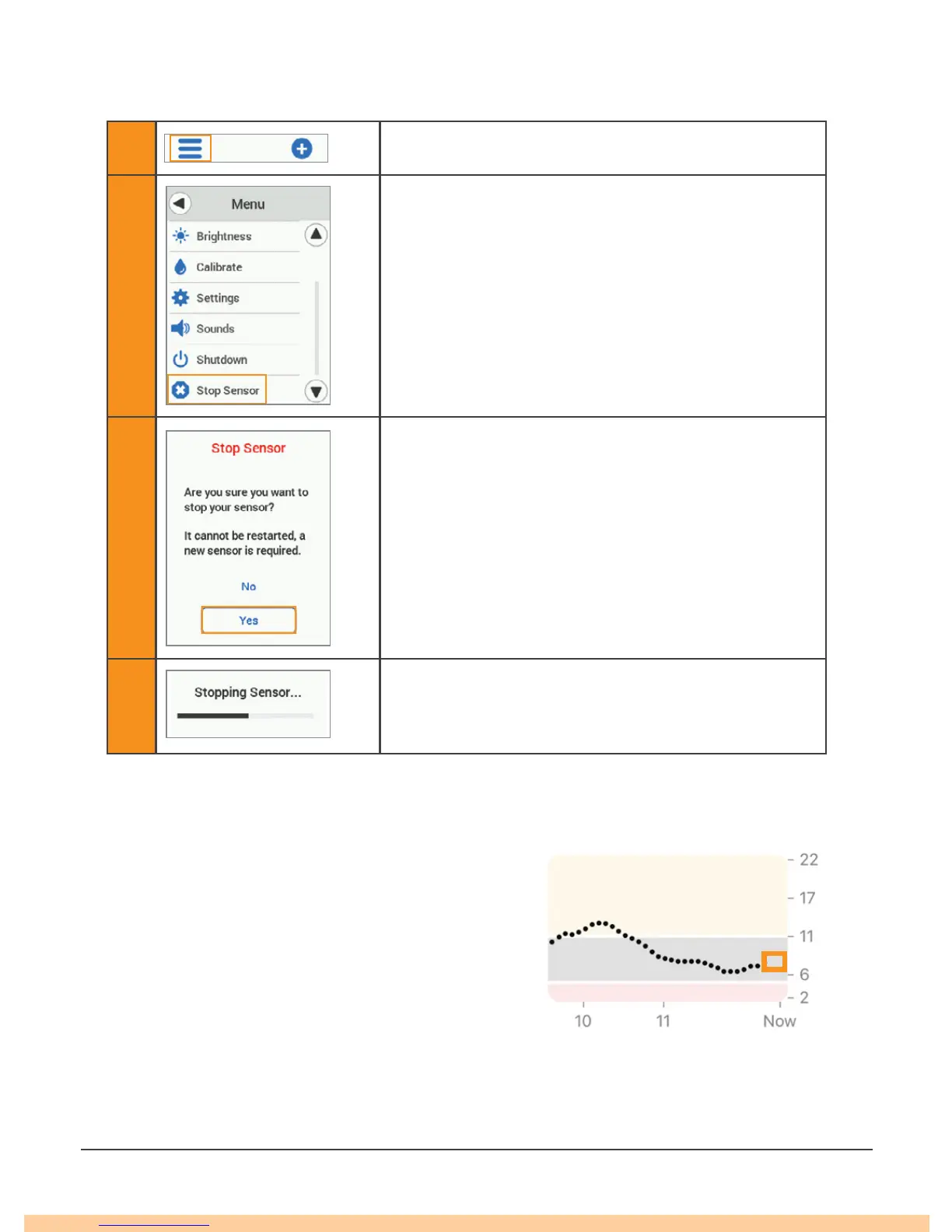
Receiver: End Session Early
1 Tap Menu.
2 Tap Stop Sensor.
3
Tap Yes.
Remove the transmitter and sensor. (See Chapter
6.)
4 Wait.
A.8 Gap in Graph
When you are not getting G6 readings, your
graph may show a gap on the right side in the
trend dots. In the example, you can see the gap
where your current dot should be:
When your G6 readings resume, up to 3 hours
of missed G6 readings can fill in on the graph.



 To Next Page