67Appendix B: Extend Your App 67
Dexcom G6
®
System • Using Your G6
B.2 Quick Glance (Android)
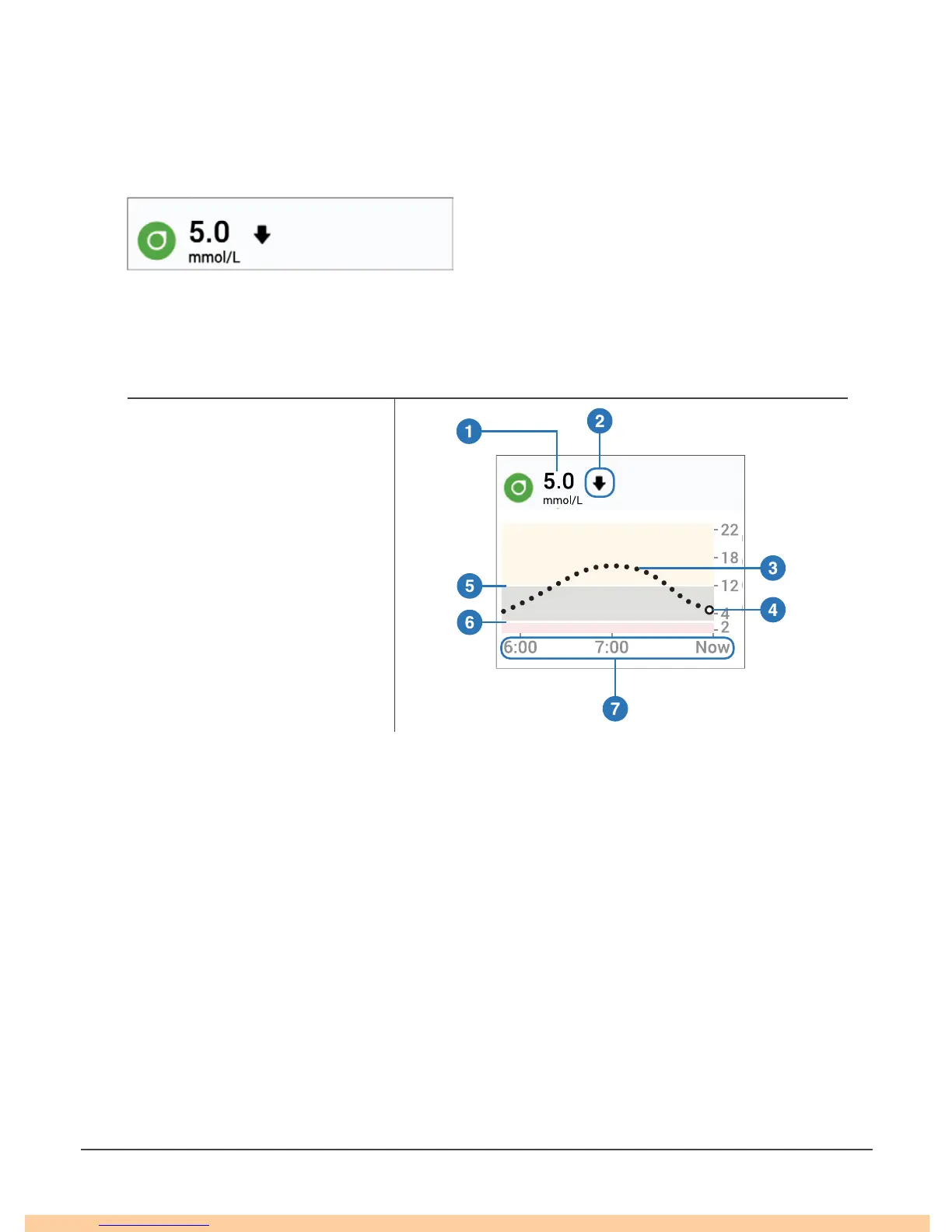
Check your G6 on your Lock screen or swipe down from the top.
Quick Glance
Drag down on the lower edge of Quick Glance to show your graph.
Key
Number and Arrow
1. G6 Reading
2. Trend Arrow
Graph
3. Trend Graph
4. Current G6 Reading
5. High Alert Level
6. Low Alert Level
7. Shows past 3 hours
Quick Glance is on by default. Turn it off in the app: Settings > Quick Glance
B.3 Smart Watches
Check your G6 on your Apple or Android smart watch.
Suggested Use
Using a smart watch with your G6 may change how you get alarm/alerts.
• Your smart watch only communicates with your smart device, not the transmitter.



 To Next Page