C/41
- ATTENTION: - Read the SAFETY REGULATIONS (contained in this manual) carefully for the safety of all personnel and your vehicle.
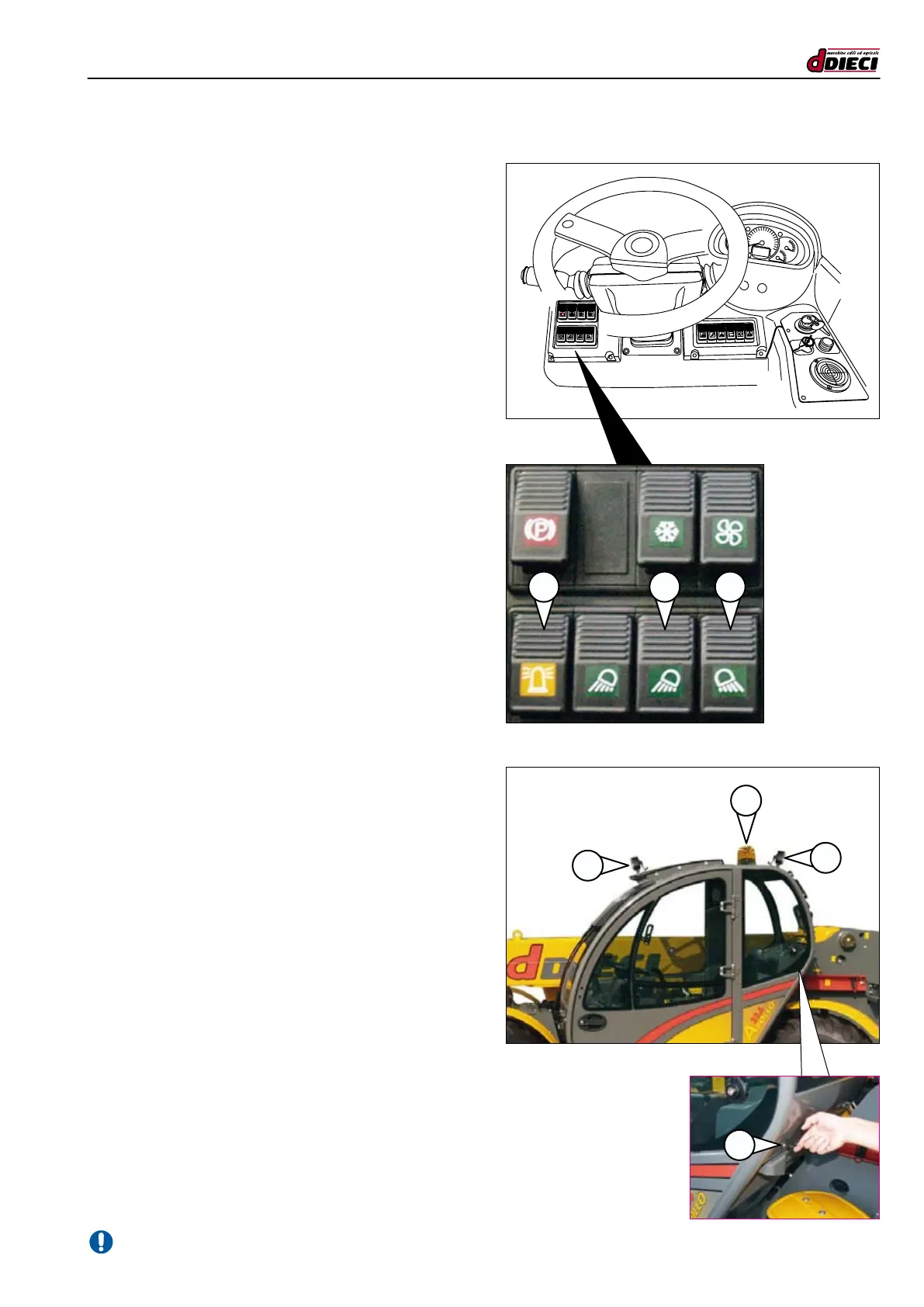
(g.81/C)
1
2
3
4
(g.80/C)
P
1
1 23
REVOLVING LIGHT SWITCH
(g.80/C Pos.”3”)
The revolving light must always be positioned above the dri-
ver’s cab (g.81/C Pos. “2”) and must always be in operation
both at the work site and when driving on roads.
- Position the revolving light on the driver’s cab (g.81/C
Pos.”2”).
- Plug the power plug in the socket at the rear of the cab
(g.81/C Pos.”4”).
- To switch on the revolving light push the button ”3”
(g.80/C). The indicator light on the same switch indica-
tes start-up.
FRONT CAB LIGHTS SWITCH (OPTIONAL)
(g.81/C Pos.”3”)
Use the switch (fig.80/C Pos.”B”) to turn on the cab front
working lights (g.81/C Pos. “3”).
The indicator light switches on to indicate successful activation.
REAR CAB LIGHTS SWITCH (OPTIONAL)
(g.81/C Pos.”1”)
Use the switch (fig.80/C Pos.”2”) to turn on the rear cab
working lights (g.81/C Pos.”1”). The indicator light switches
on to indicate successful activation.


 To Next Page