Getting to Know and Using the Vehicle
Integrated devices
C/58
Mod. Apollo
- ATTENTION: - Read the SAFETY REGULATIONS (contained in this manual) carefully for the safety of all personnel and your vehicle.
BUTTONS
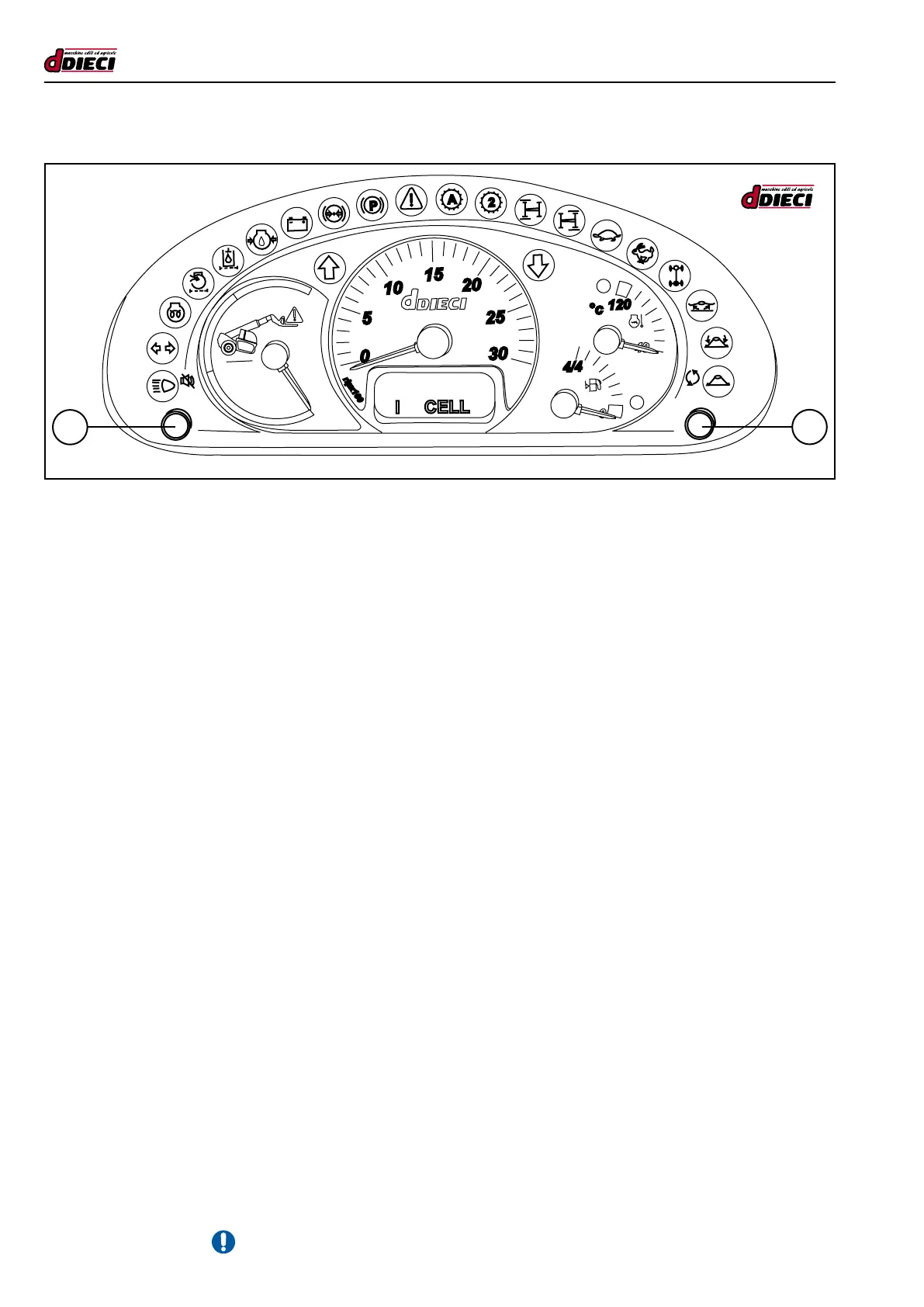
There are two integrated buttons on the panel:
-Button“1”(g.201/C)temporarilypreventstheacousticsignal(buzzer)oftheanti-tippingsystem,anti-tippingsystemtest.
-Button“2”(g.201/C)changesthedisplay.
Changing display visualisation
Bypressingkey”2”(g.201/C)displayvisualisationischangedcyclicallyfollowingthelogicbelow:
1. Timer and clock.
2. Speed and clock.
3. Hodograph and clock.
4. Timer and clock.
The normal visualisation of the display will be Clock and Hour counter. In the case of installation of the speedometer, the display
will automatically pass to the Clock and Speed display.
Clock regulation
To regulate the clock:
- Switch off the dashboard.
-Presskey“2”(g.201/C)andholditdown.
- Switch the dashboard on
-Holdkey“2”down(g.201/C)for1.5secondsforthedurationofthe“check”.
-Nowyouarein“Regulation”mode
With minutes characters ashing, press:
-key“1”(g.201/C)toincreasethecharacter.
-key“2”(g.201/C)toconrmtheselection.
With hours characters ashing, press:
-key“1”(g.201/C)toincreasethecharacter.
-key“2”(g.201/C)toconrmtheselection.
The calibration check has ended and the instrument starts to work normally (excluding the initial check).
1
2
(g.201/C)
I CEL
L
2
A
P



 To Next Page