Getting to Know and Using the Vehicle
Integrated devices
C/62
Mod. Apollo
- ATTENTION: - Read the SAFETY REGULATIONS (contained in this manual) carefully for the safety of all personnel and your vehicle.
Vkmip/h
RPM
AM
3
(g.206/C)
1
2
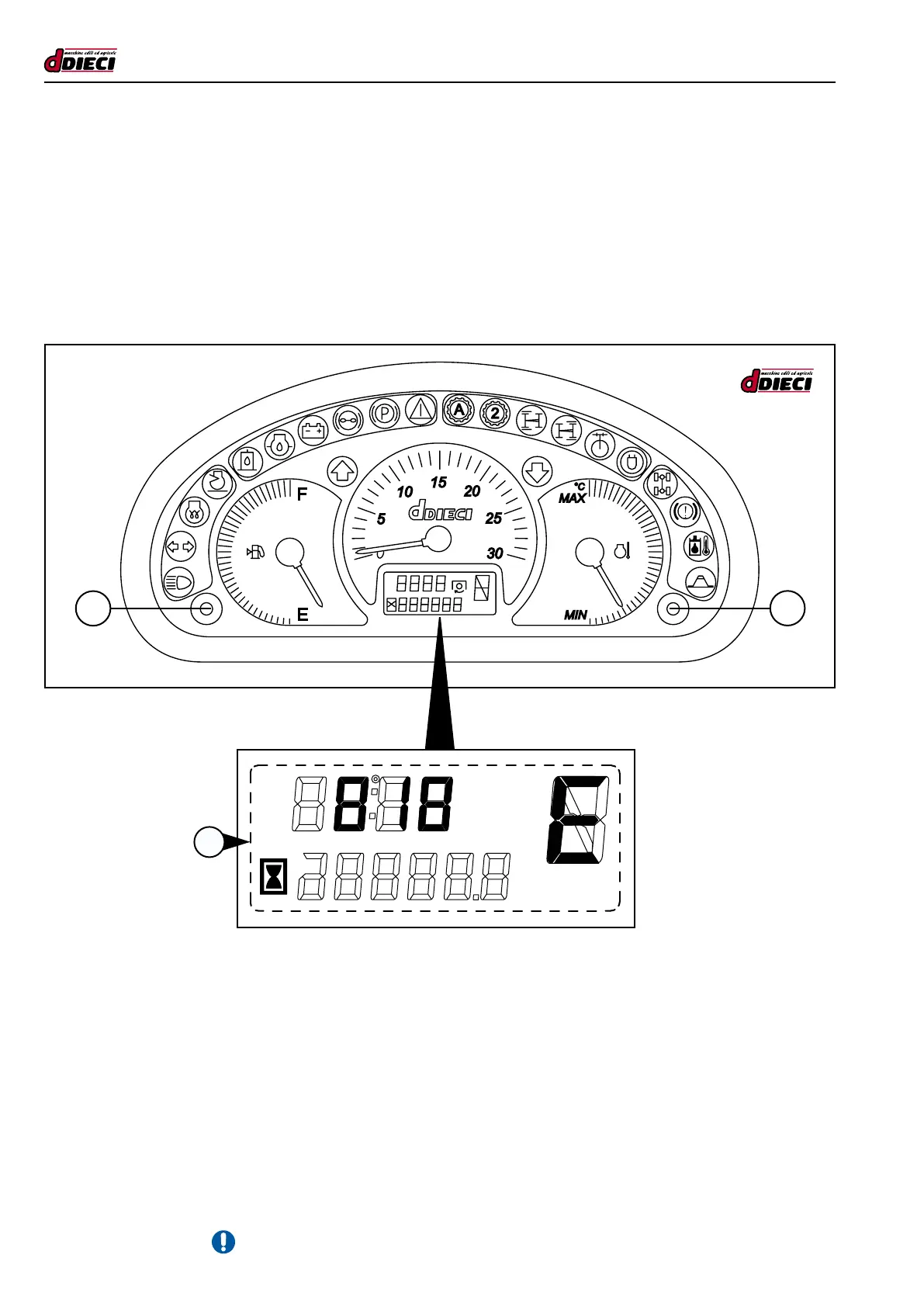
Engine errors
Theengineerrorsaresignalledbytheswitch-onofthe“generalalarmLED”withacousticsignal(buzzer)lasting1.5seconds
anddisplayoftheerrorcodeontheLCD(g.206Pos.”3”).Theerrorwillremaindisplayeduntiltheoperatorpresseskey“1”
(g.206/C)or“2”(g.206/C)for3sec.The“generalalarmindicator”willstayonuntiltheerrorhasceased.
Pressingbutton“1”(g.206/C)or“2”(g.206/C)for3seconds,theerrorwillnolongerbedisplayed,butwillbekeptinthememory.
Beforedisplayingtheseconderror,waitfor1second.Thepresenceoftheerrorwillbeindicatedbythebuzzerfor1.5seconds
and the new error will be shown on the display. The same procedure must be used for all successive errors.
Errors Menu
Pressandholdbuttons“1”(g.206/C)and“2”(g.206/C)simultaneouslyfor3secondstoaccesstheErrorsmenu.Pressing
rightbutton“2”quickly(lessthan3seconds)passestosuccessiveerror,whentheendisreachedthewording“ESC”willappe-
ar.Keepleftbutton“1”pressedfor3secondstoexit.
Bypressingkey“2”again(g.206/C),startsfromthersterroragain. The panel keeps up to ten errors in its memory.
Ifoneormoreerrorsarepresentuponvehicleignition,thepanelwillswitch-onthe“generalalarmindicatorlight”,soundthebuz-
zerfor1.5secondsandshowerrormessageondisplay. If the error disappears it remains inside the memory.
The error messages have priority on the service writing.



 To Next Page