C/23
- ATTENTION: - Read the SAFETY REGULATIONS (contained in this manual) carefully for the safety of all personnel and your vehicle.
(g.34/C)
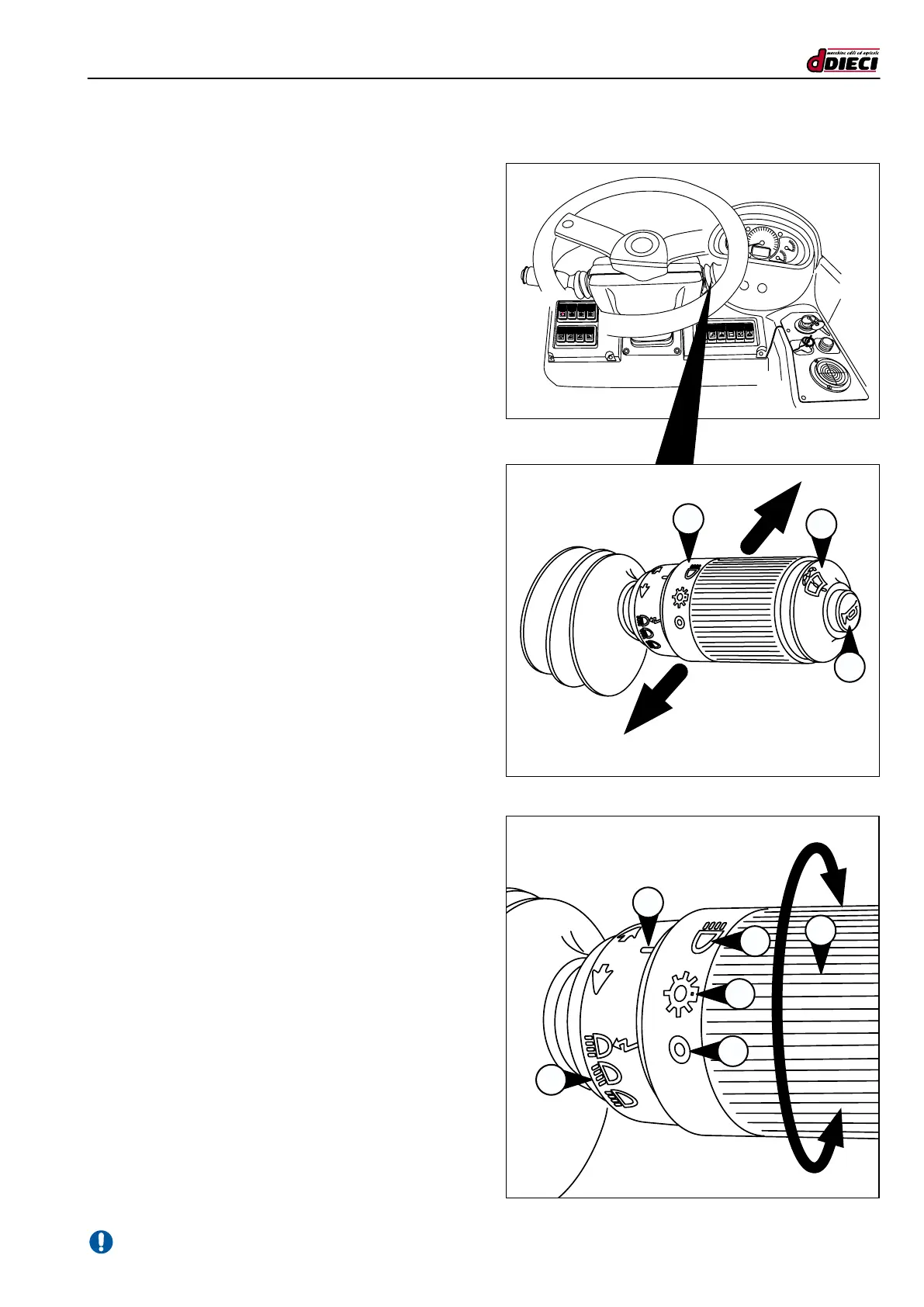
MULTI-FUNCTION LEVER
Direction indicators
- Pull the lever towards you to signal a turn to the right
(g.34/C Pos.”R”).
- Push it forward to indicate a curve to the left (fig.34/C
Pos.”L”).
The indicators only function when the instruments are powered.
An indicator light on the central dashboard signals the acti-
vation of the direction indicators.
Function buttons
- The middle button on the handle activates the front
windscreen wipers (g.34/C Pos.”2”).
- The button located at the far end of the handle activates
the Horn (g.34/C Pos.”3”).
Switching on the headlights
Turning the knob to “1” (g. 35/C) switches on the headlights.
The symbols on the knob indicate, with an arrow, that the
lights are (g.35/C Pos. “D”):
- Switched off (g.35/C Pos.”A”).
- Position (g.35/C Pos.”B”).
- Dipped lights (g.35/C Pos.”C”).
The full beam headlight (g.35/C Pos.”E”) is activated by
shifting the lever upwards using single ashes, and downward
for continuous use.
C
B
A
D
(g.35/C)
E
1
L
R
3
2
1
P



 To Next Page