C/42
Getting to Know and Using the Vehicle
Mod. Apollo
- ATTENTION: - Read the SAFETY REGULATIONS (contained in this manual) carefully for the safety of all personnel and your vehicle.
(g.84/C)
(g.85/C)
1
(g.84/C)
P
1
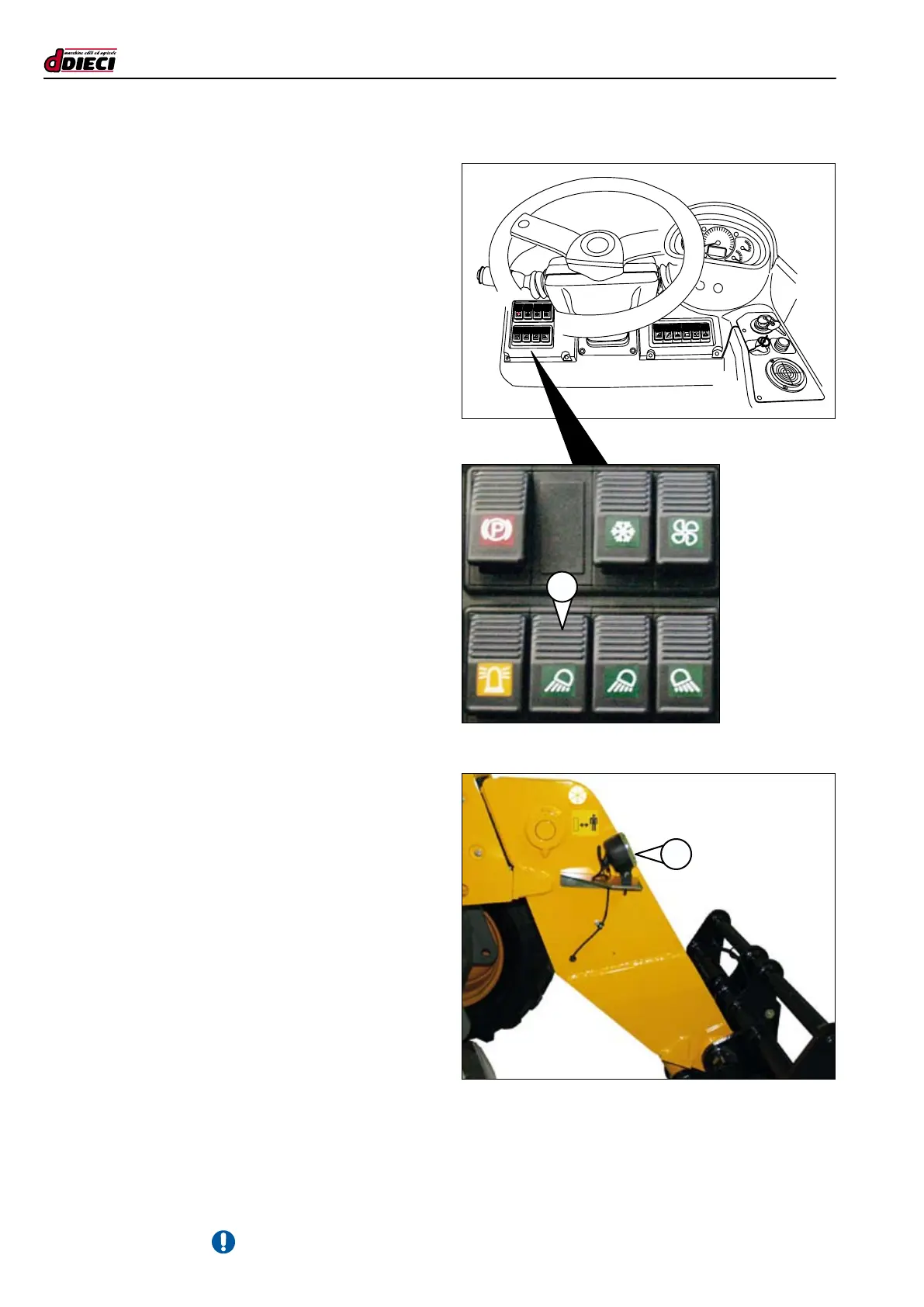
BOOM HEAD LIGHT SWITCH
(OPTIONAL)
(g.84/C Pos.”1”)
Use the switch (g.84/C Pos.”1”) to turn on the boom head
light (g.85/C Pos.”1”).
The indicator light switches on to indicate successful activation.
Two work lights, one on the right side and the other on the left
side of the boom, can be installed upon client request.



 To Next Page