1-7
DiGiCo S21
1-7
1.3.3 Group and Aux Setup View....................................................
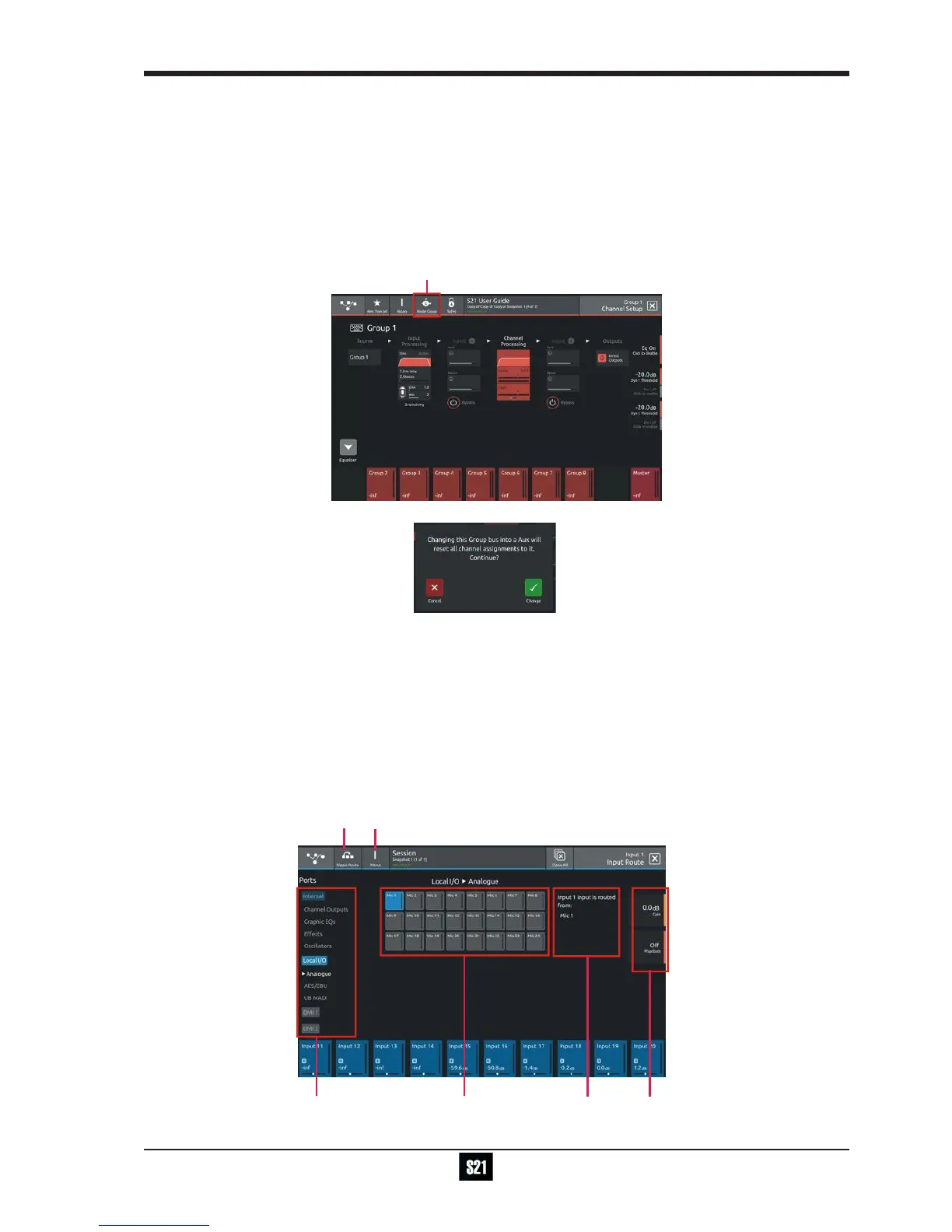
The Group and Aux Channel Setup view are very similar to the Input Channel version but they have one extra function that is used to
convert a Group Buss to an Aux Buss or vice versa
The S21 has a xed number of output busses but they can be changed at any time to be either Auxes or Groups.
In the example below, touching the Mode button on the Group Setup view will change the Group to an Aux but there is warning that all
channel assignments will be reset in the process. So the newly converted Aux will be attened.
The situation is exactly the same when converting an Aux to a Group - all assignments are reset
Note: In S21 V1.0, Aux/Group Mode can be changed with a Snapshot recall and is part of the Fader, Mute, Mono, CG
member Safe block. Please ensure that the buss modes are set in your rst Snapshot before you create any further
Snapshots. This will ensure that the buss mode settings will be consistent in all Snapshots.
1.3.4 Input Routing View .................................................................
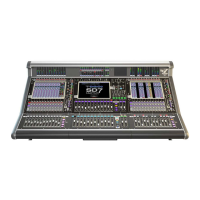
Touching the Source area on the Channel Setup will open the Input Route expanded view.
Only input channels have a Source selection - output channels sources are xed within the system
To select an input source, touch one of the buttons in the port list on the left of the screen and the relevant sockets will be displayed.
Now touch to select a socket in the socket display.
Inputs can be routed into multiple channels at the same time using the Ripple Route function.
Touch the Ripple Route button in the top bar and then select the rst and last sockets in the required range - then press the OK button.
The Master Rotaries are assigned to the Gain/Trim, +48V and Input Pad controls if they exist for the socket type selected.
Note: Ripple routes are automatically done in the channel display order rather than channel number order.


 To Next Page