DiGiCo S21
1-18
1.5.3 Preferences .............................................................................
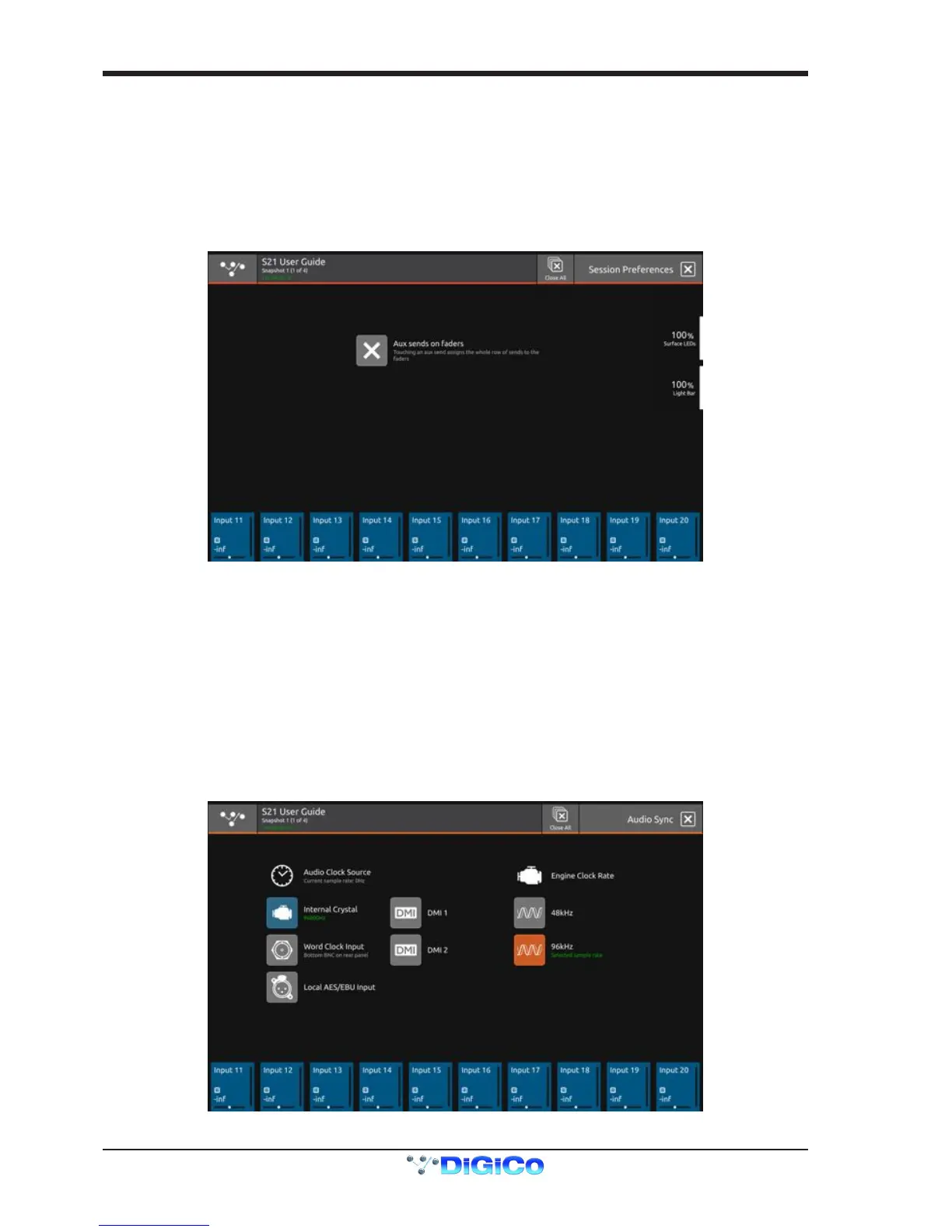
Touching the Main Menu > Preferences button displays and allows the setting of certain console options.
The Aux Sends on Faders option (also available as a Macro function), when active, assigns the complete row of Aux Sends to the
channel faders when an Aux Send row is touched in the Channel view.
In this mode the channel's output block is highlighted with a purple background and the underscreen rotaries are assigned to Aux pans if
a stereo Aux row is selected.
In this mode, touching and holding the Aux row will assign the Aux Sends to the underscreen rotaries - the output blocks will turn blue
but the selected Aux row will remain purple.
To reassign the channel faders to their standard function, touch the channel's output block at the bottom of the Channel view, the output
blocks will revert to the standard blue colour and the faders will control the channel level again.
1.5.4 Audio Sync ..............................................................................
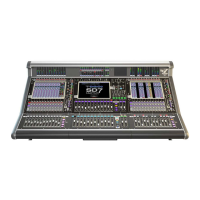
Touching the Main Menu > Audio Sync button displays and allows the setting of console Audio Sync options.
The console's sample rate can be changed from its default 96KHz to 48KHz but this has a conrmation stage as the audio will be af-
fected during the switch.
Note: In V1.0 software, when a New Session is created, the console will always default to a 96KHz sample rate
In normal operation the console should be set to Internal Sync and it will automatically provide sync to connected DiGiCo I/O racks via
the DMI interface cards.
Other sync options available are the Word Clock input on the console back panel and the Local I/O AES/EBU input.
Also DMI Card 1 or DMI Card 2 can be used as sync sources.
These options should only be selected if the console is not intended to be the Sync Master for the system.
When a valid sync source is available, the relevant item on-screen will display an indicator to conrm this.


 To Next Page