DiGiCo S21
1-14
1.4.3 Swap Banks ...........................................................................
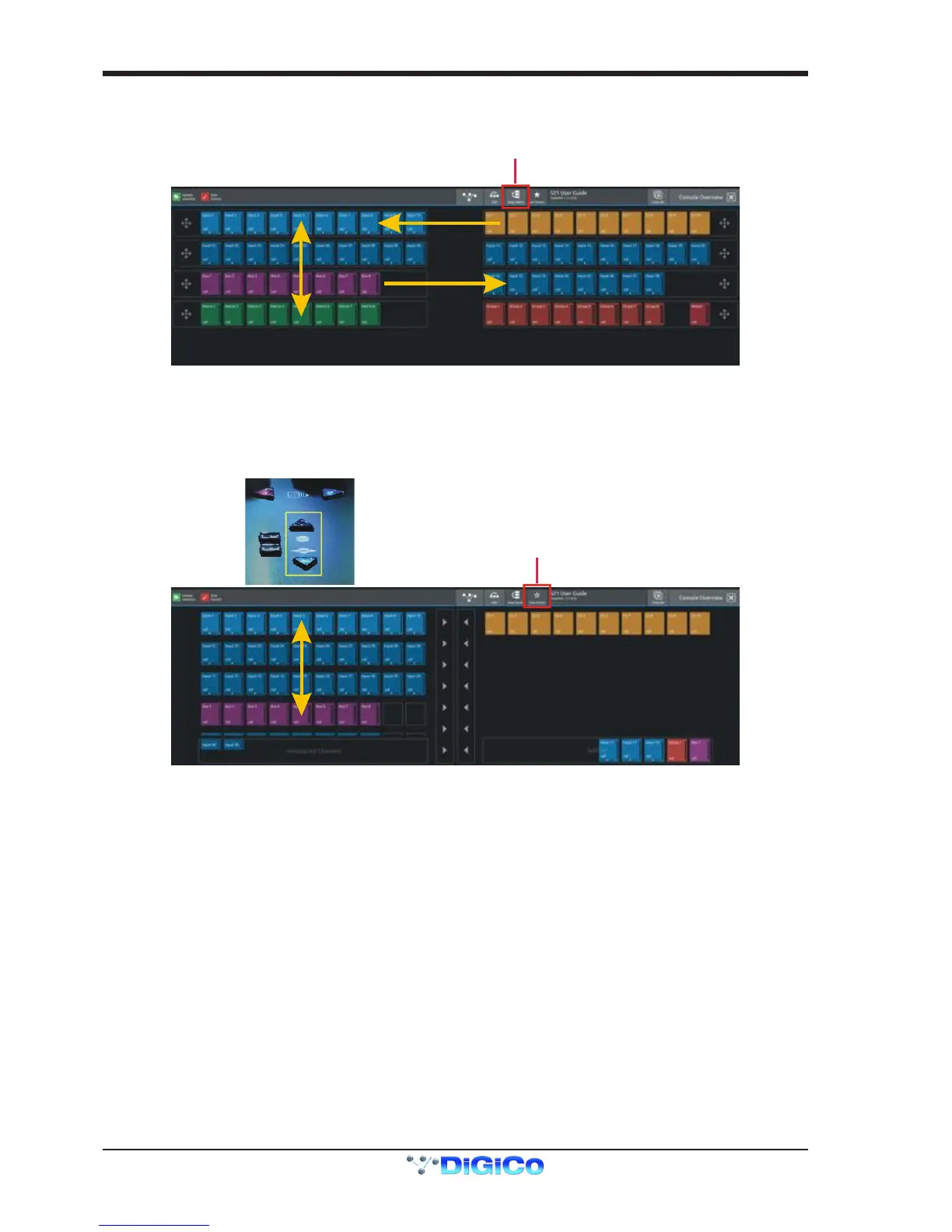
In Edit mode, touching the Swap Banks button in the top bar allows complete banks to be moved from one position to another either
from left to right or from one layer to another.
1.4.4 Set Master ..............................................................................
In Edit mode, touching the Set Master button in the top bar allows a bank to be selected that will be locked to the right hand console
screen. press the Set Master button and then touch the required bank.
In this mode, all other banks are assigned to the left hand console screen and can be accessed using the worksurface layer up and
down buttons. Once a Master is set, it can be cleared by touching the Clear Master button in the top bar.


 To Next Page