DiGiCo S21
1-20
1.5.7 Graphic EQs ............................................................................
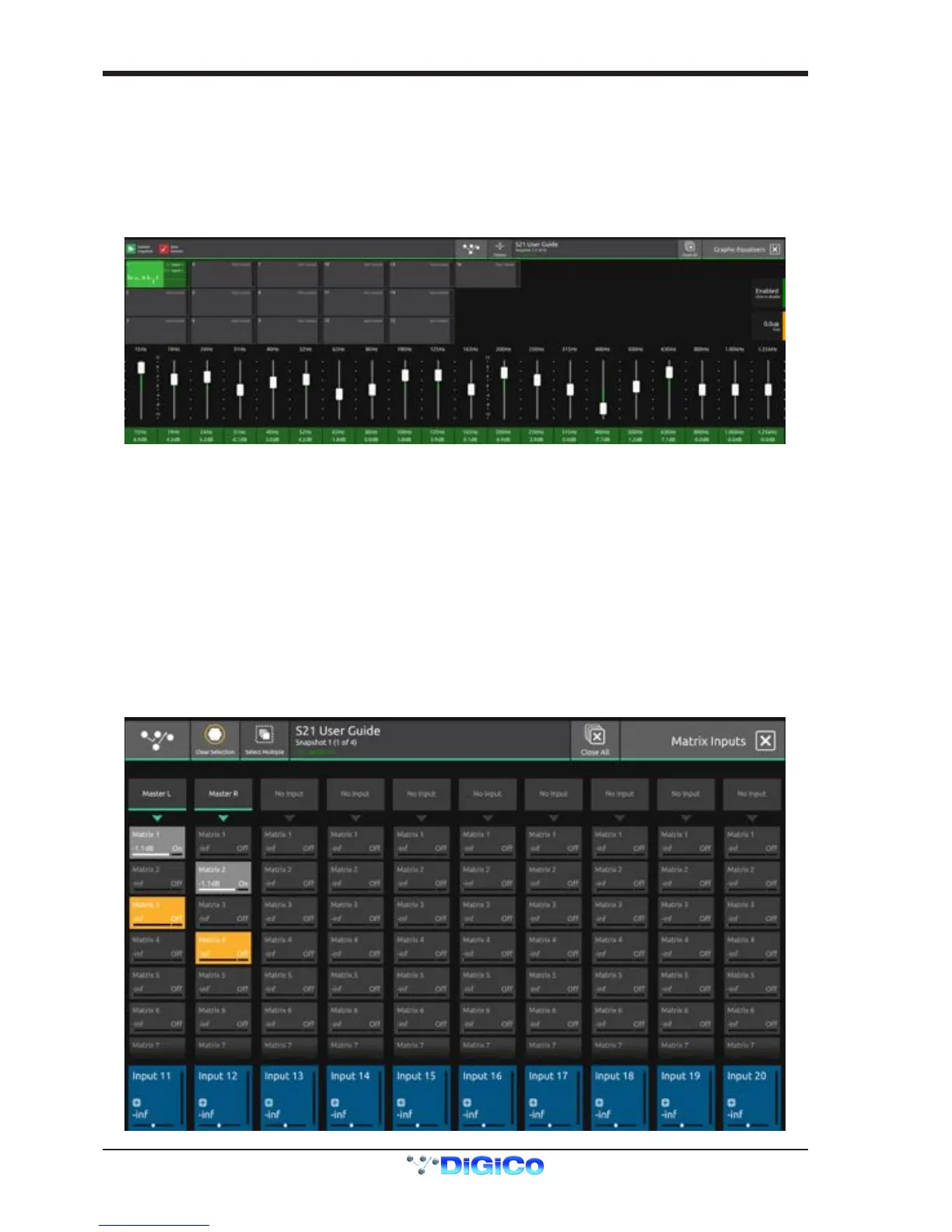
Touching the Main Menu > Graphic EQs button will display and allow the setting of the Graphic EQs
When this view is opened, the console's channel faders are immediately assigned to the selected Graphic EQ. Use these faders to
change the levels.
To select a different Graphic EQ, touch in the small blocks at the top of the screen and this will reassign the channel faders to that EQ.
The display highlights the 20 bands that are currently assigned to the faders and to change the assignment, just drag horizontally in the
area between the bottom of the on-screen faders and the frequency labels at the bottom of the screen.
The selected Graphic EQ unit has a Trim control and an On/Off switch assigned to the 2nd and 3rd Master rotaries on the right of the
screens.
To route signal to/from a Graphic EQ using a channel insert point:
Open the Channel Setup view for the required Input Channel or Output channel by touching the top of the channel strip
Touch the Insert Send block on the Insert A or B column which opens the output routing view
Select Graphic EQs from the Internal Port Group in the top left of the screen
Select a socket(s) for the required Graphic EQ inputs
Close the output routing view
Touch the Insert Return block on the Insert A or B column which opens the input routing view
Select Graphic EQs from the Internal Port Group in the top left of the screen
Select a socket(s) for the required Graphic EQ outputs
Touch the Insert On/Off button to activate the insert point
This routing will now also be displayed in the relevant Graphic EQ block in the Graphic EQ view
1.5.8 Matrix .......................................................................................
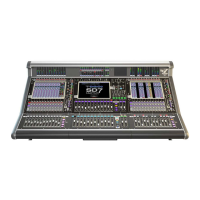
Touching the Main Menu > Matrix button will display and allow the setting of the Matrix Inputs and Matrix Sends
The Matrix has 10 inputs and 8 outputs displayed in a grid on screen.


 To Next Page