1-3
DiGiCo S21
1-3
1.2.2 Layers and Banks ...................................................................
The S21's worksurface is divided into Layers and Banks. Each Layer contains 2 Banks of 10 channels, and the layer which is currently
active on the control surface is selected using the layer up and down buttons next to the Master fader.
The right hand screen is referred to as the Master Screen and this is where the various expanded views of elements such as EQ and
Dynamics are displayed.
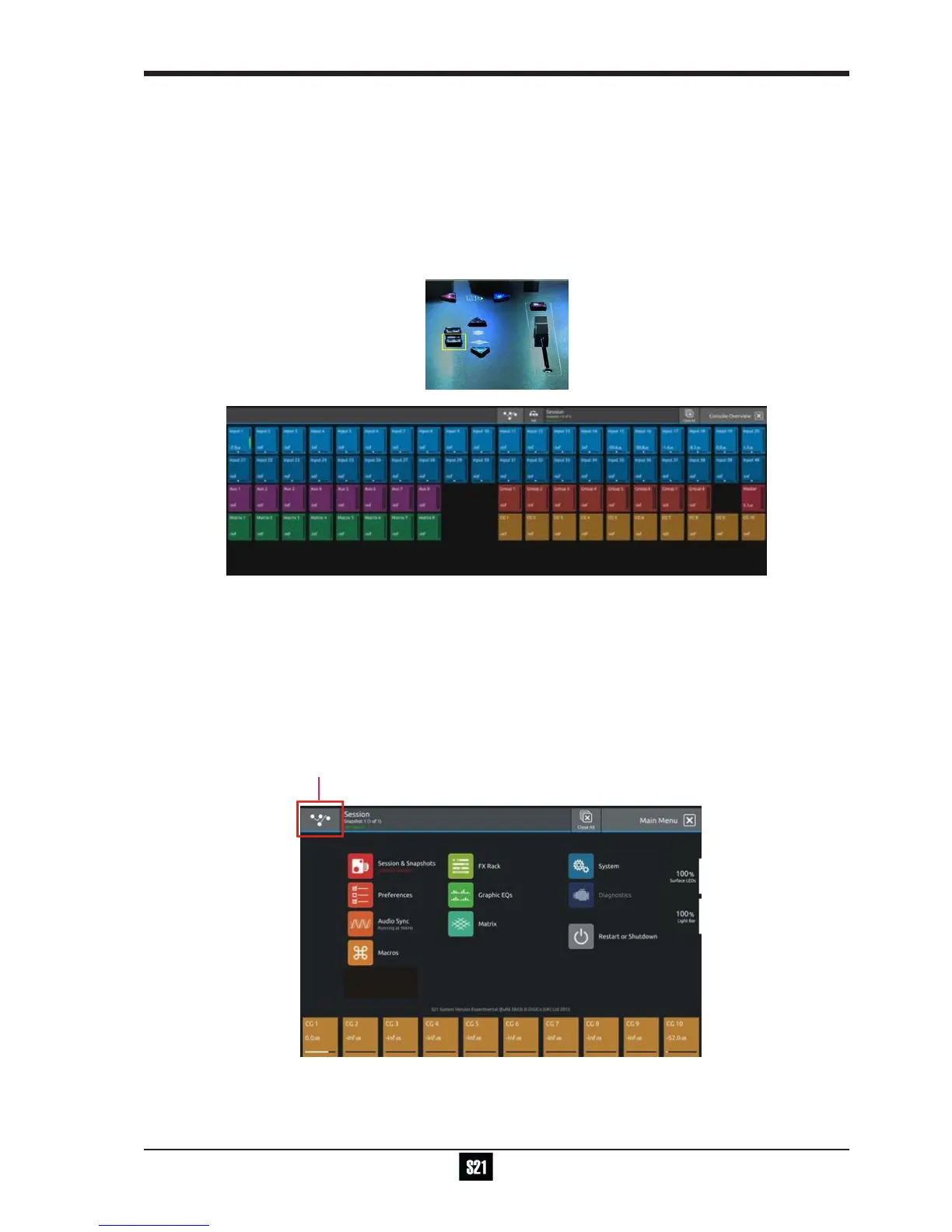
Pressing the white Overview button, located near the layer up and down buttons displays an on screen representation of all console
channels and the active layer can also be selected by touching it on the screen in this mode.The specic channels which are contained
within each Bank are dened in the Overview display. By default, the Input channels will be assigned to Layers 1 and 2 on the left and
right sections of the console.
The different output channels will be assigned to Layer 3 and 4. Control Groups will also be assigned to Layer 4. These bank assign-
ments can be customised by the user and saved in a session at any time.
1.2.3 Using the Control Surface .....................................................
There are two main ways in which all of the functions of the S21 are accessed:
1. The touchscreen display, which can be controlled directly using a nger
2. The physical encoders, switches and faders.
A number of functions can be accessed in different ways, allowing users to operate the console using whichever interface they prefer.
All of the physical controls on the console worksurface are described in full within the relevant section of the manual and many require
no further introduction.
The right hand Master Screen has a DiGiCo logo icon at the top which is used to access the Main Menu


 To Next Page