EasyManua.ls Logo

DigiShot plus.4G - Page 159

Default Icon
253 pages
Print Icon
To Next Page IconTo Next Page
To Previous Page IconTo Previous Page
Loading...
UTM-00339 | Rev 19
Page 159 of 253
DetNet South Africa Copyright © 2021
Ite
m #
Description
Detail
Indication
Icon
Options /
Variants /
Description
6
DigiShot
®
Plus 4G
Commander system
state
Indicates the current
system state the
DigiShot
®
Plus 4G
Commander is in.
The state shown on the
base is simply the ‘least
advanced’ of all the
benches that are
involved in the blast
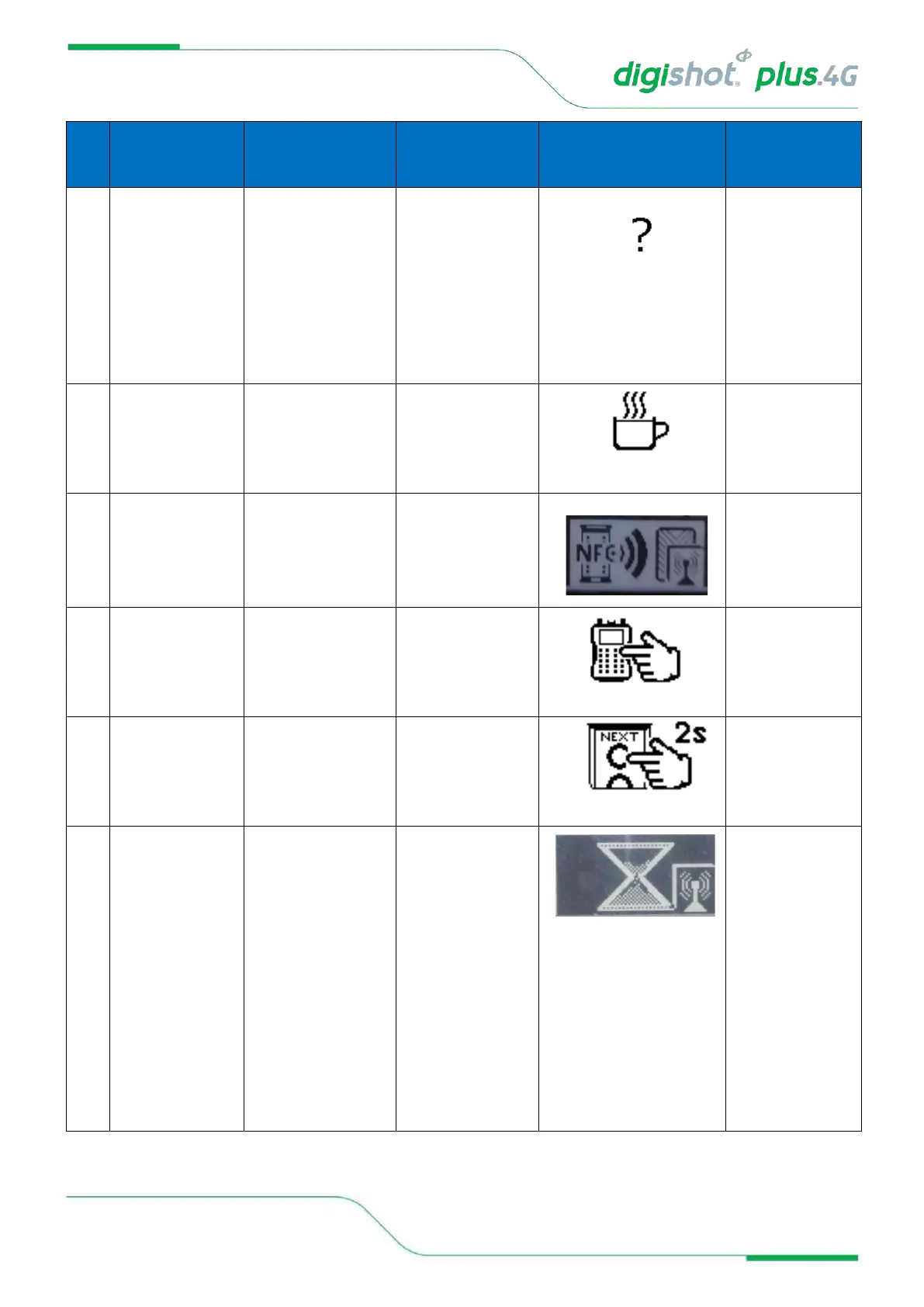
State = UNKNOWN
Undefined DigiShot
®
Plus 4G Commander
state
State = IDLE
Idle state, DigiShot
®
Plus 4G Commander
waiting for processes
to commence, start-
up to finish
State = SCAN
BLASTCARD
Waiting for user to
scan NFC BlastCard
at the back (NFC
area) of the CE4
Commander.
State = ENTER
BLASTCARD PIN
Waiting for user to
enter the scanned
BlastCards PIN on
the connected CE4
Tagger / PC.
State = PRESS NEXT
WITHIN 2sec
Waiting for user to
depress the
Commander's NEXT
button for at least 2
sec.
6.1
Indicating last
(lagging) connected
Bench Commander
state
Indicates the system
state of the lagging
Bench Commander.
If all other connected
Benches are in e.g.
state "Ready to Charge"
and the lagging Bench
is still in state "Awaiting
Grace", then that state
will be indicated along
with the icon identifying
Bench state. See
previous comments re
clarity of description.
Lagging Bench state =
Grace