UTM-00339 | Rev 19
Page 182 of 253
DetNet South Africa Copyright © 2021
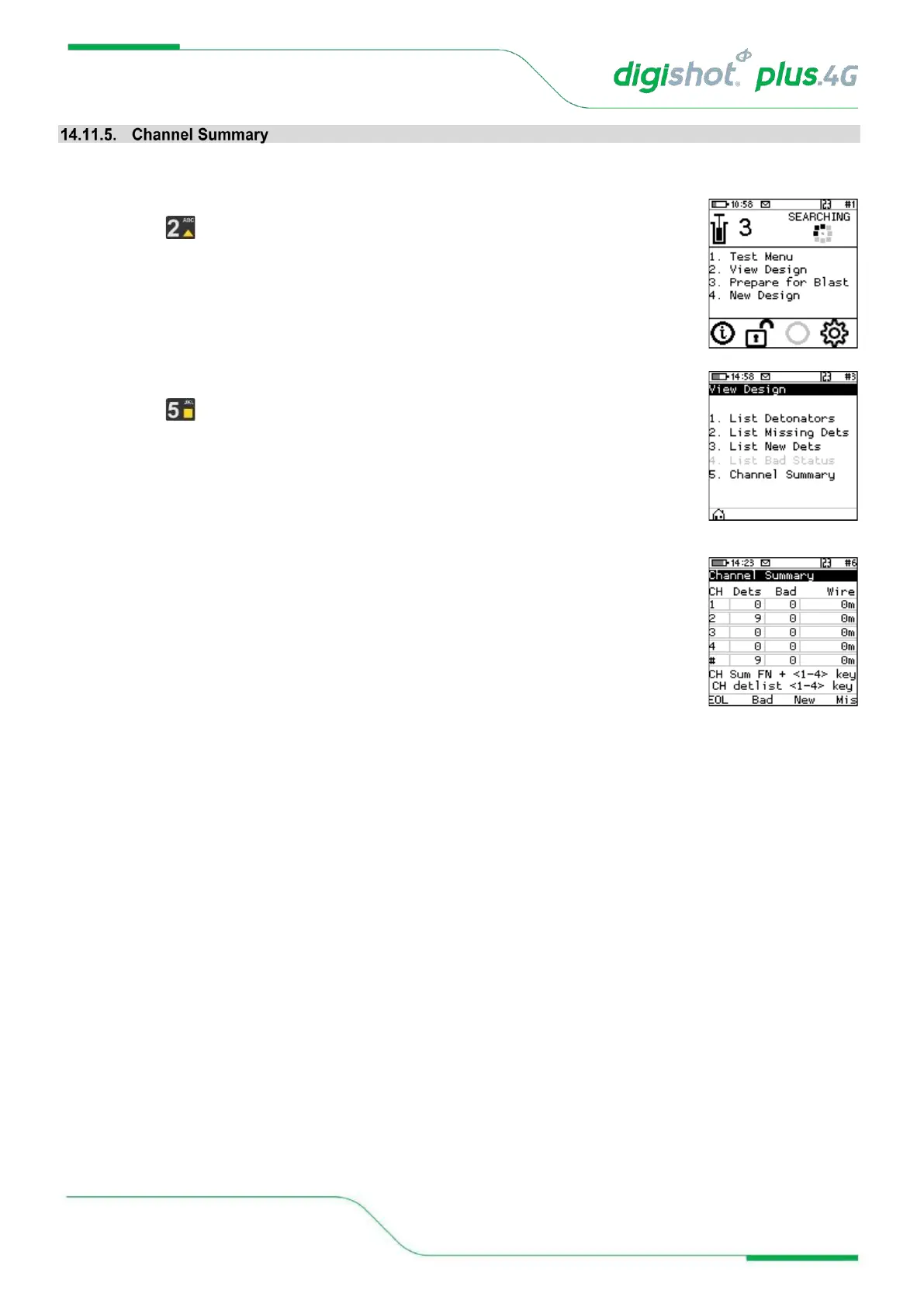
The Channel Summary menu allows the user to view summaries of the number of detonators on each Channel.
1. Main Menu
• Press Key to select View Design.
2. View Design
• Press Key to select Channel Summary.
3. Channel Summary screen
• Press the following SoftKeys to toggle display as follows:
• EOL = End of Line
• Bad = Bad Detonators
• New = New Detonators
• Mis = Bad Detonators



 To Next Page