UTM-00339 | Rev 19
Page 75 of 253
DetNet South Africa Copyright © 2021
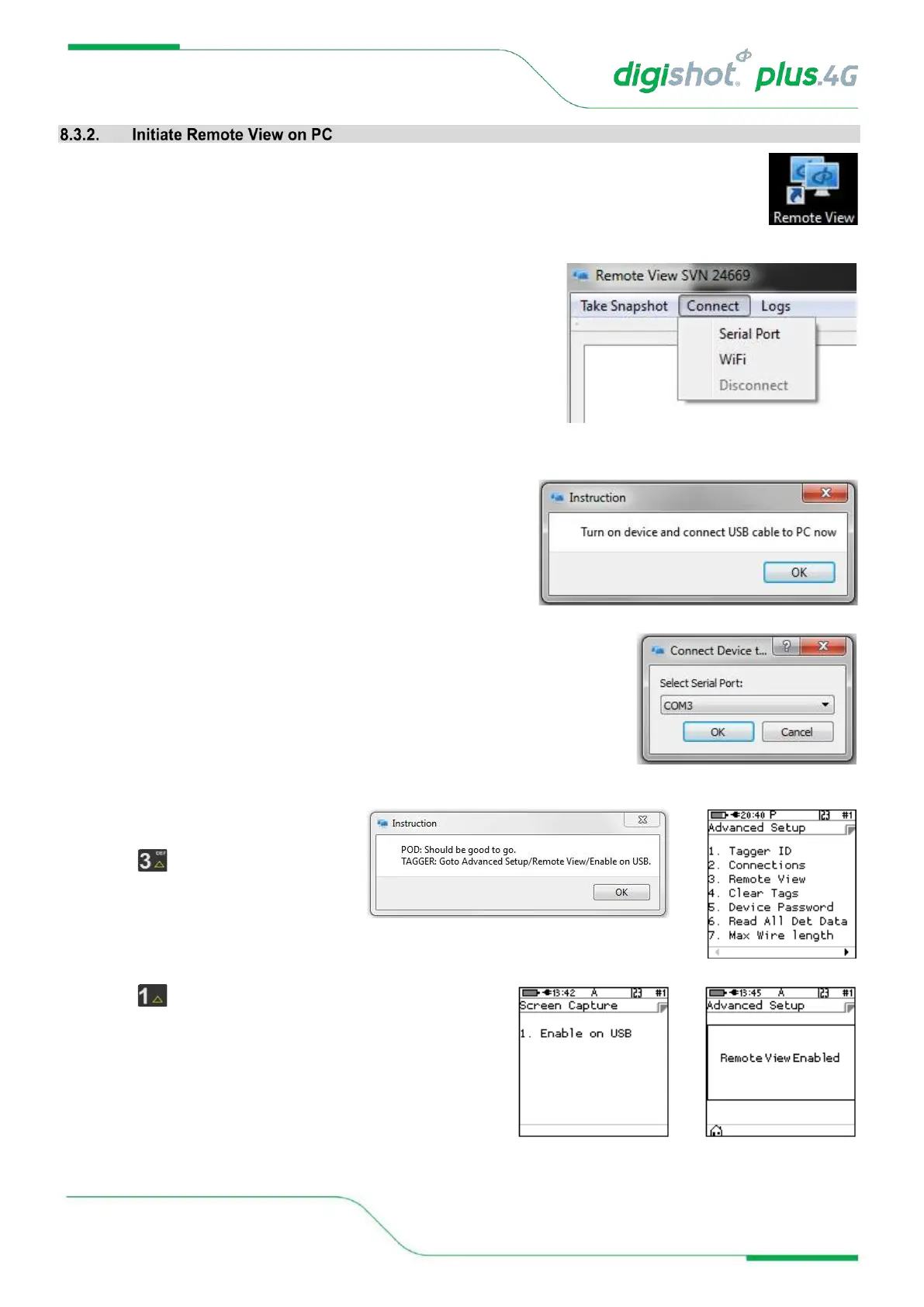
1. Open the Remote View software application on the PC
2. Click on Connect tab
3. Select either Serial Port or Wi-Fi as required from option
4. Ensure CE4 Tagger is switched ON
• Connect USB cable between CE4 Tagger and PC
• Click OK to continue
Connect Device
• Select Serial (COM) Port from dropdown list
• Click OK to continue
5. Navigate to Advanced Setup/ Remote
View on CE4 Tagger
6. Press to select Remote View
7. Press to enable Remote View on PC via USB
8. Remote View will be displayed on PC



 To Next Page