UTM-00339 | Rev 19
Page 228 of 253
DetNet South Africa Copyright © 2021
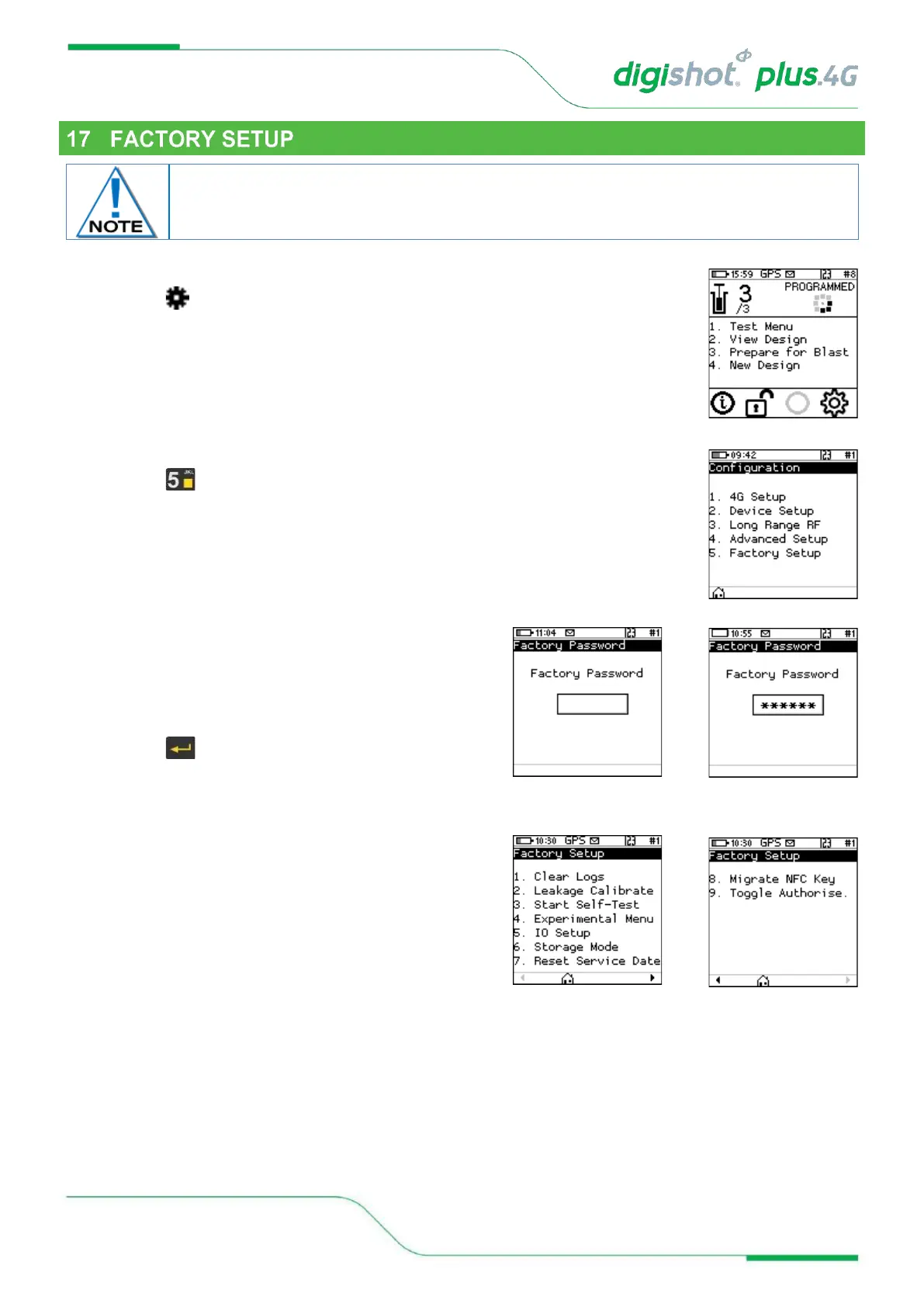
1. Main Menu
• Press to select Configuration
2. Configuration Menu
• Press to select Factory Setup
3. Factory Password
• The factory setup menu will prompt for a password,
after which the factory options will be displayed.
• Use numerical keypad to enter Unique CE4 Tagger
Password.
• Press to continue.
4. Factory Setup
• Factory Setup will be displayed.



 To Next Page