UTM-00339 | Rev 19
Page 211 of 253
DetNet South Africa Copyright © 2021
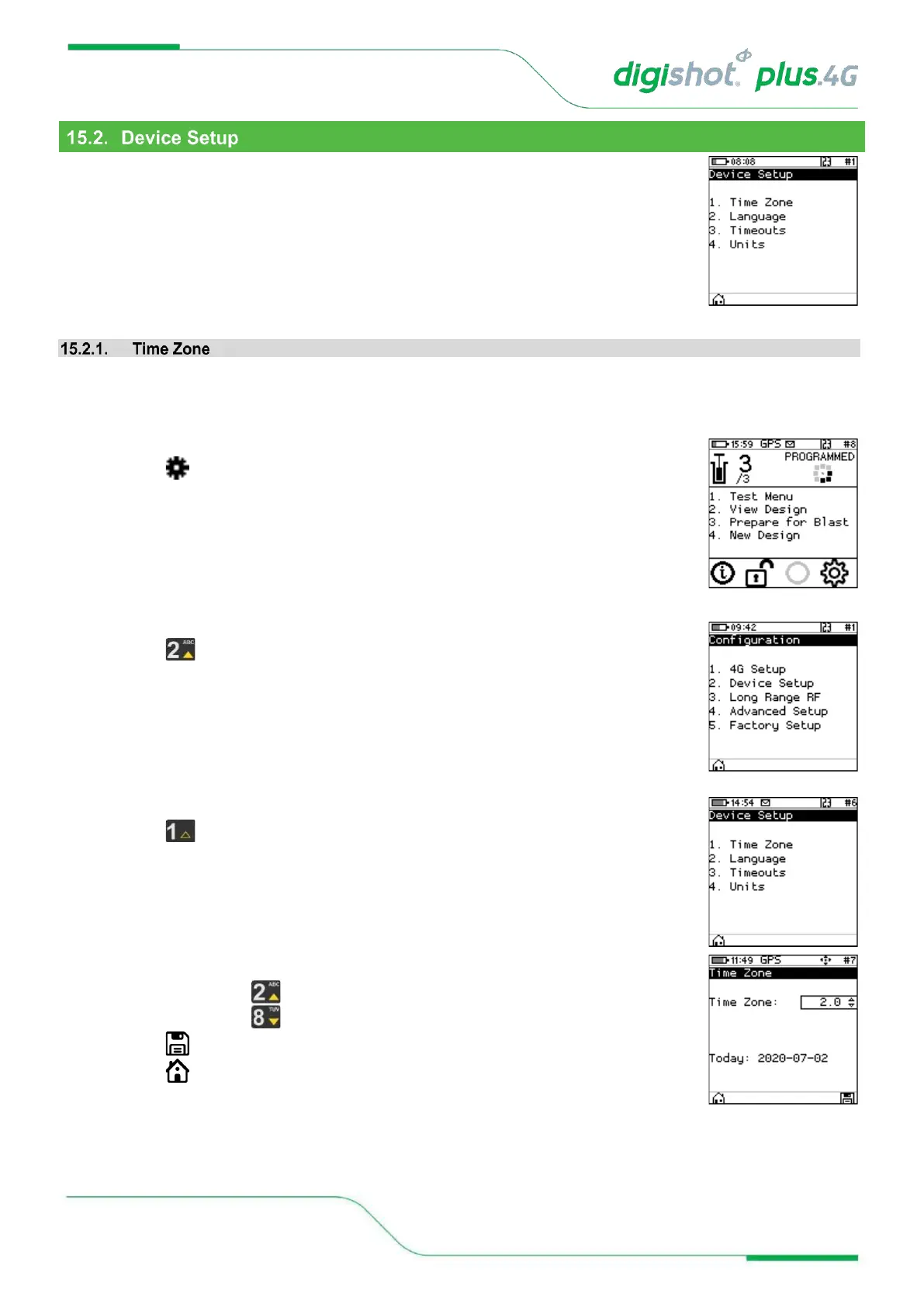
The Device Setup menu will allow the user to adjust device specific settings.
The following options are available:
1. Time Zone
2. Language
3. Time Outs
4. Units
This function enables the user to define the time zone. Date/time settings are controlled by GPS GMT time data
but since the time zone cannot be configured automatically, it should always be set by the user in order to ensure
the correct local time display. The time zones may be adjusted in 0.5 hour increments.
1. Main Menu
• Press to select Configuration
2. Configuration Menu
• Press to select Device Setup
3. Device Setup
• Press to select Time Zone
4. Set Time Zone
• Use the arrow key to navigate the TIME ZONE options.
• Press SoftKey to save.
• Press SoftKey to return to Main Menu.



 To Next Page