UTM-00339 | Rev 19
Page 212 of 253
DetNet South Africa Copyright © 2021
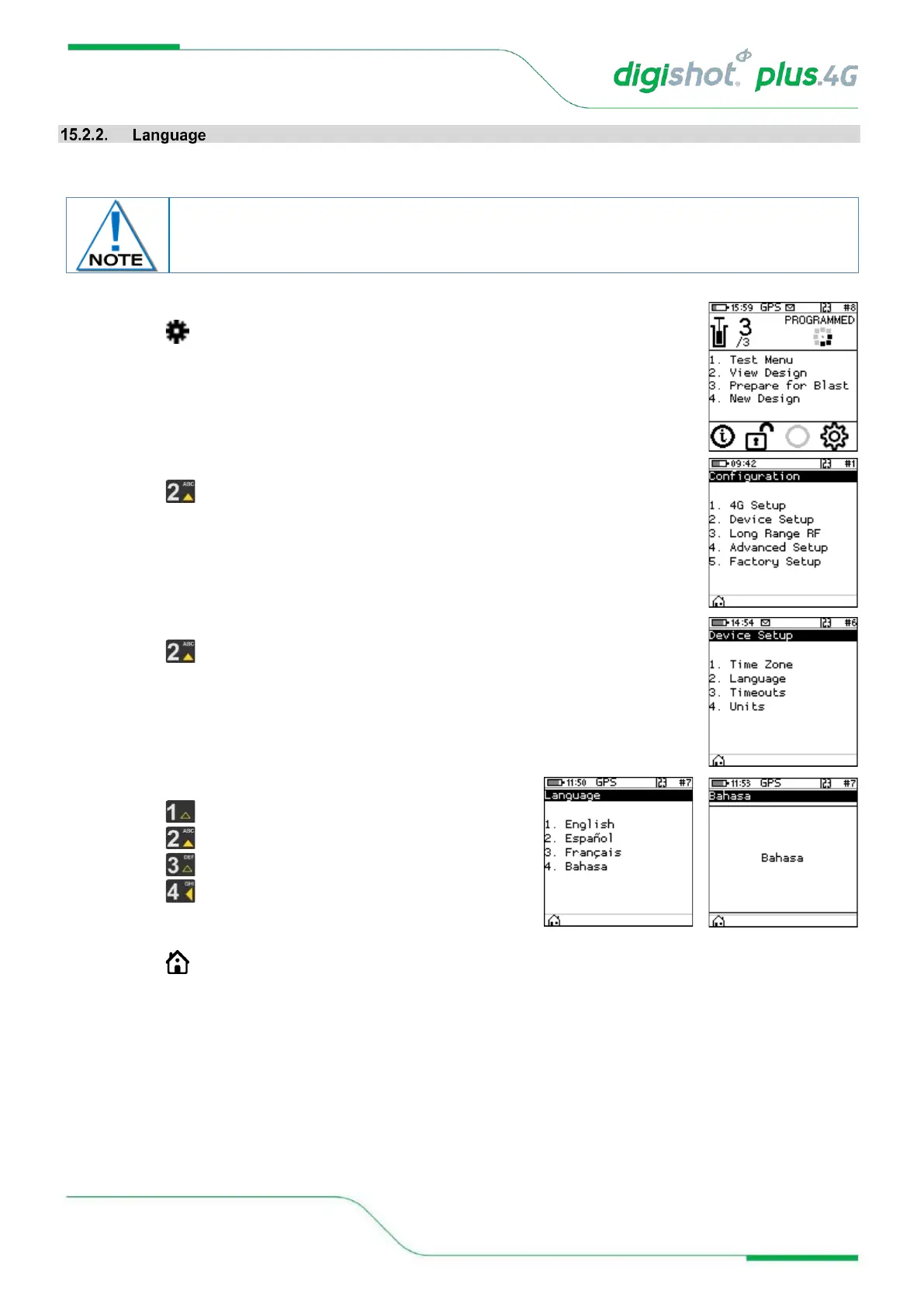
This function enables the user to select a language preference for the DigiShot
®
Plus 4G Commander menus.
1. Main Menu
• Press to select Configuration
2. Configuration Menu
• Press to select Device Setup
3. Device Setup
• Press to select Language
4. Language
• Press on the keypad to select English.
• Press on the keypad to select Español (Spanish).
• Press on the keypad to select Français (French).
• Press on the keypad to select Bahasa (Bahasa)
• A confirmation screen will be displayed when the language
is changed.
• Press SoftKey to return to Main Menu.
This version of software does not have complete translations of all languages other than
English. The additional languages will be included in a later software release.



 To Next Page